Picking an AI voice generator used to be tricky. Most of them sounded robotic, and honestly not that nice to listen to. That’s different now. The new tools are way better, and some voices are almost impossible to tell from real people. In this list we’ll go through ten popular options, what they’re good at, and roughly what they cost.
1. Speechify
WebSite: https://speechify.com/
Speechify started out helping students listen to their textbooks, but it’s turned into a much bigger platform. You can paste in any article or doc and it reads it back in a voice that doesn’t feel robotic. These days it also has voice cloning and even AI summaries. It’s one of the easiest tools to just pick up and use right away.
-
Price: Free version with limitations. Premium version: $29 per month or $138.96 per year.
-
Features: 200+ voices, 60+ languages, speed controls, MP3 export, cloning, summaries.
2. Lovo
WebSite: https://lovo.ai/
If you need a bunch of voices without hiring anyone, Lovo is worth checking out. It offers a wide range of natural voices, and honestly, some of them are hard to tell apart from real people. I’ve seen it used for YouTube intros, explainer videos, even podcasts. A nice extra is that it comes with subtitles, AI art, and some effects, so it’s not just a plain voice tool.
-
Price: Free version with limitations. Pricing plans range from $29 to $149 per month, with a 50% discount on certain plans when billed annually.
-
Features: 500+ voices, 100+ languages, voice cloning, subtitles, AI writing, audio & art extras.
3. Fliki
WebSite: https://fliki.ai/
Fliki isn’t just a voice generator — it’s more like a mini studio. You can make videos with text, voices, avatars, and background music all in one spot. That’s why it’s so popular for TikToks, shorts, and ads. The sheer amount of voices and languages it supports is impressive, and it’s a lifesaver if you don’t want to spend hours editing.
-
Price: Free plan (5 minutes/month). Premium plans range from $28 to $88 per month, with a 25% discount when billed annually.
-
Features: 2000+ voices, 80+ languages, AI avatars, text-to-video, stock assets, cloning.
4. Elevenlabs
WebSite: https://elevenlabs.io/
ElevenLabs is the one people usually bring up when talking about “scary realistic” voices. The way it handles tone and pauses makes it sound incredibly close to a real person. A big selling point is voice cloning — you only need a short sample to create your own. It’s very popular for audiobooks, narration, and lately even for dubbing content into new languages.
-
Price: There is a free plan with 10,000 credits per month, which is enough for about 10 minutes of voice generation. The pricing plans are based on the number of tokens provided per month, which are deducted as you use ElevenLabs’ services. In addition to the number of credits, paid plans also differ in functionality — the more expensive the plan, the more features it offers.
-
Features: Realistic TTS, cloning, speech-to-speech, dubbing, multiple languages.
5. Murf
WebSite: https://murf.ai/
Murf feels like it was made for people who just want to get a professional voiceover done quickly without messing with complex software. It works well for teachers, trainers, and small businesses. You can adjust pitch, pacing, and emphasis so it doesn’t sound flat. I like that it also plugs into presentations, which saves a lot of editing time.
-
Price: Free trial (10 minutes of voice generation). The paid version starts at $29 per month, and with annual billing, you get a 33% discount.
-
Features: 200+ voices, pitch/tone editing, pronunciation tools, API, team features.
6. Fineshare
WebSite: https://fineshare.com/
Fineshare is a smaller player, but it’s actually pretty handy. It has two main parts: FineVoice for voices and Singify for music. If you just want something affordable and straightforward, it does the job. It’s especially good for personal projects or indie creators who don’t want to pay enterprise prices.
-
Price: The free plan provides 2,000 credits to try out the service's features. Paid plans range from $9 to $32, with a 30% discount when billed annually.
-
Features: Custom voices, cloning, AI music, multilingual options, simple UI.
7. Vidnoz
WebSite: https://vidnoz.com/
Vidnoz focuses on pairing voices with AI avatars, which is great if you want a talking head without filming yourself. It’s aimed at marketing, training, and explainer content. The voices are solid, though not as massive a library as some others. Still, the fact that you can make a whole video in one place is a big time-saver.
-
Price: Free version with limitations. Premium plans range from $8.99 to $31.99, with a 25% discount when billed annually.
-
Features: AI avatars, text-to-speech, video templates, dubbing, language options.
8. Listnr
WebSite: https://listnr.ai/
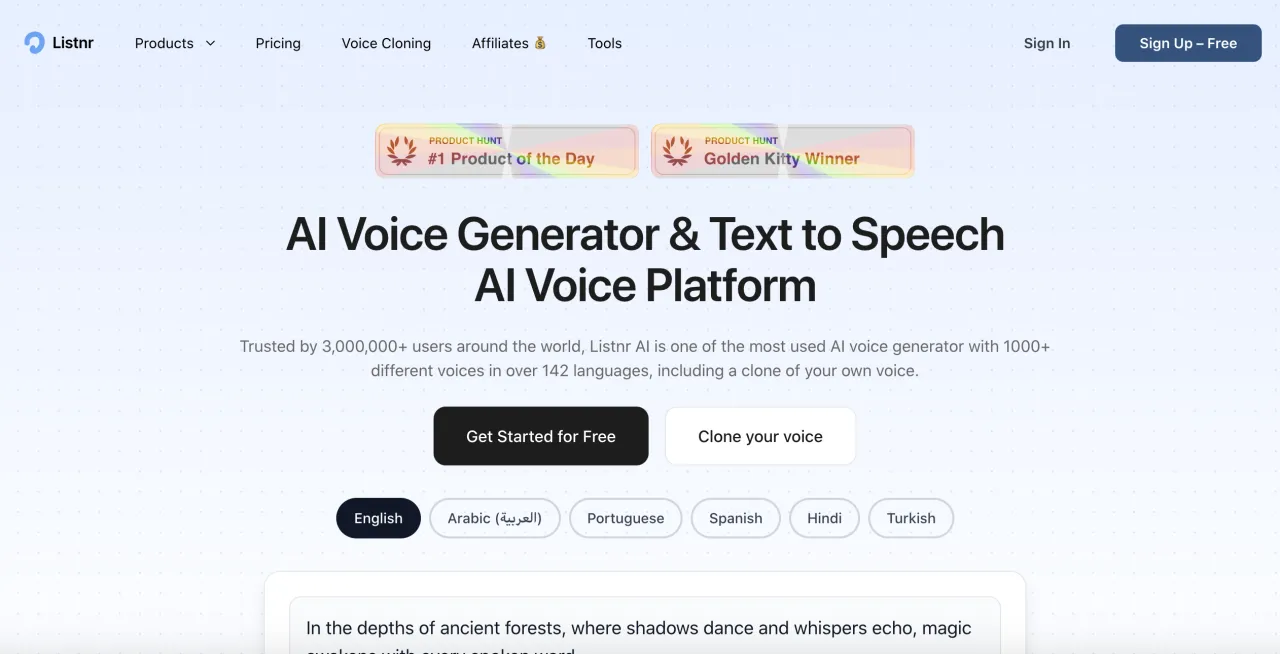
Listnr is made with podcasters in mind. On top of giving you realistic voiceovers, it also lets you host and publish your podcasts directly. That combo is something most competitors don’t offer. The voices cover plenty of accents, and the cloning works well too. For anyone building audio-first content, it’s a neat all-in-one option.
-
Price: Premium plans range from $19.00 to $99.00, with a 30% discount when billed annually..
-
Features: Voice cloning, podcast hosting, multilingual voices, publishing tools, integrations.
9. Dupdub
WebSite: https://dupdub.com/
DupDub is really strong when it comes to dubbing and voice cloning. If you’re repurposing videos or podcasts into other languages, this tool makes the process way faster. I like that the cloning is nearly instant—you don’t need tons of audio. It’s more focused than some all-in-one platforms, which makes it a solid pick for creators.
-
Price: Free 3-day trial. DupDub offers various types of paid plans, including monthly, annual, and pay-as-you-go options. The cheapest plan starts at $11 per month when billed annually.
-
Features: Instant cloning, dubbing, multilingual TTS, audio/video editing support.
10. Wellsaid
WebSite: https://wellsaid.io/
WellSaid feels more business-focused than some of the flashier platforms. Companies use it a lot for training materials, e-learning, and corporate presentations. The quality of the voices is excellent—professional but still natural. It’s a bit pricier, but the collaboration and enterprise features make it a favorite for bigger teams.
-
Price: Creative plan ~$50/month per user; Business ~$160/month per user. The free version is only for testing the functionality, downloading the finished work is not available.
-
Features: Premium voices, team accounts, enterprise tools, realistic TTS.
So, which one should you choose? It really depends on what you need. If you want the most natural voice possible, ElevenLabs is the one most people go for. If you’d like an all-in-one tool to make short videos and social content, Fliki or Vidnoz make things super easy. For podcasts, Listnr stands out, while Speechify is great if you just want to listen to articles, documents, or textbooks on the go. WellSaid is the safer choice for big teams and business training. On the cheaper side, Murf and Fineshare are simple and do the job without costing much.


