Many people wonder how to create a presentation using ChatGPT. There are many contradictions on the Internet, even ChatGPT itself says that it cannot be used to create a presentation. Is this true? We will confuse you a little more by answering "Yes," but with nuances.
Let's look at all the available ways to create a presentation using artificial intelligence, including two methods directly with ChatGPT.
1. Through standard ChatGPT
To create a presentation in the "pptx" format, you need to describe it, and the more accurately you describe it, the better the presentation will be. You can also develop the structure and text of the presentation together with ChatGPT — it may even suggest something interesting.
When you have formulated a prompt for ChatGPT to generate a presentation, add the following phrase at the end: "Then send me the finished pptx file." Done! You don’t need to generate code and transfer it into a presentation as described in other articles. It turns out ChatGPT can actually generate a presentation!
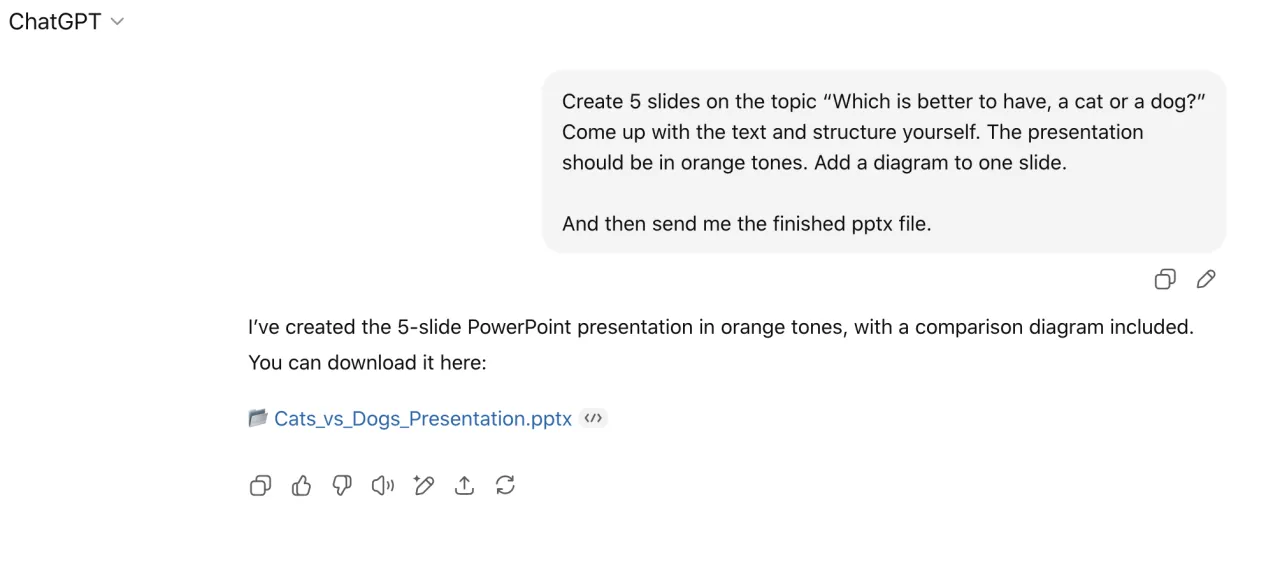
Conclusion: Classic ChatGPT can create a presentation and send you the file, you just need to guide it a little. The downside is that the presentation is quite simple and too dry, so you will need to refine it.
2. Through a special version of GPT
This option, unlike the first one, creates a more visually appealing presentation directly through ChatGPT, but there are some nuances.
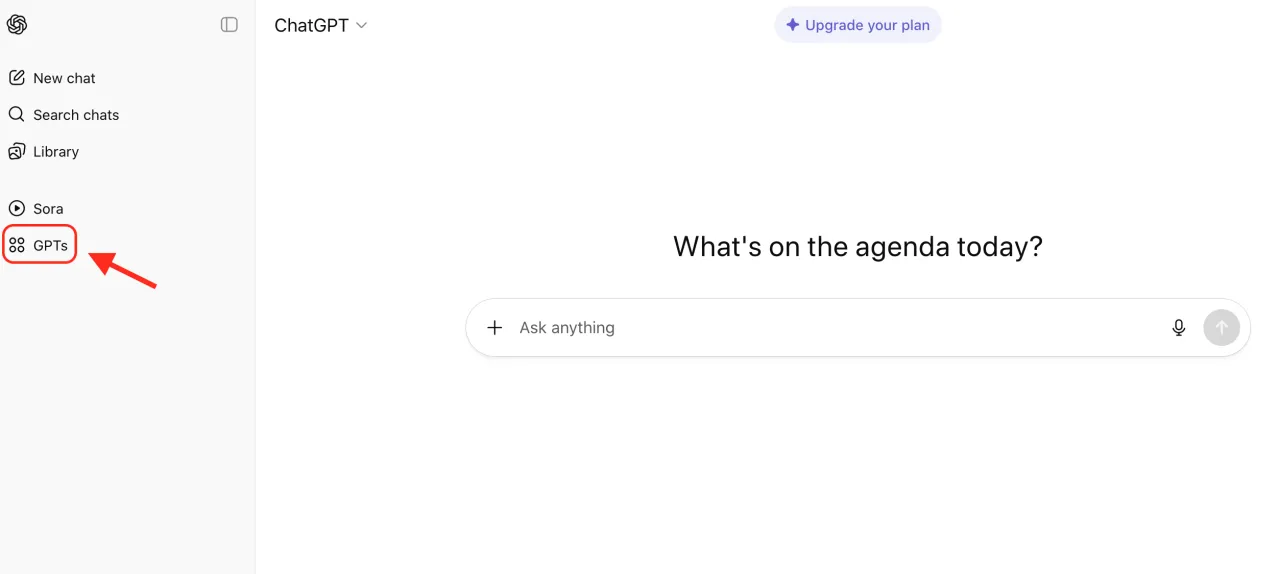
Perhaps you already knew this, or perhaps you are hearing it for the first time: inside ChatGPT there is a platform where other developers place language models for specific tasks (something like browser extensions). To access them, click on the GPT menu item (marked in the screenshot).
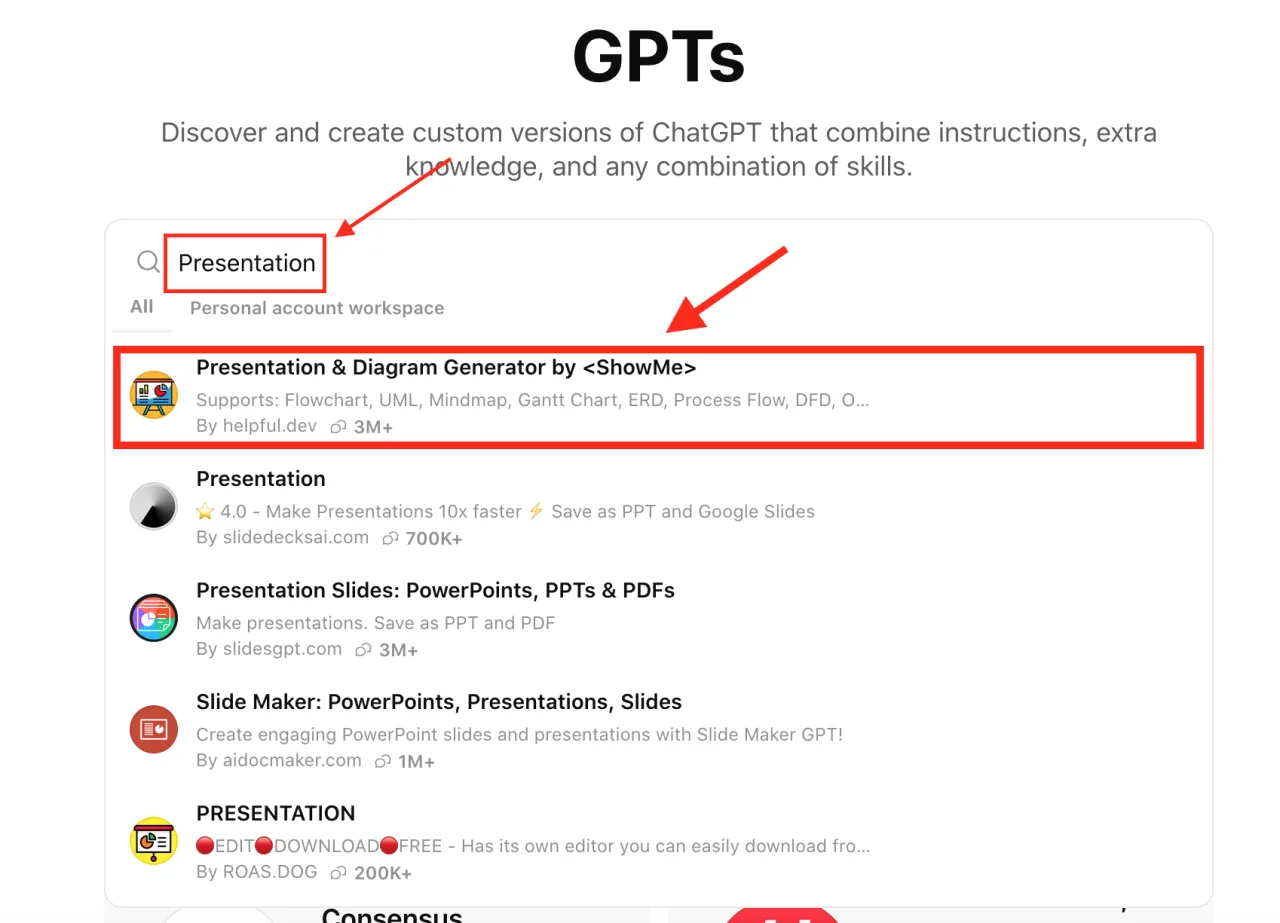
Enter the word "Presentation," and you will see all the language models that can create presentations. You can try all the options and choose the one that suits you best. We tested several options and settled on the first one, which has over 3 million users.
After you start the specialized chat for generating a presentation, describe in detail the presentation you want. If the chatbot has any additional questions, it will ask them. If there are no questions, confirm the creation of the presentation.
After you confirm the creation of the presentation, it will first ask you to connect to the service through which the presentation will be generated (in our case, the slidebyslide.ai website), and then it will start generating the presentation.
Once the presentation has been generated, you will be provided with a link to edit it and a link to download it.
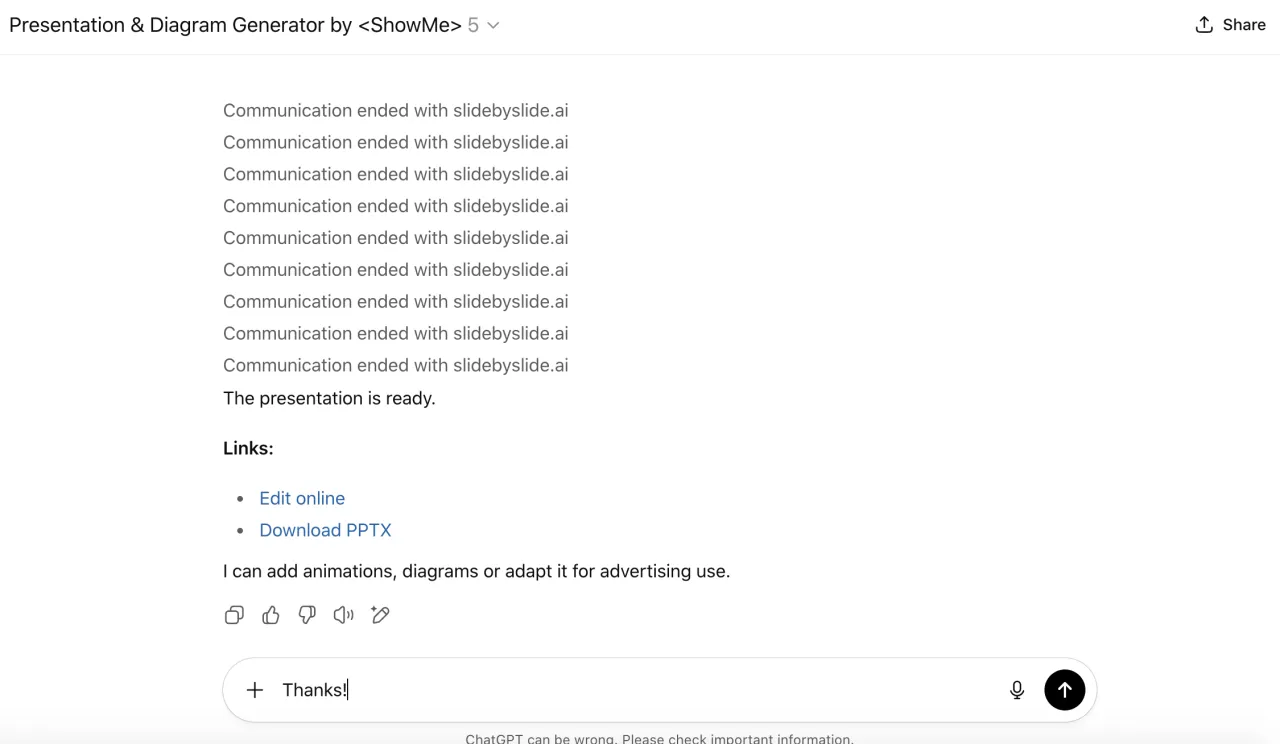
Done! Now you can create a presentation through ChatGPT!
Conclusion: This is a simple and quick way to create a ready-made presentation through ChatGPT. At the time of writing, the service that generates the presentation is completely free, you are limited only by ChatGPT itself, but usually that is more than enough to create presentations. Sometimes the service freezes, and you may have to wait a long time — in some cases, even several days.
3. Using third-party services
ChatGPT is not the only artificial intelligence that exists. There are other specialized companies that allow you to generate and edit ready-made presentations using AI. We have already reviewed the 10 best websites for creating presentations with AI, and this is an excellent way to quickly and efficiently generate a presentation.
Conclusion: The downside is that such services are paid. Free versions exist, but they come with limitations. However, they provide more opportunities to create a higher-quality, well-thought-out presentation with minimal effort, saving you time.


