GPT4All Review 2026: The Best Free Local AI Chatbot for Privacy-First Users?
GPT4All is a free, open-source local AI desktop app that runs LLMs entirely on your device, no cloud, no telemetry, no subscription. In 2026, with 20M+ downloads and a standout LocalDocs feature for private document chat, it remains the top choice for privacy-first users. Here's an honest look at what it does well, where it falls short, and who should be using it.
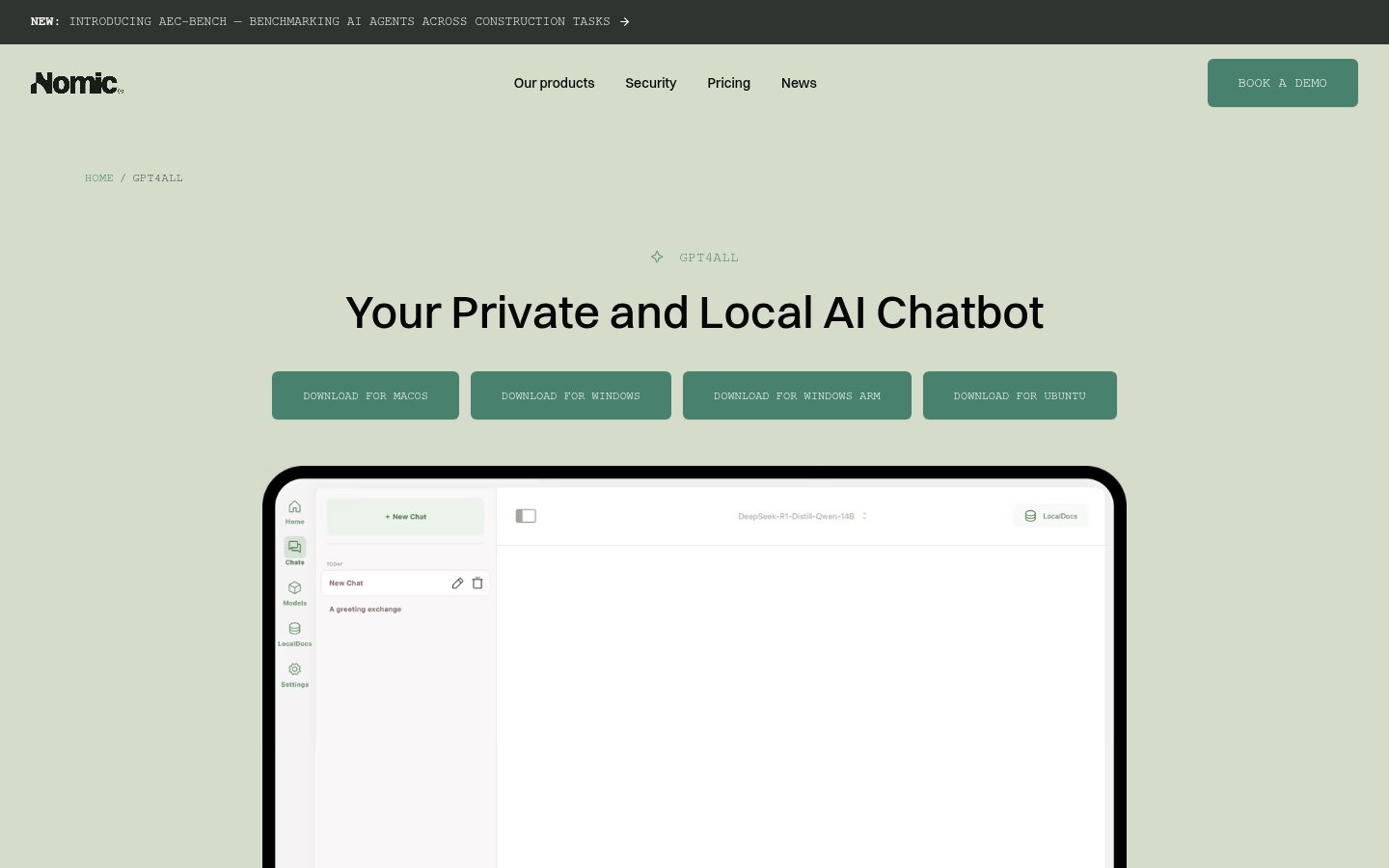
GPT4All
GPT4All
gpt4all.ioGPT4All is a free, open-source local AI desktop app that runs LLMs entirely on your device, no cloud, no telemetry, no subscription. In 2026, with 20M+ downloads and a standout LocalDocs feature for private document chat, it remains the top choice for privacy-first users. Here's an honest look at what it does well, where it falls short, and who should be using it.
Quick facts
- Developer
- Nomic AI
- Price
- Free (open source)
- Platforms
- Windows, macOS, Linux
- GPU Support
- NVIDIA CUDA, AMD ROCm, Apple Metal
- Total Downloads
- 20M+
- License
- MIT
- Internet Required
- Only for initial model download
- Latest Milestone
- AEC-Bench launched (2026)
Pros
- Completely free with no usage caps or hidden tiers
- True local execution, no data ever leaves your device
- LocalDocs RAG is a standout feature for document-heavy workflows
- Supports 1,000+ models with easy in-app downloading
- GPU acceleration across NVIDIA CUDA, AMD ROCm, and Apple Metal
- OpenAI-compatible local API server for custom integrations
- Fully air-gapped capable, no internet required after model download
- No account or registration required, install and run immediately
Cons
- Meaningful quality gap versus GPT-4o and Claude on complex reasoning
- No cross-device sync or team collaboration features
- No real-time web access or native multimodal image support
- Requires 8GB+ RAM for a usable experience
- No mobile or browser-based interface
- Model selection can overwhelm newcomers with 1,000+ options
See GPT4All for yourself
Free to start, no credit card needed for the trial.
Updated May 2026
If you've been paying $20, $200/month for cloud AI and quietly wondering whether your company's sensitive documents are training someone else's model, GPT4All is the answer you've been looking for. It runs entirely on your machine. No API calls. No telemetry. No subscription. Just open-source language models running on your CPU or GPU, completely offline.
I've been testing GPT4All seriously since early 2025, and in 2026 it has matured into something that belongs in every developer's and privacy-conscious professional's toolkit. That said, it's not a replacement for frontier models like GPT-4o or Claude 3.7 Sonnet, at least not yet. The question is whether its specific strengths justify making it part of your workflow.
Let's get into it.
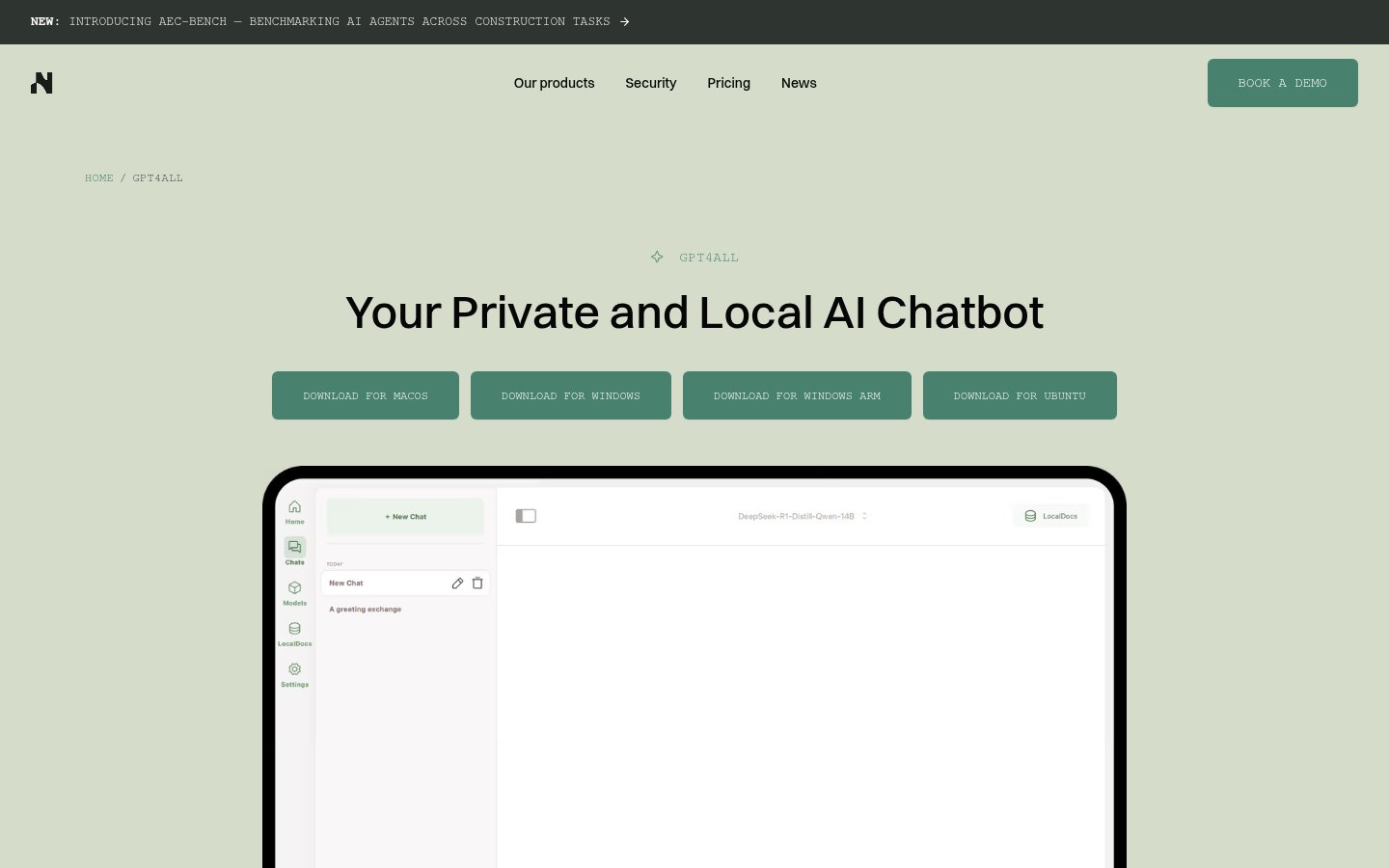
What Is GPT4All?
GPT4All is a free, open-source desktop application developed by Nomic AI that lets you download and run large language models (LLMs) directly on your Windows, macOS, or Linux machine. The core premise is simple: your data never leaves your device.
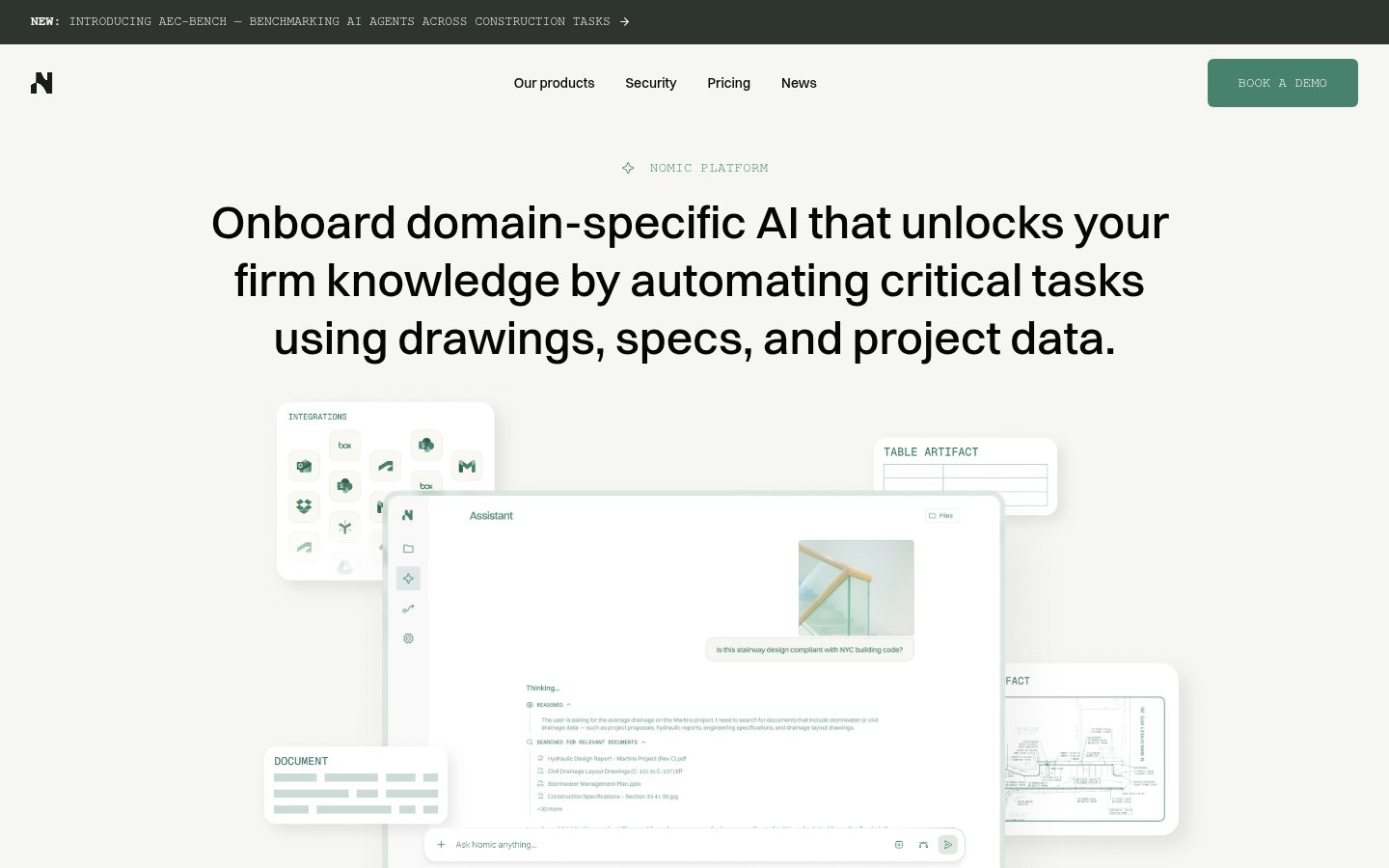
Nomic AI, the company behind it, has a clear dual identity that's worth understanding as a user. On one side, there's GPT4All, the consumer and developer privacy tool. On the other, there's the Nomic Platform, a commercial enterprise product targeting the Architecture, Engineering, and Construction (AEC) industry with domain-specific AI agents for workflows like drawing review, code compliance, submittal review, and project-wide search. Nomic has also launched a Developer API giving AEC firms access to domain-specific models for document parsing, embeddings, and intelligent search. Most recently, Nomic introduced AEC-Bench, a benchmarking suite for evaluating AI agents across construction tasks, a sign the company is doubling down on its enterprise vertical in a serious way.
The open-source GPT4All project effectively funds the goodwill and developer attention that Nomic enjoys, while the enterprise AEC platform funds the company. It's a smart model that has proven durable.
GPT4All has been downloaded over 20 million times since launch, making it one of the most widely adopted local AI tools in existence. In 2026, with privacy regulations tightening globally and enterprise data breach concerns at an all-time high, that number is only going up. Community sentiment backs this up: users consistently cite the absence of tracking, ads, and data collection as the defining reason they chose GPT4All over cloud alternatives.
Key Features
| Feature | Details |
|---|---|
| Local model execution | Runs GGUF models entirely on-device (CPU + GPU acceleration) |
| LocalDocs | Chat with your own PDFs, Word docs, and text files via local RAG |
| Model library | 1,000+ downloadable models via in-app browser |
| Platform support | Windows (x64 + ARM), macOS (Intel + Apple Silicon), Ubuntu/Linux |
| GPU acceleration | NVIDIA CUDA, AMD ROCm, Apple Metal (M-series) |
| Privacy | Zero telemetry by default; fully air-gapped capable |
| API server | Local OpenAI-compatible REST API for custom app integrations |
| Multi-model chat | Compare responses across different models side-by-side |
| Custom system prompts | Persistent personas and instruction sets per conversation |
| Open source | MIT-licensed; fully auditable codebase on GitHub |
Who Is GPT4All For?
GPT4All is a strong fit for anyone working with sensitive documents, legal, medical, financial, or proprietary business data, that simply cannot be sent to a cloud API. If your organization operates under GDPR, HIPAA, or sector-specific data residency requirements, this tool removes the compliance headache entirely. Developers will find it invaluable for free, local LLM prototyping without usage caps or cost anxiety. Researchers and students who want unlimited AI access without metered billing will appreciate the same freedom. For anyone running a genuinely air-gapped environment, GPT4All is one of the only polished options that works out of the box.
On the other hand, if you need frontier-level reasoning for complex multi-step coding or research tasks, cloud models like GPT-4o still hold a meaningful quality edge. GPT4All also lacks real-time web access and native multimodal image understanding, which rules it out as a primary tool for users who depend on those capabilities. Teams looking for shared workspaces, collaborative conversation history, or enterprise access management will find the feature set thin. And if you're running older hardware with less than 8GB of RAM, the experience will be frustrating, model downloads and inference times assume at least a mid-tier modern machine.
Installation and Setup
Setup is genuinely easy, easier than I expected for a tool this powerful. You download the installer from gpt4all.io (available for Windows x64, Windows ARM, macOS, and Ubuntu), run it, and you're in a chat interface within two minutes. The app then presents you with a model browser where you can download your first model.
On a MacBook Pro M3 with 16GB RAM, the whole process from download to first conversation takes under five minutes. Model downloads range from about 2GB for small 3B-parameter models to 8-12GB for larger ones. The in-app browser tells you exactly how much disk space you'll need and gives a rough indication of hardware requirements.
First-time users often trip up on one thing: you have to download a model before you can chat. This is obvious in retrospect but can confuse people expecting an instant cloud-like experience. The recommended starter models are well-chosen for typical consumer hardware and the app guides you toward sensible defaults.
One important note: there is no account registration, no sign-in page, and no cloud dashboard. GPT4All is purely a local desktop application. If you're expecting a web portal or mobile companion app, you won't find one, and that's entirely by design.
Performance: What It's Actually Like to Use
Here's where I have to be honest. Local models in 2026 are remarkably capable compared to where they were two or three years ago, but there's still a meaningful quality gap versus frontier cloud models on complex reasoning tasks. For document summarization, drafting, brainstorming, and straightforward code generation, the experience is genuinely impressive, especially given that it's running entirely on your own hardware at zero marginal cost.
For heavy multi-step reasoning, subtle logical inference, or tasks that benefit from the breadth of training data that frontier models carry, you'll feel the ceiling. This isn't a knock on GPT4All specifically, it's a hardware and model-size constraint that affects every local LLM runner equally. The gap is narrowing fast, but it exists.
LocalDocs is where GPT4All earns its strongest recommendation. The ability to drop a folder of PDFs, contracts, research papers, or internal documentation into the app and chat with that corpus entirely locally, with no data leaving your machine, is genuinely powerful. It uses retrieval-augmented generation (RAG) under the hood, and while it's not flawless, it handles the vast majority of document Q&A use cases well enough to replace cloud-based solutions for users who can't afford the data exposure.
Token generation speed varies significantly by hardware. On Apple Silicon (M3), a 7B-parameter model runs at a comfortable conversational pace. On mid-tier Windows laptops without discrete GPU acceleration, smaller models are usable but larger ones can feel sluggish. The in-app GPU acceleration for NVIDIA CUDA, AMD ROCm, and Apple Metal makes a noticeable difference if your hardware supports it.
Pricing
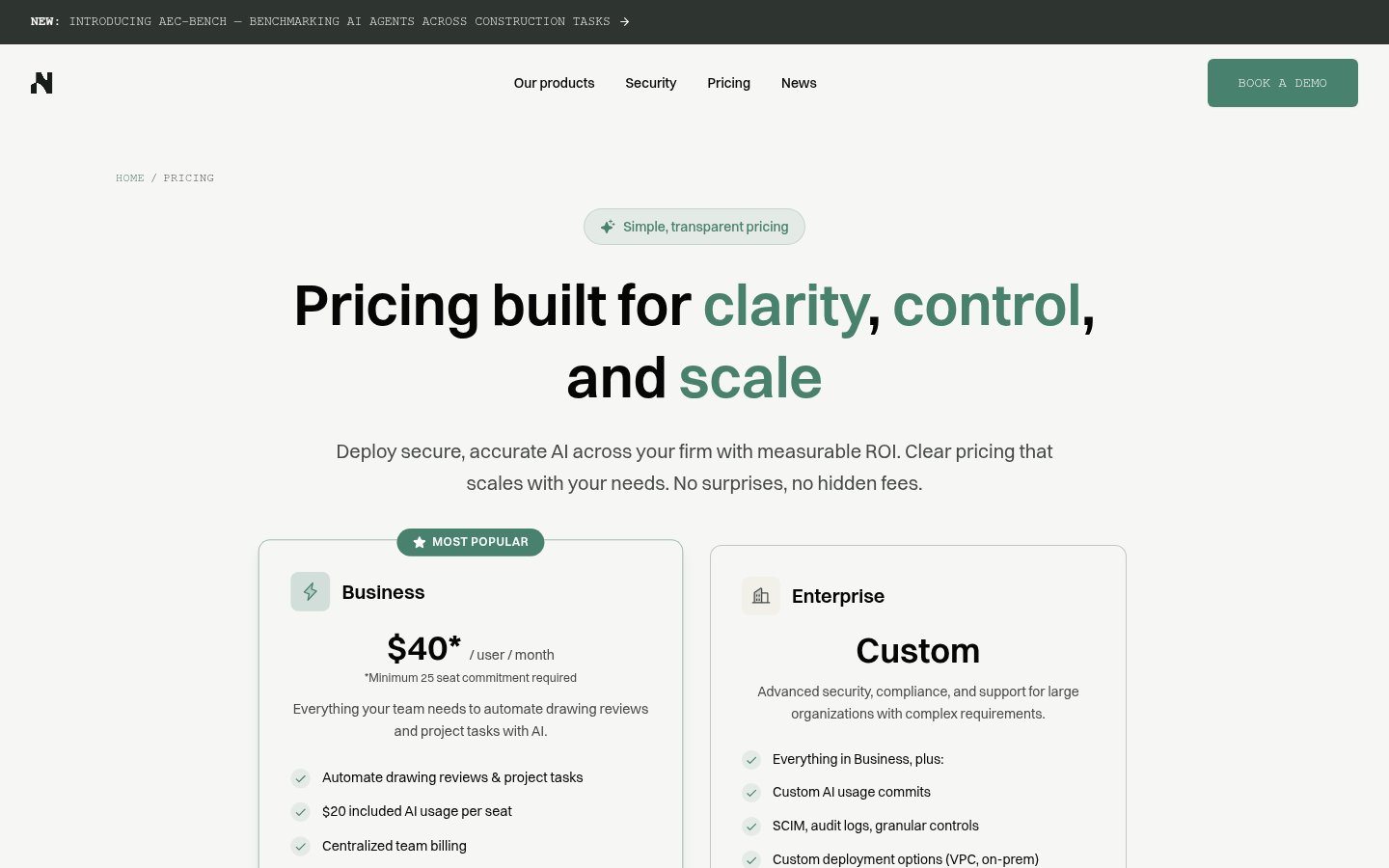
GPT4All itself is completely free. There are no tiers, no usage limits, no premium plan, and no hidden costs. The application is MIT-licensed open source, and every model available through the in-app browser can be downloaded at no charge.
The only real cost is your own hardware. You need a machine capable of running multi-gigabyte models in RAM, 8GB is the practical minimum, and 16GB or more is recommended for a smooth experience with larger models. Disk space is a consideration too, since models accumulate quickly if you download several.
Nomic AI's commercial revenue comes entirely from its enterprise Nomic Platform and Developer API products aimed at the AEC industry, not from monetizing GPT4All users in any way. This is a key structural point: your use of GPT4All does not subsidize a freemium funnel trying to upsell you.
| Plan | Price | What You Get |
|---|---|---|
| GPT4All Desktop | Free | Full app, 1,000+ models, LocalDocs, API server, all platforms |
| Nomic Platform (Enterprise) | Custom pricing | AEC-specific AI agents, firm-wide knowledge search, project workflows |
| Nomic Developer API (Enterprise) | Custom pricing | Domain-specific models for document parsing, embeddings, intelligent search |
If you're an AEC firm interested in the enterprise offering, you'll need to contact Nomic directly, there's no self-serve pricing page available publicly.
LocalDocs: The Killer Feature
If there's one reason to install GPT4All today, it's LocalDocs. The feature lets you point the app at a folder of documents, PDFs, Word files, plain text, and build a local vector index of that content. You can then chat with those documents in natural language, with citations pointing back to the source material.
The entire pipeline runs on your device. The embedding model, the vector store, the retrieval, the generation, none of it touches a remote server. For lawyers reviewing contracts, analysts working with proprietary research, or any professional who has ever hesitated before pasting a sensitive document into ChatGPT, this is a meaningful capability.
It's not perfect. Retrieval quality depends heavily on document structure and chunk size, and complex multi-document reasoning can produce hallucinations or missed context. But for the core use case, "find me what this document says about X", it works reliably and impressively.
The OpenAI-Compatible Local API
For developers, GPT4All includes a local REST API server that mimics the OpenAI API interface. This means you can point existing OpenAI SDK integrations at your local GPT4All instance with minimal code changes, swapping the base URL and removing the API key requirement. It's a practical shortcut for prototyping applications locally before deciding whether to commit to cloud inference costs.
The API supports completions and chat endpoints. It won't cover every OpenAI feature, but for the core text generation use case it's a genuine time-saver and makes GPT4All genuinely useful as a development infrastructure tool, not just a chat interface.
Nomic AI's Broader Direction
It's worth understanding where Nomic AI is focusing its energy, because it informs how GPT4All will likely evolve. The company has clearly defined its commercial trajectory around the AEC industry, architecture, engineering, and construction. The launch of AEC-Bench, a benchmarking suite specifically for evaluating AI agents on construction tasks, signals that Nomic is investing seriously in domain-specific model quality for that vertical rather than trying to compete with OpenAI and Anthropic on general-purpose benchmarks.
For GPT4All users, this means the desktop app benefits from Nomic's AI infrastructure investment without being the primary commercial product. The app is maintained, updated, and improved, but don't expect Nomic to pivot GPT4All into an enterprise SaaS product. Its role as a free, open-source, privacy-first local AI runner appears to be stable and intentional.
Community sentiment in 2026 reflects real appreciation for this positioning. The recurring theme in user feedback is trust, the sense that GPT4All exists to serve users rather than extract value from them. That's not nothing in a market increasingly defined by opaque data practices and aggressive upsell funnels.
Limitations Worth Knowing
GPT4All has no mobile app and no browser-based interface. It is a desktop application, period. If you need AI assistance on your phone or a shared machine, you'll need a different tool.
There is no cross-device sync, no shared conversation history across machines, and no team collaboration features. Each installation is entirely standalone. For solo users, this is fine. For teams, it's a real gap.
The model library, while impressive at 1,000+ options, can genuinely overwhelm newcomers. There's no curated "best for beginners" tier beyond the app's default recommendations, and understanding the tradeoffs between model families, parameter counts, and quantization levels requires some prior knowledge or willingness to read documentation.
Finally, real-time web access is not available. GPT4All's models have training cutoffs and cannot browse the internet. For research tasks requiring current information, you'll need to supplement with other tools or manually paste relevant content into the chat.
Verdict
GPT4All remains the gold standard for free, private, on-device AI in 2026. LocalDocs is a genuine killer feature for anyone handling sensitive documents, and the zero-cost, zero-telemetry model is hard to argue with. The quality gap versus frontier cloud models is real but narrowing, and for document Q&A, drafting, and code generation it delivers far more than its price tag suggests.
Try GPT4AllAlternatives
- LM Studio
More technical local LLM runner with broader model format support; steeper learning curve
- Jan
Open-source local AI desktop app; similar privacy focus, less polished UX
- Ollama
CLI-first local model runner; ideal for developers building custom integrations
- ChatGPT (GPT-4o)
Far superior reasoning and multimodal capabilities; cloud-based, paid, data leaves your device
Frequently Asked Questions
Tools & Services Mentioned

infobro.ai Editorial Team
We research every tool from its documentation, pricing pages, product screenshots and public developer discussion, and say plainly what the evidence does and does not show. Drafts are AI-assisted and reviewed by our editors before publication. We revisit each article every 6 months to reflect platform changes. Learn more about our process.