LM Studio Review 2026: The Best Way to Run Local LLMs on Your Own Hardware?
LM Studio v0.4.12 reviewed: the most polished local LLM platform in 2026, now with headless llmster deployment, Python and JS SDKs, MCP client support, and free for home and work use. Here's what it can actually do, and where it still falls short.
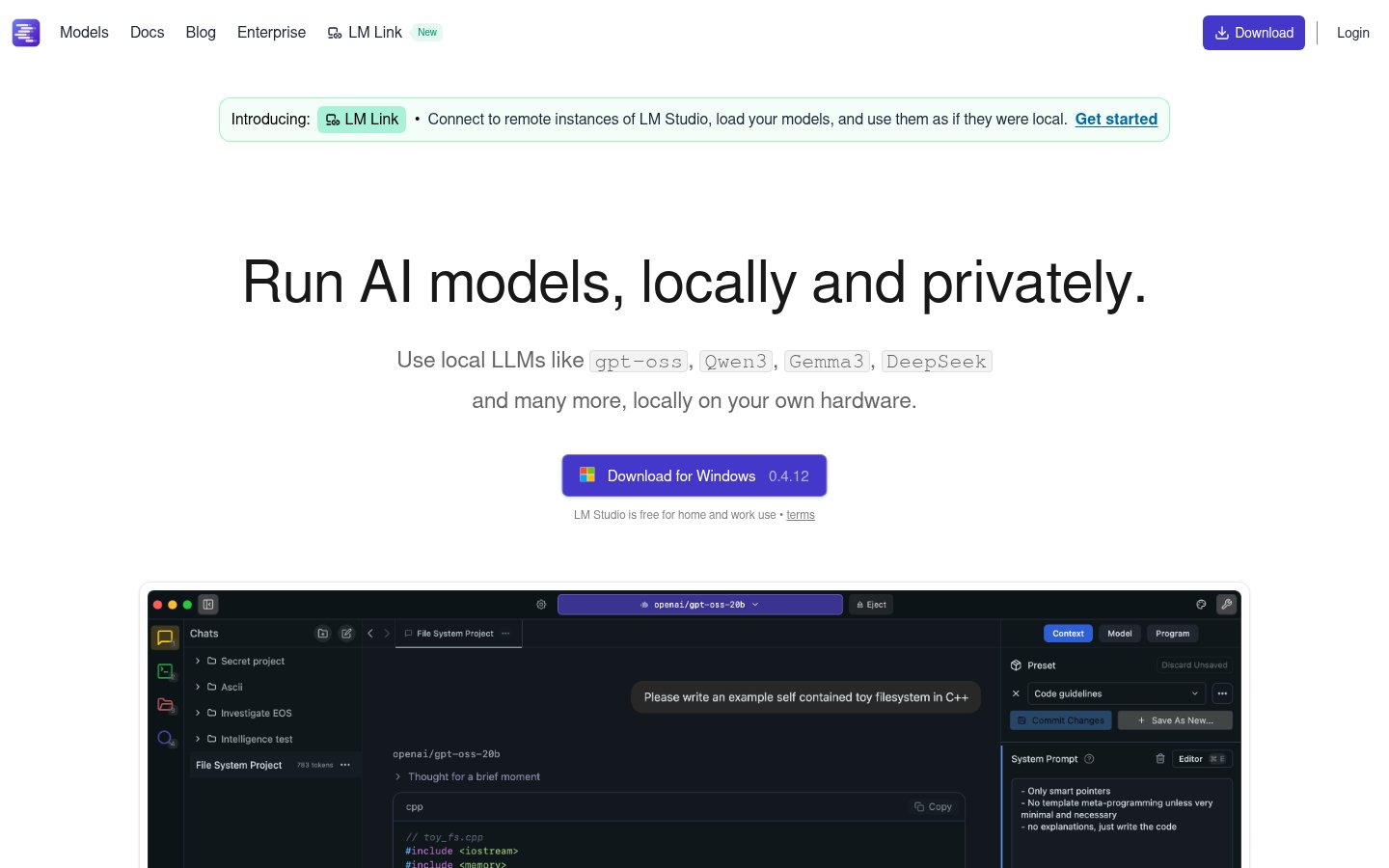
LM Studio
LM Studio
lmstudio.aiLM Studio v0.4.12 reviewed: the most polished local LLM platform in 2026, now with headless llmster deployment, Python and JS SDKs, MCP client support, and free for home and work use. Here's what it can actually do, and where it still falls short.
Quick facts
- Version reviewed
- 0.4.12
- Pricing
- Free for personal and work use; Enterprise pricing on request
- Platforms
- Windows, macOS (Intel + Apple Silicon), Linux
- Headless mode
- Yes, via llmster
- OpenAI-compatible API
- Yes
- SDK support
- Python and JavaScript
- MCP client
- Yes
- Apple MLX support
- Yes
Pros
- Completely free for personal and work use with no feature restrictions
- Best-in-class GUI for model discovery, download, and experimentation
- OpenAI-compatible API makes integration with existing tools straightforward
- llmster enables headless server deployment on Linux, macOS, and Windows
- Native Apple MLX support gives M-series Mac users excellent performance
- MCP client support enables agentic workflows with local models
- Mature Python and JavaScript SDKs with good documentation
- LM Link allows using models from a remote machine through a local interface
Cons
- Entirely dependent on your own hardware, low-end machines will struggle
- Large model file sizes (4-40GB+) require significant storage planning
- Enterprise pricing is not publicly listed, requires sales contact
- Local open-weight models still trail frontier cloud models on complex tasks
- CPU-only inference is impractically slow for most models above 3B parameters
See LM Studio for yourself
Free to start, no credit card needed for the trial.
Updated May 2026: This review reflects LM Studio version 0.4.12 and includes new screenshots and current feature details as of May 8, 2026.
If you've spent any time in AI circles over the past two years, you've heard the pitch for running models locally: total privacy, zero API costs, no rate limits, and full control over your data. The problem? Getting a 30-billion-parameter model to actually run on your laptop without a PhD in CUDA used to be a weekend-wrecking exercise in frustration.
LM Studio changed that. And in 2026, it's more capable than ever.
This is a full hands-on review of LM Studio, version 0.4.12, current as of May 2026. I'll cover what it does well, where it falls short, how it compares to the competition, and whether it's worth your time.
What Is LM Studio?
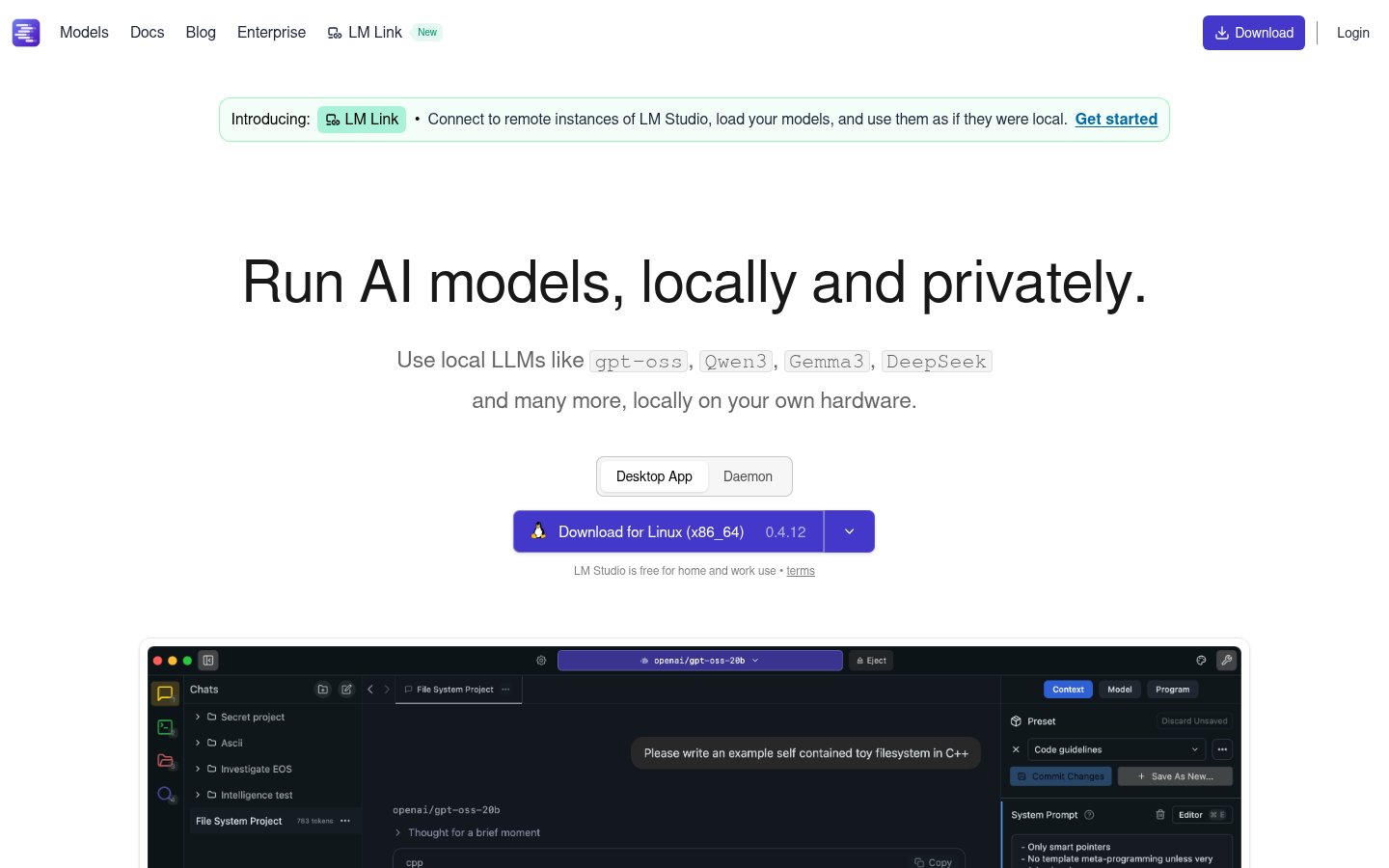
LM Studio is a desktop application that lets you download, manage, and run large language models (LLMs) entirely on your own hardware. No data leaves your machine. No cloud subscription. No API key to protect.
You pick a model, say, Qwen3, Gemma 3, DeepSeek, or any of Meta's open-weight releases, download it through LM Studio's built-in hub, and start chatting or building on top of it through a local API. The whole experience is designed to feel as smooth as using a cloud-based chatbot, but with the model running entirely on your CPU or GPU.
That's the core value proposition. And it genuinely delivers on it.
What's changed in 2026 is the scope. LM Studio has grown from a nice desktop app into a genuine local AI development platform, with headless server deployments, JavaScript and Python SDKs, Model Context Protocol (MCP) client support, and an enterprise tier for organizations. The homepage now explicitly calls out support for models including gpt-oss, Qwen3, Gemma 3, and DeepSeek, reflecting how quickly the open-weight model landscape has expanded. It's not just a hobbyist toy anymore.
LM Studio is free for both home and work use, no subscription required to get started.
Key Features
| Feature | Details |
|---|---|
| Model Hub | Browse and download hundreds of open-weight models directly in-app |
| Chat Interface | Clean, multi-turn conversation UI with system prompt control |
| OpenAI-Compatible API | Drop-in local replacement for OpenAI's REST API |
| llmster (Headless Mode) | CLI-based server for Linux, macOS, and Windows, no GUI required |
| LM Link | Connect to remote LM Studio instances and use models as if local |
| JavaScript SDK | npm install @lmstudio/sdk, full programmatic control |
| Python SDK | pip install lmstudio, same capabilities for Python workflows |
| MCP Client Support | Use LM Studio as a Model Context Protocol client |
| Apple MLX Support | Native Apple Silicon optimization for M-series Macs |
CLI Tool (lms) | Command-line management of models, servers, and configurations |
| Enterprise Controls | Centralized model/MCP/plugin management for organizations |
| Cross-Platform | Windows, macOS (Intel + Apple Silicon), Linux |
A Closer Look at the Features
The Model Hub: Genuinely Useful Discovery
One of LM Studio's underrated strengths is its built-in model hub. Rather than hunting for GGUF files on Hugging Face, navigating confusing quantization naming conventions, and manually moving files around, you browse models directly in the app. Filter by size, capability, or hardware compatibility, and download with one click.
In 2026, the hub includes models like Qwen3, Gemma 3, DeepSeek variants, gpt-oss, and a growing catalog of community and research models. For most users, especially those who aren't deep in the open-source LLM ecosystem, this alone justifies using LM Studio over the alternatives.
llmster: The Headless Deployment Story
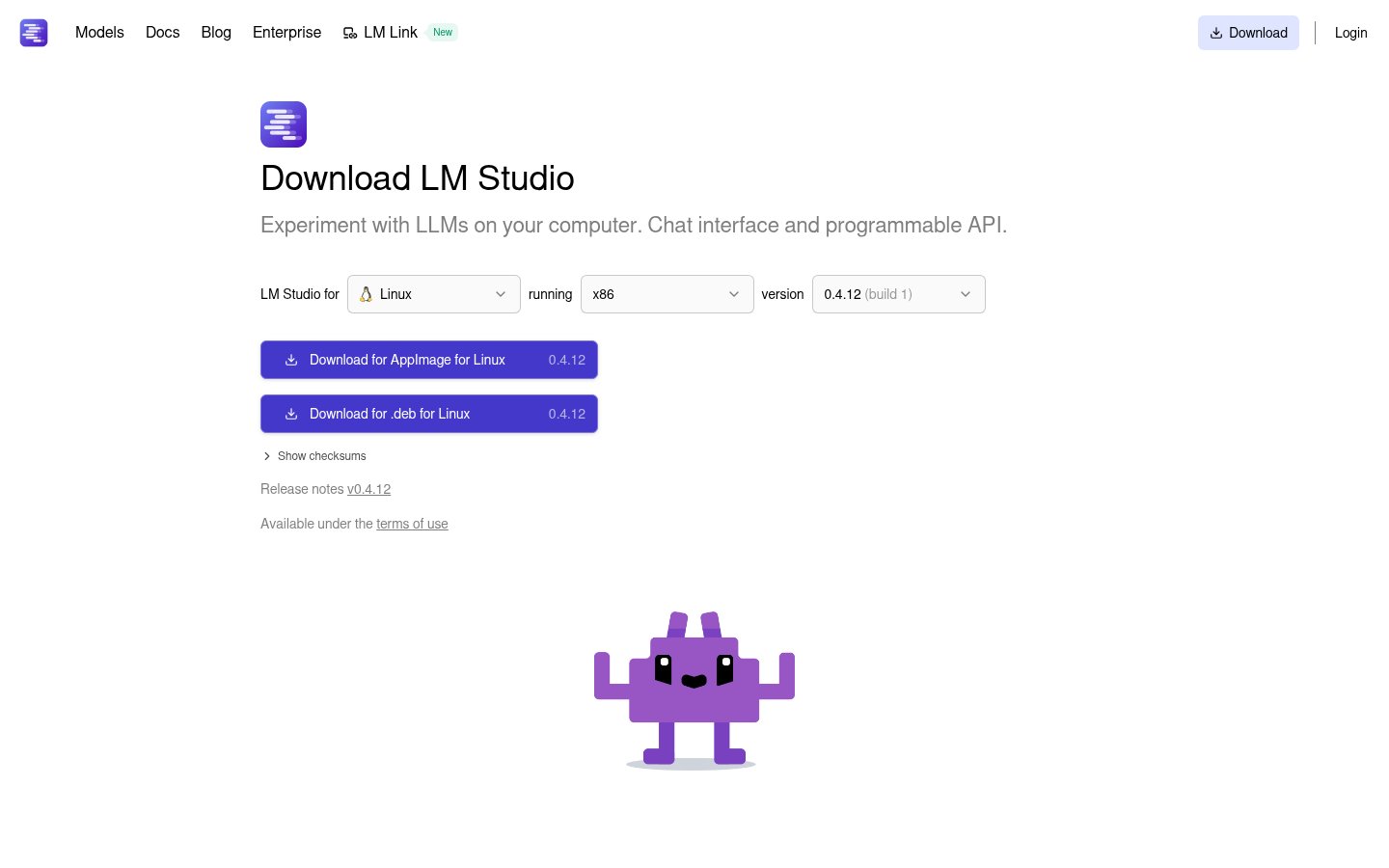
This is one of the most significant additions to LM Studio's recent versions. llmster is the core inference engine extracted from the GUI, deployable on Linux boxes, cloud servers, or CI pipelines. The install commands are now officially documented for both Unix-based systems and Windows:
macOS / Linux: curl -fsSL https://lmstudio.ai/install.sh | bash
Windows: irm https://lmstudio.ai/install.ps1 | iex
For developers, this is significant. You can now treat LM Studio as infrastructure, spin up a local LLM server in a container, automate model loading, and integrate with your build or test workflows. It's the kind of capability that previously required cobbling together Ollama with custom shell scripts or standing up llama.cpp manually.
OpenAI Compatibility: The Smart Play
LM Studio exposes its local server as an OpenAI-compatible REST API. This means any application already built for OpenAI, whether it's a custom script, a LangChain pipeline, or a third-party tool, can be redirected to your local LM Studio instance by changing one URL and removing the API key requirement.
In practice, this works well for most standard text generation tasks. Where you'll run into issues is anything that relies on OpenAI-specific features that don't have clean open equivalents, certain function calling behaviors, fine-tuned model quirks, or very high context window sizes that your local hardware can't match.
SDKs: Growing Into a Developer Platform
The JavaScript and Python SDKs are relatively mature and well-documented. You get programmatic model loading, generation controls, streaming responses, and server lifecycle management. The Python SDK is particularly clean, pip install lmstudio and you're up in minutes.
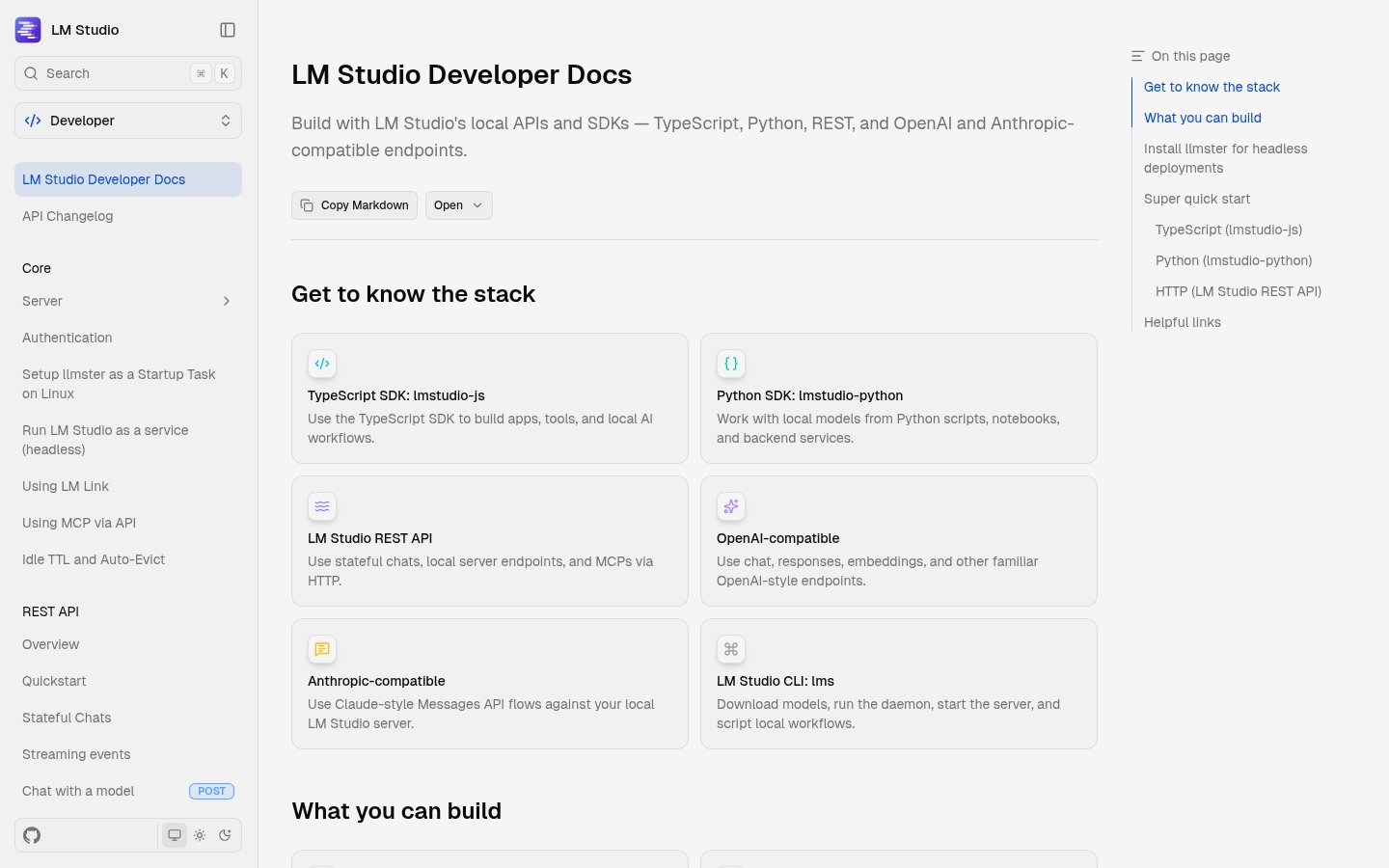
The MCP client support is worth flagging. Model Context Protocol has emerged as a dominant standard for connecting LLMs to tools, data sources, and external services. LM Studio supporting it as a client means local models can now participate in the same agentic workflows that cloud models do, browsing, file access, API calls, and more.
LM Link: Remote Instances Made Simple
LM Link is a feature that addresses a real workflow problem: what if the model you want to use is too large for your laptop, but you have a beefier machine at home or a GPU server at work? LM Link lets you connect to a remote LM Studio instance and use its models through your local interface, as if they were running locally.
The LM Studio homepage now prominently features this as a headline capability, "Connect to remote instances of LM Studio, load your models, and use them as if they were local." It's a bridge, not a replacement for true local inference, but it meaningfully extends what's possible without requiring you to own a single machine powerful enough to run the largest models.
Pricing and Tiers
LM Studio's pricing structure is simple at the individual level and enterprise-contact at the organizational level.
| Tier | Cost | Who It's For |
|---|---|---|
| Personal / Home | Free | Individual users running models locally |
| Work | Free | Professionals using it on their own hardware |
| Enterprise / Team | Contact sales | Organizations needing centralized deployment, model management, MCP/plugin controls |
The free tier is genuinely full-featured, there's no artificial model limit, no watermark, and no time-gated trial. The enterprise tier exists for organizations that need centralized control over which models employees can access, how MCPs and plugins are managed, and how local AI fits into their broader security posture. The pricing page indicates a "Team organization" option for smaller groups who don't want a full sales conversation, though exact pricing requires contacting the team directly.
For individuals, the only real cost is your own hardware. That means LM Studio has zero ongoing cost after download, but your GPU (or lack thereof) determines what models you can run at usable speeds.
Hardware Reality Check
This is the part most reviews gloss over. LM Studio is free software, but running anything interesting requires real hardware.
- 7B models (Qwen3 7B, Gemma 3 etc.): Run acceptably on machines with 16GB RAM and a mid-range GPU. Apple Silicon M2/M3/M4 Macs with 16GB unified memory handle these well thanks to MLX optimization.
- 14B-32B models: You want 32GB RAM or a dedicated GPU with 24GB VRAM. This is where the experience starts to diverge significantly between hardware classes.
- 70B+ models: Realistically requires a multi-GPU setup or a machine with 64GB+ RAM. Usable on Apple Silicon with 64GB unified memory, but slowly.
CPU-only inference is technically supported but painful for anything above 3B parameters. LM Studio is transparent about this, the model hub surfaces hardware compatibility hints to help you avoid downloading a 40GB file your machine can't run.
Who It's For
LM Studio makes the most sense for a few distinct groups.
Privacy-first professionals, lawyers, doctors, finance workers, anyone handling sensitive data, who need AI assistance but can't send their data to a third-party API. Local inference is the only technically sound answer here, and LM Studio is the most accessible path to it.
Developers building AI-powered applications who want to prototype against local models before committing to cloud API costs. The OpenAI-compatible endpoint and mature SDKs mean the integration work is minimal, and you can switch between local and cloud by changing a single configuration value.
Researchers and enthusiasts who want to experiment with different open-weight models quickly. The model hub and side-by-side comparison capabilities make LM Studio genuinely useful for model evaluation.
Teams and organizations with data residency requirements or who want to avoid the per-token cost exposure of cloud LLMs at scale. The enterprise tier is positioned exactly here.
It's less compelling for users with low-end hardware (a 2019 Intel laptop with 8GB RAM is going to have a miserable time), or developers who prefer pure CLI tooling and don't need or want a GUI at all, for those users, Ollama is probably a better fit.
Compared to the Alternatives
The local LLM space in 2026 has consolidated around three main tools: LM Studio, Ollama, and Jan. They serve overlapping but distinct audiences.
Ollama is the developer-ergonomic headless option. Its API is clean, it integrates easily into scripts and automation, and it has the lightest footprint. If you're building something and the GUI doesn't matter, Ollama is often the path of least resistance. LM Studio's introduction of llmster narrows this gap somewhat, but Ollama still has a head start in the pure-CLI workflow.
Jan leads on open-source licensing transparency and has a hybrid local-plus-cloud interface that some teams prefer. Its UI is rougher than LM Studio's, and hardware tuning controls are less granular, but the auditability story resonates with certain organizations.
LM Studio wins on GUI polish and out-of-the-box experience. For non-technical users, researchers, and anyone who wants productive model experimentation without configuration overhead, it's the fastest path to working. The addition of llmster means it's no longer a GUI-only tool, it can now legitimately compete for developer use cases too.
For low-end hardware users, GPT4All still performs better than any of the above, prioritizing compatibility with modest specs over capability ceiling.
Limitations Worth Knowing
LM Studio is genuinely excellent, but there are real constraints to understand before committing.
The hardware ceiling is real. The software can't compensate for insufficient VRAM or RAM. If your machine isn't powerful enough, you'll hit token generation speeds that make the tool impractical for anything but short queries.
Model file sizes are significant. A quantized 7B model is still 4-8GB. A 70B model at reasonable quality is 40GB+. If you're on a metered connection or have limited storage, managing a collection of local models requires planning.
Not a cloud replacement for everything. Local models, even frontier open-weight ones, still trail the best cloud models on complex reasoning, very long contexts, and specialized tasks. You're trading capability ceiling for privacy and cost. That trade-off is right for many use cases, but not all.
Enterprise pricing opacity. For organizations evaluating LM Studio at scale, the lack of published enterprise pricing requires a sales conversation. This is standard for the category but worth noting if you need to build a business case quickly.
The Bottom Line
LM Studio in 2026 is the most polished and capable local LLM platform available for users who want a GUI-first experience. The free personal tier is genuinely full-featured, the developer tooling has matured significantly with llmster and the SDKs, and MCP client support means local models can now participate in agentic workflows that previously required cloud APIs.
If you have capable hardware and a reason to keep your data local, whether that's privacy, cost, or control, LM Studio is the most accessible way to get there. The question isn't really whether it's good. It is. The question is whether your hardware is up to the task.
Verdict
LM Studio is the most accessible and polished way to run large language models locally in 2026. The free tier is genuinely full-featured, and the addition of headless deployment via llmster, mature SDKs, and MCP client support means it now serves developers as well as non-technical users. Your hardware, not the software, is the limiting factor.
Try LM StudioAlternatives
- Ollama
Better for pure CLI/headless developer workflows and scripting
- Jan
Stronger open-source licensing transparency and hybrid local+cloud interface
- GPT4All
More practical on low-end hardware with limited RAM or no GPU
- AnythingLLM
Better suited for advanced RAG pipelines and business document workflows
Frequently Asked Questions
Tools & Services Mentioned

infobro.ai Editorial Team
We research every tool from its documentation, pricing pages, product screenshots and public developer discussion, and say plainly what the evidence does and does not show. Drafts are AI-assisted and reviewed by our editors before publication. We revisit each article every 6 months to reflect platform changes. Learn more about our process.