Top 8 Local & Open-Source AI Tools in 2026: Ranked by Privacy, Power, and Practicality
From LM Studio to GPT4All, these are the best local and open-source AI tools in 2026, ranked honestly by someone who's actually run them on real hardware.

Cloud AI is convenient. It's also watching everything you type.
That's not paranoia, it's just the deal. When you paste a client contract into ChatGPT or describe a sensitive project to Gemini, that data touches servers you don't control. For some workflows that's fine. For others, legal, medical, financial, personal, it's a real problem.
In 2026, running AI locally is no longer a hobbyist stunt. Models have gotten dramatically more efficient. A decent laptop with 16GB RAM can run a capable 7B parameter model. A mid-range desktop with a modern GPU can handle 70B models that rival GPT-4-level outputs from a year ago. The gap between cloud and local AI has narrowed significantly.
This list ranks the best local and open-source AI tools in 2026 by a combination of: how easy they are to actually use, how good the outputs are, how private they keep your data, and whether they're worth your time. I've tested all of these on real hardware, an M3 MacBook Pro and a Windows machine with an RTX 4070.
No fluff. Here's what actually works.
Quick Comparison Table
| Tool | Best For | Runs Locally | Free? | Skill Level |
|---|---|---|---|---|
| LM Studio | Local model management | ✅ Yes | ✅ Yes | Beginner-Mid |
| GPT4All | Plug-and-play offline AI | ✅ Yes | ✅ Yes | Beginner |
| DeepSeek | Reasoning + coding tasks | ☁️ + Local | Freemium | Any |
| Mistral | API + local deployment | ☁️ + Local | Freemium | Mid-Advanced |
| Grok | Real-time web-aware AI | ☁️ Only | Partial | Any |
| Obsidian | Private AI knowledge base | ✅ Yes | Freemium | Mid |
| Replit | Coding with AI assistance | ☁️ Only | Paid | Dev |
| Descript | Audio/video editing AI | ☁️ Only | Paid | Any |
1. LM Studio, Best Overall Local AI Runner
Website: LM Studio
What It Does
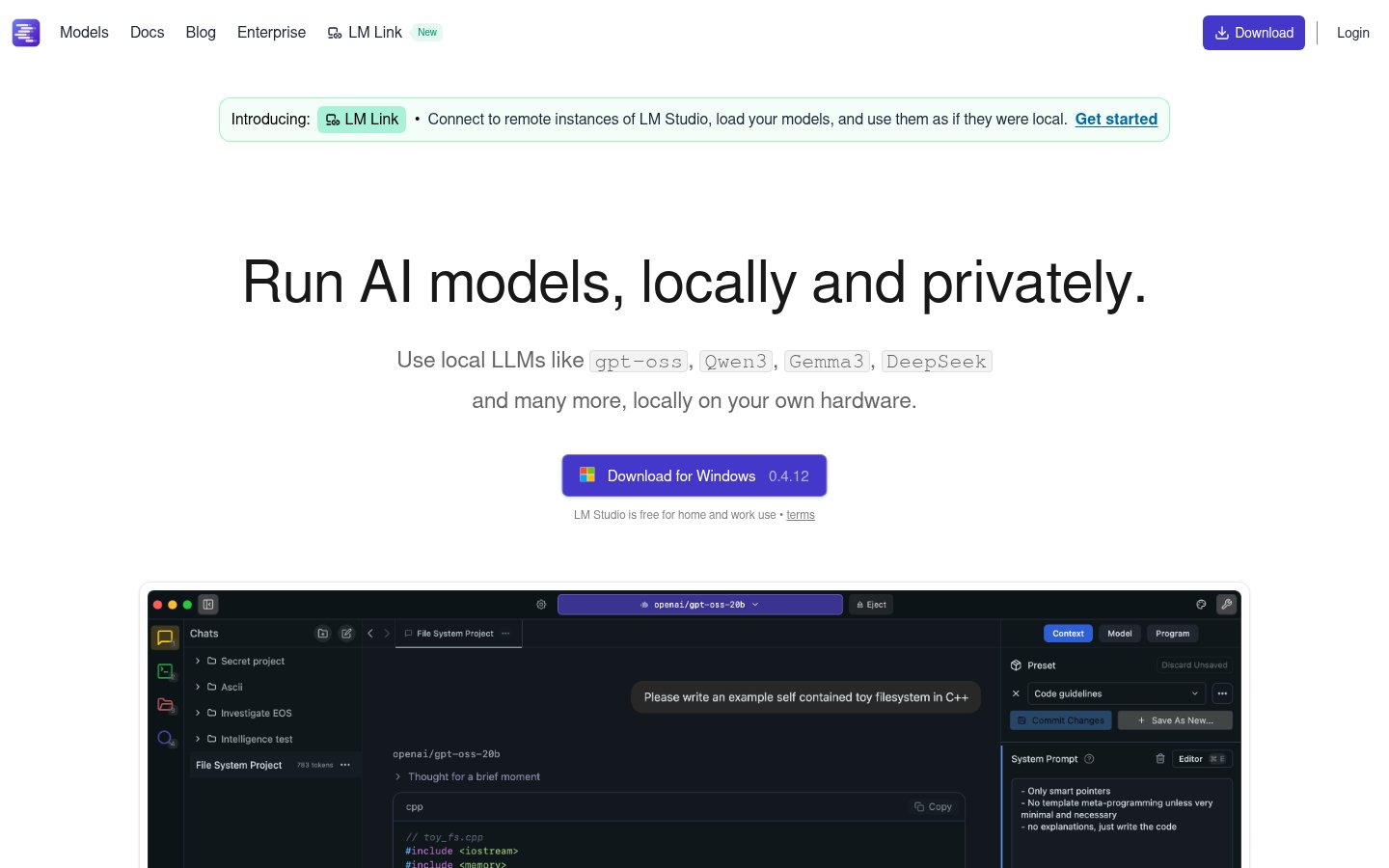
LM Studio is a desktop application that lets you download, manage, and chat with local large language models, all without a single API key or internet connection (after model download). It supports GGUF-format models from Hugging Face, which means you have access to thousands of models: Llama 3.3, Mistral, Phi-3, Qwen, Gemma, and more.
The interface is clean, surprisingly polished for what is essentially a model management tool, and it even exposes a local OpenAI-compatible API so you can plug it into other apps.
Best For
Developers, researchers, and privacy-conscious professionals who want full control over which model they run and how. Also excellent for anyone building local AI pipelines, you can swap models without changing your application code.
Pricing
Free. Completely free. There's a Pro tier in development as of early 2026, but the core functionality has always been free and that isn't changing.
Pros
- Runs 100% offline after model download
- Clean, beginner-accessible UI despite deep functionality
- Local OpenAI-compatible API server, apps like Cursor can point to it
- Supports GPU offloading on Apple Silicon and NVIDIA cards
- Regular updates; active development team
Cons
- First-time setup requires downloading multi-gigabyte model files
- Performance is entirely dependent on your hardware
- No mobile version; desktop only
- Some models require tweaking quantization settings to fit in VRAM
My take: LM Studio is the easiest on-ramp to local AI. If you've never run a model locally before, start here. The GPU offloading on my M3 MacBook is genuinely impressive, Llama 3.3 70B runs at ~15 tokens/second, which is usable for serious work.
2. GPT4All, Best for True Plug-and-Play Offline AI
Website: GPT4All
What It Does
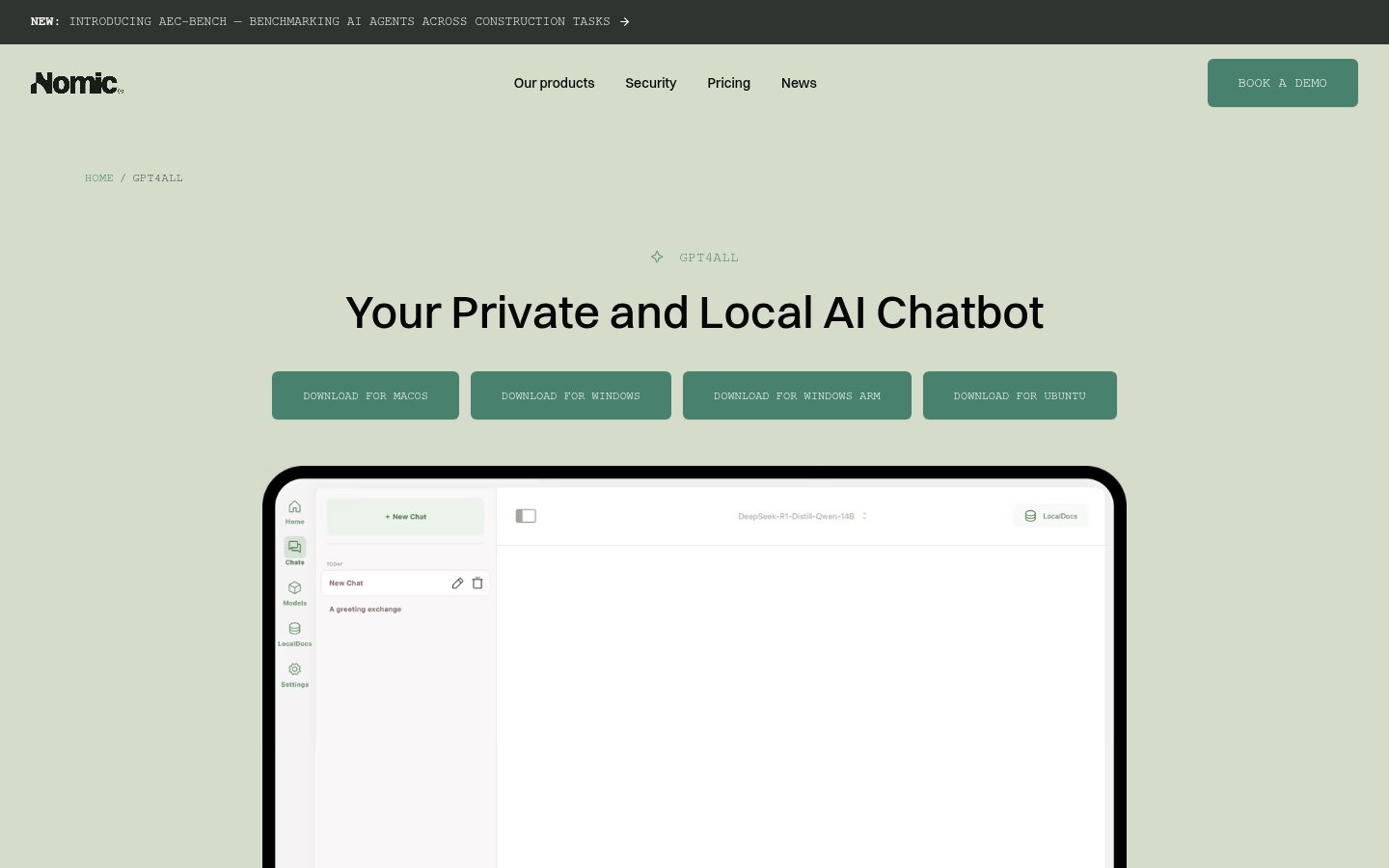
GPT4All from Nomic AI is a desktop application built specifically for people who want private, offline AI without any technical setup. Download the app, pick a model from their curated list, start chatting. That's it. It even has a document chat feature that lets you load PDFs and text files and ask questions about them, all locally.
Best For
Non-technical users who want offline AI for daily tasks: summarizing documents, drafting emails, answering questions. Also good for organizations with strict data policies who need something they can deploy without IT drama.
Pricing
Free. Open source. The models available in the GPT4All ecosystem are all free; Nomic monetizes through their Atlas data platform and enterprise offerings.
Pros
- Genuinely the easiest local AI setup in existence
- LocalDocs feature is excellent for private document Q&A
- No account required, no API keys, no telemetry
- Works on Windows, Mac, Linux
- Curated model selection means less confusion for beginners
Cons
- Smaller model selection than LM Studio
- UI is functional but not as polished
- Less control for power users who want to fine-tune settings
- Doesn't expose a local API as cleanly as LM Studio
My take: GPT4All is where I send non-technical friends who ask "how do I use AI without giving everything to OpenAI?" It just works, and it doesn't ask much of you. The LocalDocs feature alone is worth the download.
3. DeepSeek, Best Open Model for Reasoning and Coding
Website: DeepSeek
What It Does
DeepSeek made waves in early 2025 when its R1 model matched or beat OpenAI's o1 on several reasoning benchmarks at a fraction of the training cost. In 2026, the DeepSeek V3 and newer variants remain among the most capable open-weight models available, and crucially, you can run them locally via LM Studio or Ollama, or use their web interface and API.
DeepSeek excels at math, code generation, and multi-step reasoning tasks. It's not just a chatbot, it thinks through problems in a way that genuinely helps with technical work.
Best For
Developers, data scientists, and anyone doing heavy analytical or coding work who wants a capable model they can self-host. The API pricing is also notably cheaper than OpenAI for comparable tasks.
Pricing
Web interface: free. API: extremely competitive, roughly $0.14 per million input tokens for DeepSeek V3 as of Q1 2026, compared to ~$3 for GPT-4o. Local weights: free to download.
Pros
- Genuinely excellent at coding and reasoning tasks
- Open weights mean you can run it locally
- API is significantly cheaper than OpenAI alternatives
- Strong performance on math/logic benchmarks
- Active research team with frequent model updates
Cons
- Chinese company (Hangzhou DeepSeek AI), a real consideration for some enterprise use cases
- Web interface has had intermittent availability issues during high-traffic periods
- Local deployment of larger models (67B+) requires serious hardware
- Some output quirks on nuanced English creative writing vs. technical tasks
My take: For pure technical capability per dollar, DeepSeek V3 is hard to beat in 2026. I use it regularly for code review and complex logic problems. The geopolitical concerns are real for enterprise buyers, but for individual developers running weights locally, the data stays on your machine.
4. Mistral, Best for Developers Who Want Flexibility
Website: Mistral
What It Does
Mistral AI (Paris-based, the most serious European player in frontier AI) releases both open-weight models and a commercial API. Their models range from the tiny Mistral 7B, still one of the best small models per parameter count, up to Mistral Large, which competes with GPT-4 class models. The Mixtral series introduced mixture-of-experts architecture to mainstream open-source AI, dramatically improving efficiency.
Best For
Developers who want to build AI-powered applications with either local models or a reliable API, and who want more architectural transparency than OpenAI provides. Also solid for European companies with GDPR considerations.
Pricing
Open-weight models: free. API via La Plateforme: starts at ~€0.10/million tokens for Mistral 7B, up to ~€4/million for Mistral Large. Free tier available with rate limits.
Pros
- Best-in-class small models (7B, 8x7B) for efficient local deployment
- European company with stronger privacy commitments than US competitors
- Clean, well-documented API
- Mixture-of-experts models run efficiently for their capability level
- Rapidly improving; Mistral Medium 3 in 2026 is genuinely impressive
Cons
- Mistral Large still lags behind GPT-4o and Claude Sonnet on general reasoning
- Less consumer-facing polish than OpenAI or Anthropic products
- Smaller ecosystem of integrations
- Documentation can be inconsistent for newer model variants
My take: Mistral is my go-to recommendation for European developers building production applications. The open weights are legitimate, the API is well-priced, and there's a real philosophical commitment to openness. Mistral 7B Instruct running locally on modest hardware is still remarkable.
5. Grok, Best for Real-Time, Web-Connected AI

Website: Grok
What It Does
Grok is xAI's chatbot, tightly integrated with X (formerly Twitter). Its biggest differentiation from competitors is real-time web access and, particularly, live access to X posts and trending content. By 2026, Grok 3 has made it genuinely competitive with GPT-4o on reasoning benchmarks, and the image generation capabilities have improved substantially.
It's not open-source in the traditional sense, but xAI has released model weights for some earlier versions, and the tool occupies an interesting middle ground in the open/closed debate.
Best For
People who need up-to-the-minute information, social media monitoring, trend analysis, or anyone embedded in the X ecosystem. Also useful for users who want a capable AI without a monthly subscription outside of X Premium.
Pricing
Basic Grok access is included with X Premium ($8/month). Grok 3 and advanced features require X Premium+ ($16/month). No standalone free tier with full functionality.
Pros
- Real-time web and X data access is genuinely useful for trend-aware tasks
- Grok 3 is a legitimate frontier model, not an also-ran
- Less restrictive content policy than OpenAI or Anthropic (by design)
- Image generation (Aurora model) is solid
- Integrated into a platform many people already use
Cons
- Tied to X Premium subscription, awkward if you don't use X
- No local deployment option
- Privacy policy is less transparent than some competitors
- Political/ideological framing around the product creates noise
- Web interface lags behind ChatGPT in usability refinement
My take: Grok 3 surprised me. The reasoning performance is real, not marketing. But the X Premium paywall and the general circus around Elon Musk's platforms make it hard to recommend over Claude or GPT-4o for pure AI use. If you're already on Premium for X anyway, it's a strong bonus.
6. Obsidian, Best for Private AI Knowledge Management
Website: Obsidian
What It Does
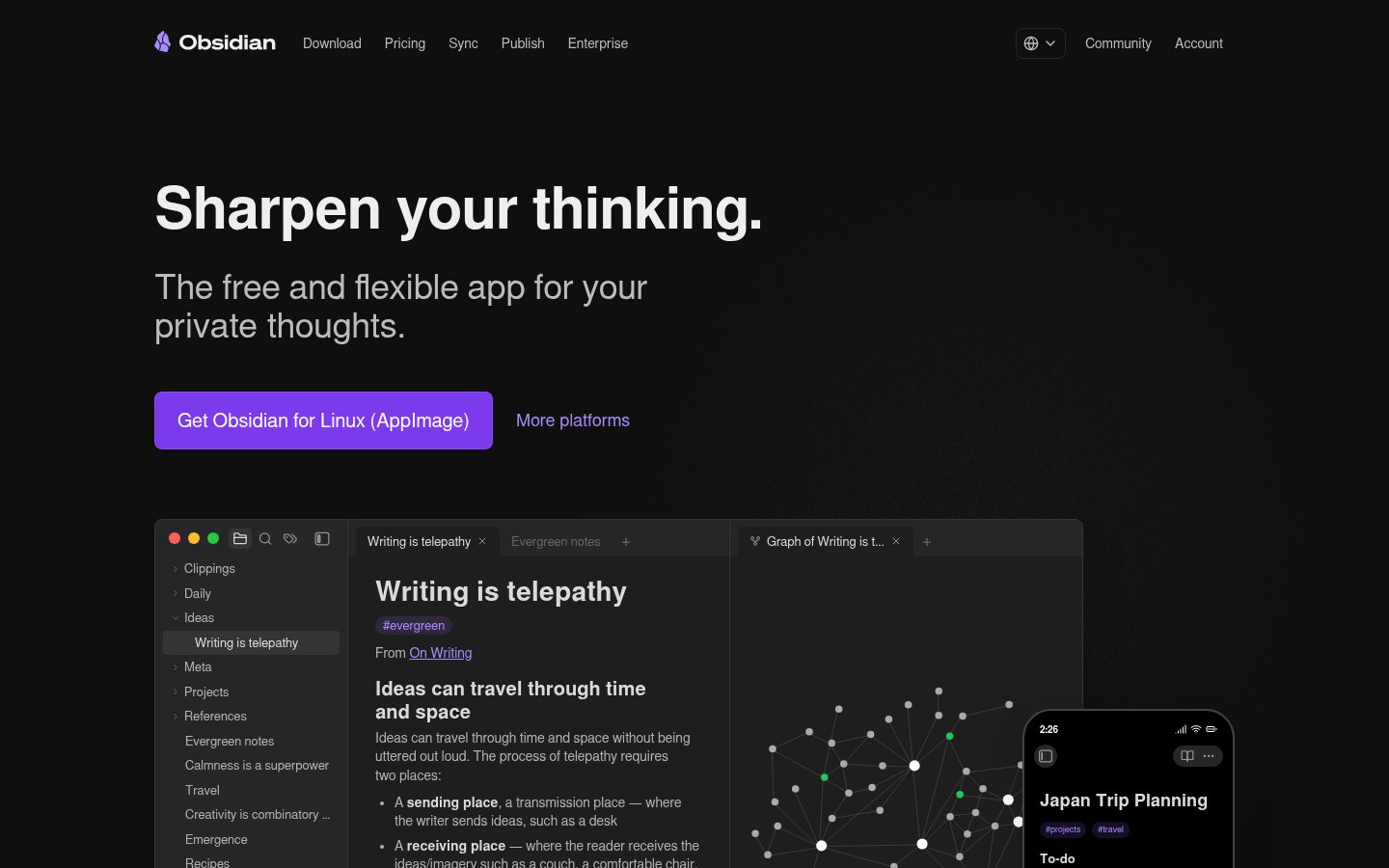
Obsidian is a local-first note-taking and knowledge management tool that stores everything as plain Markdown files on your machine. The AI angle comes through plugins, most notably the Smart Connections and Text Generator plugins, which let you run local embeddings and LLM queries against your entire note vault without any cloud involvement.
Pair it with LM Studio's local API server and you have a fully private AI-powered second brain. Nothing leaves your machine.
Best For
Researchers, writers, and knowledge workers who have accumulated years of notes and want AI to help synthesize them without uploading everything to a cloud service. Also excellent for anyone building a personal knowledge base they intend to keep forever.
Pricing
Free for personal use. Obsidian Sync (optional, encrypted) is $4/month. Obsidian Publish is $8/month. The AI functionality comes from community plugins, which are free.
Pros
- Your data is local Markdown files, fully portable, forever yours
- AI plugins can connect to local models (zero cloud exposure)
- Extraordinarily extensible plugin ecosystem
- Active, passionate community; plugin quality is high
- Works offline completely
Cons
- Initial learning curve is real, this isn't Notion
- AI features require manual plugin setup and configuration
- No mobile AI features (plugins are desktop-only)
- Syncing across devices requires either Obsidian Sync or a DIY solution
- The plugin approach means inconsistent UX across AI features
My take: Obsidian with local AI plugins is the most private AI setup you can build without being a sysadmin. I use it for long-term research where I absolutely do not want my notes in anyone else's training data. The setup investment is worth it if you're serious about your knowledge workflow.
7. Replit, Best AI-Assisted Coding Environment
Website: Replit
What It Does
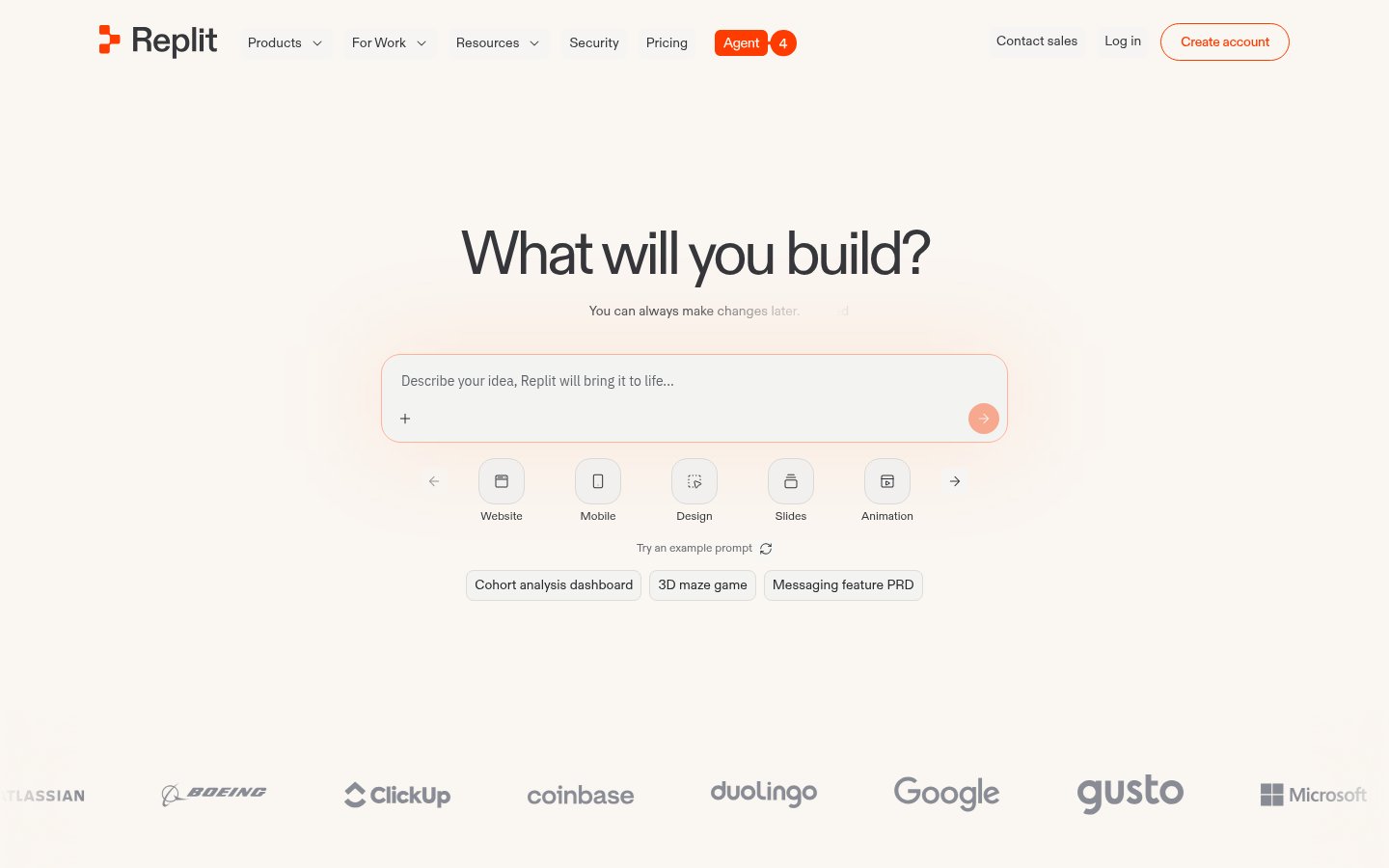
Replit is a cloud-based IDE with deeply integrated AI assistance. Replit AI (powered by their own models plus partnerships) can write code, debug, explain errors, and increasingly handle entire feature implementations through their AI agent. In 2026, the "Replit Agent" mode can take a plain English description of an app and generate a working prototype you can deploy immediately.
It's not local or open-source, but it occupies an important niche for developers who want AI-first coding without the overhead of setting up VS Code + Copilot + deployment infrastructure.
Best For
Indie hackers, students, and rapid prototypers who want to go from idea to deployed app as fast as possible. Also excellent for learning to code with AI assistance.
Pricing
Free tier available with limited compute. Replit Core: $25/month (includes generous AI usage). Teams and enterprise plans available.
Pros
- Zero setup, browser-based, works immediately
- AI agent mode is impressive for spinning up prototypes
- Built-in hosting and deployment
- Great for learning; AI explanations are clear
- Multiplayer collaboration works well
Cons
- Not local, all code runs on Replit's servers
- Free tier compute is limited; serious projects need Core
- Performance and reliability can vary
- Not ideal for large, complex production codebases
- Vendor lock-in if you rely on Replit's deployment
My take: For quick prototyping and learning, Replit's AI agent is one of the most impressive demos in the tools space right now. I've watched it build functional web apps in under five minutes from a text description. It's not where serious production development happens, but as an ideation and prototyping environment, it's excellent.
8. Descript, Best AI Tool for Audio and Video Editing

Website: Descript
What It Does
Descript takes a different approach to video and audio editing: it transcribes your media, then lets you edit it like a document. Delete a word in the transcript, that word disappears from the video. The AI features include Overdub (voice cloning to fix audio mistakes), Underlord (automatic filler word removal, eye contact correction, background noise removal), and Studio Sound (AI audio enhancement).
In 2026, Descript has leaned harder into AI-generated clips and social media repurposing workflows.
Best For
Podcasters, video creators, and marketers who produce a lot of content and hate the traditional timeline-based editing workflow. Particularly good for editing interview content where 80% of the work is cutting filler words and bad takes.
Pricing
Free plan with watermark and 1 hour transcription/month. Creator: $24/month. Business: $40/month.
Pros
- Document-based editing is genuinely faster for spoken word content
- AI filler word removal is accurate and saves hours per episode
- Overdub voice cloning for mistake correction is impressive
- No video editing experience required
- Good collaboration features
Cons
- Not local, all processing happens in the cloud
- Overdub requires a voice sample and model training (10+ hours of audio ideal)
- Can feel limiting for complex video productions
- Export can be slow for long projects
- Pricing has crept up; the free tier is more restricted than it used to be
My take: Descript completely changed how I edit podcast content. The combination of transcript-based editing and AI filler removal cuts my editing time by 60-70% on interview episodes. It's not a replacement for Premiere or DaVinci Resolve for complex productions, but for spoken word content it's the best tool on the market.
Final Rankings Explained
Here's my honest rationale for the order:
LM Studio (#1) because it's the most versatile, genuinely free, and works for everyone from beginners to power users. Nothing else in this space offers as clean a path to local AI.
GPT4All (#2) because for non-technical users, it's simply the best. The LocalDocs feature is a killer use case.
DeepSeek (#3) because the raw capability and the open weights are a genuine contribution to the field. The pricing is absurdly competitive. The geopolitical question is real but manageable.
Mistral (#4) because for production API work, especially in Europe, it's the most trustworthy option with solid performance.
Grok (#5) because the real-time data access is a genuine differentiator, but the X Premium tie-in and the noise around the company knock it down.
Obsidian (#6) because it's the most sophisticated private knowledge management solution available, but the learning curve is steep enough that it's not for everyone.
Replit (#7) because it's genuinely useful but diverges from the "local/open" theme of this list, it's cloud-based and closed.
Descript (#8) because it's excellent at what it does but highly specialized. If you're not making audio/video content regularly, it's irrelevant to you.
FAQ
Can I run these AI tools without a GPU?
Yes, with caveats. LM Studio and GPT4All both run on CPU-only machines, but they're slow. Smaller models (7B parameters) on a modern CPU can produce output at 3-8 tokens per second, usable for non-time-sensitive tasks. For anything faster, a dedicated GPU (NVIDIA or Apple Silicon's Neural Engine) makes a dramatic difference.
Is local AI actually as good as ChatGPT in 2026?
For specific tasks, yes. Llama 3.3 70B running locally is competitive with GPT-3.5 Turbo and approaches GPT-4 performance on many benchmarks. For general conversation, coding, and analysis, local models have closed the gap significantly. Where cloud models still win: very long context windows, multimodal inputs (images, audio), and tasks requiring real-time information.
How much RAM do I need to run local AI models?
A rough guide: 8GB RAM for 3B-7B parameter models; 16GB for 13B models; 32GB+ for 30B-70B models. On Apple Silicon, RAM is shared between CPU and GPU, which helps. On Windows/Linux, you'll want dedicated VRAM for best performance. Most people with a reasonably modern laptop can run a 7B model adequately.
Are open-source AI tools safe to use for sensitive business data?
Safer than cloud services, yes, if you're running locally. Once data stays on your machine, there's no transmission to third-party servers. That said, "open source" doesn't automatically mean secure. Verify what telemetry any app sends, use local model deployment, and apply normal data hygiene practices.
What's the difference between LM Studio and GPT4All?
Both run local models, but for different audiences. LM Studio is more powerful and flexible, it gives you access to thousands of models, exposes a local API, and lets you tweak inference settings. GPT4All is simpler and more beginner-friendly, with a curated model list and a clean document chat feature. For technical users: LM Studio. For everyone else: GPT4All.
Is DeepSeek actually open source?
Partially. DeepSeek releases model weights publicly, which means you can download and run them. However, "open weights" isn't the same as "open source", the training code, data, and infrastructure details aren't fully public. It's more open than OpenAI or Anthropic, less open than a project like Llama (which comes with Meta's research papers and detailed technical disclosures).

infobro.ai Editorial Team
We research every tool from its documentation, pricing pages, product screenshots and public developer discussion, and say plainly what the evidence does and does not show. Drafts are AI-assisted and reviewed by our editors before publication. We revisit each article every 6 months to reflect platform changes. Learn more about our process.