Buffer Review 2026: The Social Media Scheduler That Still Gets the Basics Right
Buffer is a mature social media scheduler trusted by over 100,000 businesses. This 2026 review covers its clean scheduling interface, per-channel pricing, AI assistant, analytics, and whether it still makes sense for creators, small businesses, and agencies.
Buffer
Buffer
buffer.comBuffer is a mature social media scheduler trusted by over 100,000 businesses. This 2026 review covers its clean scheduling interface, per-channel pricing, AI assistant, analytics, and whether it still makes sense for creators, small businesses, and agencies.
Quick facts
- Launched
- 2010
- ARR
- $24.9M (public)
- Monthly Active Users
- 229,497 (public)
- Total Customers
- 75,535
- Posts Published Last Month
- 8,509,296
- Team Size
- 73 across 15 countries
- Platforms Supported
- 11
- Free Plan
- Yes, up to 3 channels, 10 posts/channel
- Paid Plans From
- $5/mo per channel (annual)
- Trial
- 14-day free trial on paid plans, no credit card required
Pros
- Genuinely useful free tier, not just a crippled trial
- Clean, low-friction scheduling interface with live platform previews
- AI assistant available on all plans including Free
- Community inbox included on all plans
- Supports 11 platforms including Threads, Bluesky, and Mastodon
- Thread publishing to X, Bluesky, Threads, and Mastodon
- Transparent company, public ARR, MAU, total customers, and team data
- Per-channel pricing is affordable for small channel counts
- Human customer support across global time zones
- Unlimited team members on Team plan, headcount doesn't cost extra
Cons
- Per-channel pricing scales poorly for agencies with many accounts
- Team collaboration features locked behind the Team plan (double the per-channel cost)
- Analytics not deep enough for data-heavy agencies
- No social listening or CRM-adjacent features
- Essentials plan is single-user only, no sharing without upgrading
- No visible volume discounts for high channel counts
- No white-label reporting for agencies
See Buffer for yourself
Free to start, no credit card needed for the trial.
Updated May 2026: Content, screenshots, and metrics refreshed to reflect Buffer's latest public dashboard data and website.
Buffer has been around since 2010. That's genuinely ancient in software years. At this point, it's survived the pivot-to-video era, the death of organic reach, Twitter becoming X, and a dozen competitors trying to eat its lunch. The fact that it's still here, with over 229,000 monthly active users and $24.9M in annual recurring revenue as of mid-2026, tells you something.
But "still alive" isn't the same as "still the best option." The social media scheduling space in 2026 is more crowded than ever. Tools like Publer, Later, and even newer AI-native platforms have been nibbling at Buffer's market share for years. So the real question isn't whether Buffer works, it does, it's whether it's the right tool for you specifically.
This review is based on Buffer's public-facing pages, pricing, and feature documentation. Here's what the current product actually offers.
What Is Buffer?
Buffer is a social media management platform built primarily around content scheduling and publishing. You connect your social accounts, queue up posts, and Buffer publishes them at your chosen times. That's the core of it.
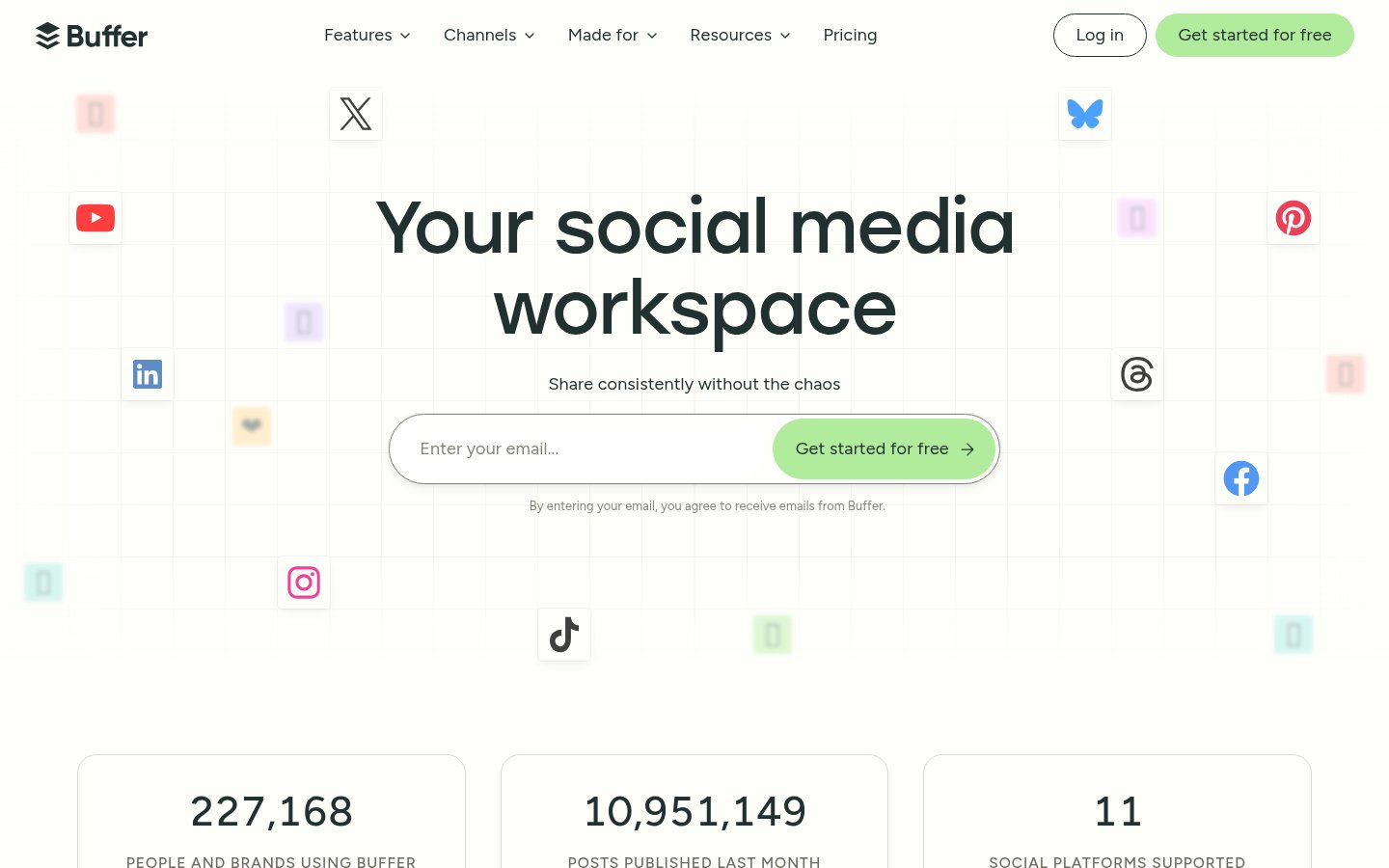
What's grown around that core: an AI writing assistant, an analytics layer, a community inbox for managing comments, a collaboration system with approval workflows, and a "Start Page", basically a link-in-bio tool. It supports 11 platforms as of 2026: Facebook, Instagram, TikTok, LinkedIn, Threads, Bluesky, YouTube Shorts, Pinterest, Google Business Profile, Mastodon, and X.
The company is also notably transparent, they publish their revenue ($24.9M ARR), team size (73 people across 15 countries), and monthly active users (229,497) publicly. Their open dashboard also shows 75,535 total customers and over 8.5 million posts published last month. That kind of openness is rare and, frankly, earns some trust. According to their public dashboard, Buffer is trusted by over 100,000 businesses and individuals.
Key Features at a Glance
| Feature | Details |
|---|---|
| Platforms Supported | 11 (Facebook, Instagram, TikTok, LinkedIn, Threads, Bluesky, YouTube Shorts, Pinterest, Google Business, Mastodon, X) |
| AI Assistant | Available on all plans including Free |
| Scheduling | Queue-based and time-specific scheduling |
| Analytics | Basic (Free) / Advanced (Essentials+) |
| Community Inbox | All plans, unified comment management |
| Team Collaboration | Team plan only, approval workflows, access levels |
| First Comment Scheduling | Essentials and Team plans |
| Hashtag Manager | Essentials and Team plans |
| Start Page | Built-in link-in-bio tool |
| Mobile App | iOS and Android |
| Ideas Board | 100 ideas (Free) / Unlimited (paid) |
| Tags | 3 tags (Free) / Unlimited (paid) |
| Cross-posting | Yes, create once, push to multiple channels |
| Templates | Social post idea templates for inspiration |
Pricing
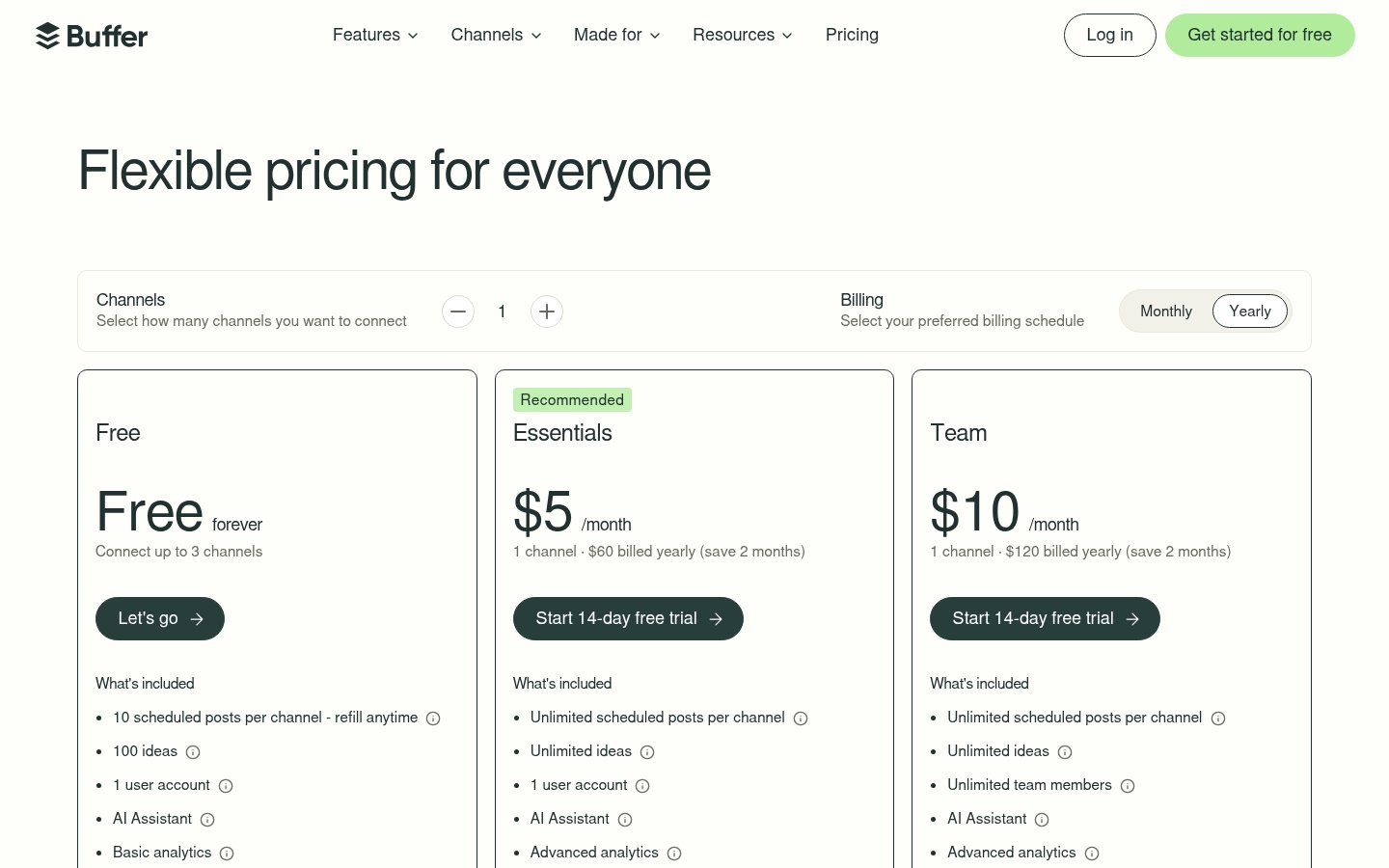
Buffer's pricing is per-channel, which is worth understanding before you commit. The more channels you connect, the more you pay, so the headline prices below are the floor, not the ceiling.
| Plan | Price (annual) | Channels | Users | Key Limitations |
|---|---|---|---|---|
| Free | $0 forever | Up to 3 | 1 | 10 scheduled posts per channel, 100 ideas, 3 tags, basic analytics |
| Essentials | $5/mo per channel | Flexible | 1 | Unlimited posts, advanced analytics, hashtag manager, first comment |
| Team | $10/mo per channel | Flexible | Unlimited | Everything in Essentials + approval workflows, access levels |
The per-channel model is transparent but can creep up on you. If you're managing 6 channels on the Essentials plan, that's $30/month on annual billing, comparable to flat-rate competitors. For a solo creator running 2-3 channels, $10-15/month is genuinely fair. For agencies managing 15+ channels across multiple clients, the math gets uncomfortable fast.
The Free plan is meaningfully useful, not just a trial disguised as a tier. Ten scheduled posts per channel refills whenever they're published, so it functions more like a rolling queue cap than a hard monthly ceiling. For a very small operation or someone just getting started, it's legitimate.
A 14-day free trial is available on paid plans, no credit card required.
One thing worth noting: there are no visible volume discounts for high channel counts, and no white-label reporting options for agencies. If you're running a social media agency billing clients for reporting, that gap will hurt.
Feature Deep Dive
Publish: Scheduling That Actually Works
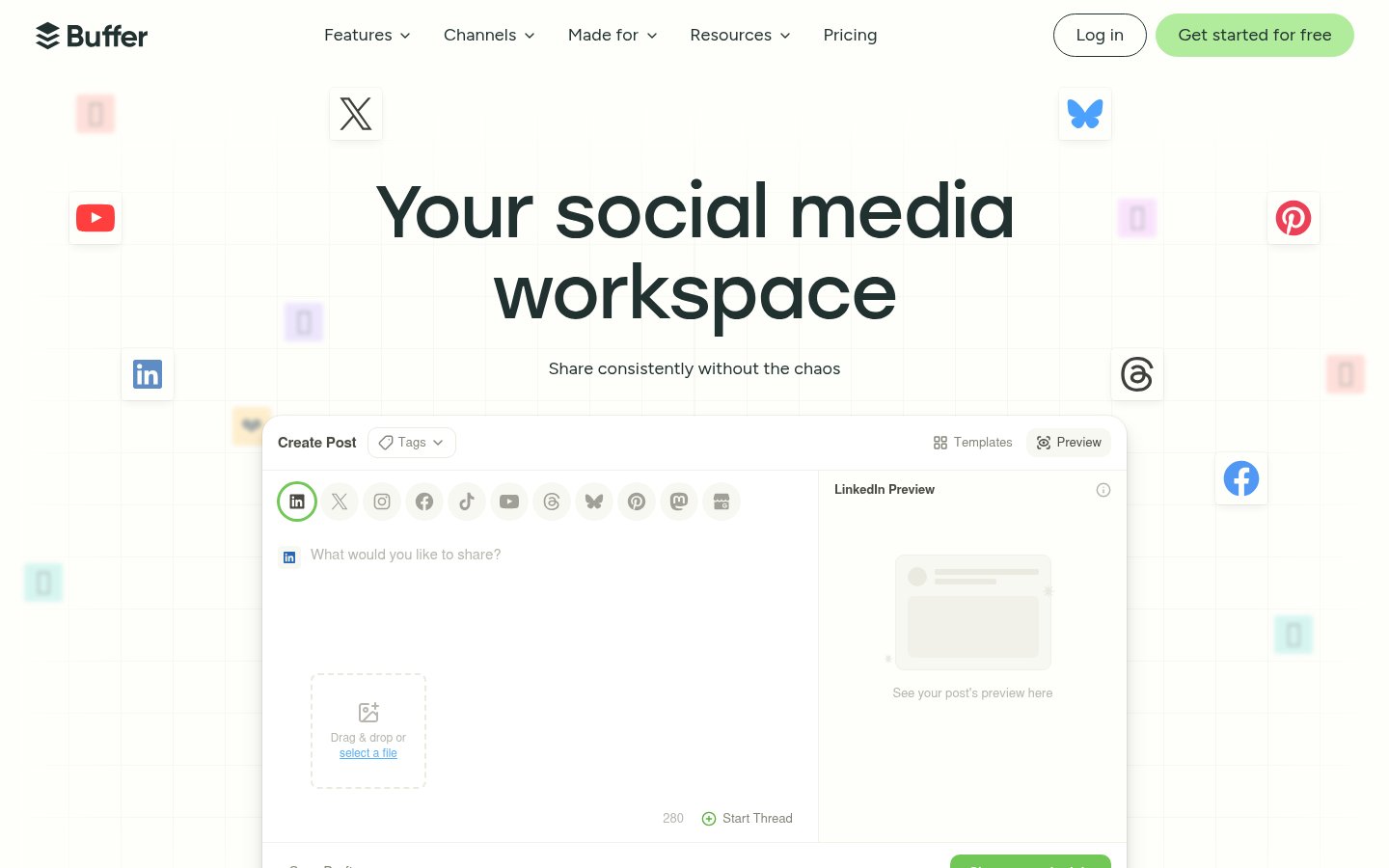
Buffer's scheduling interface has a strong reputation for being clean, probably the cleanest in its category. You write a post, pick your channels, set a time or drop it in the queue, and you're done. The queue system lets you define time slots for each day of the week and Buffer fills them in order. For people who batch their content once a week, this is efficient.
Cross-posting is handled well. You can write a base post and then customize it per platform before publishing, different image crops, different caption lengths, different hashtags. This matters because a LinkedIn post and an Instagram caption are different creatures, and Buffer lets you treat them that way without forcing you to create entirely separate drafts. The composer shows live previews for each platform as you build, so you're not flying blind.
Thread publishing is a notable feature: Buffer lets you publish threaded posts natively to X, Bluesky, Threads, and Mastodon from a single composer. For creators who lean on long-form threaded content as a distribution strategy, this is a genuine time-saver.
Create: Ideas, Templates, and AI
Buffer's Create hub is where content starts. There's an Ideas board for capturing inspiration before it becomes a scheduled post, the Free plan caps this at 100 ideas, paid plans get unlimited. Tags help you organize content by campaign or topic (3 tags on Free, unlimited on paid). Templates offer social post frameworks to spark ideas when the blank composer feels like a wall.
The AI Assistant is available on every plan, including Free, which is more generous than most competitors. It can help brainstorm ideas, rewrite captions for different tones, and adapt content for specific platforms. It's not a replacement for a content strategist, but for solo creators and small teams it meaningfully reduces the time from idea to scheduled post.
Analyze: Analytics That Inform Without Overwhelming
Buffer's analytics split across tiers. The Free plan includes basic analytics, enough to see what's performing at a surface level. Essentials and Team plans unlock advanced analytics, which provide deeper engagement breakdowns, reach data, and post performance comparisons.
What Buffer's analytics do well: they're readable. The dashboards don't require a data analyst to interpret. For a small business owner checking in weekly to see what landed, that readability is the point.
What they don't do: social listening, competitor benchmarking, CRM-adjacent data, or the kind of export-heavy reporting that agencies need to justify retainers. If your analytics workflow ends at "which posts got the most engagement," Buffer is fine. If you need to build client-facing reports or track sentiment across mentions, you'll be looking at supplementary tools or a platform switch.
Community: Inbox for Engagement
The Community inbox is included on all plans, even Free, and consolidates comments and messages from across your connected channels into a single dashboard. Buffer's positioning here is speed: the idea is that you can triage and respond to audience interactions at "10x speed" compared to jumping between native apps.
For solo creators managing a modest audience across two or three platforms, this is genuinely useful. The inbox is clean and doesn't try to do too much. For larger operations with high comment volume or complex community management needs, it won't replace a dedicated social CRM, but it's a solid inclusion at every price point.
Collaborate: Team Features on the Team Plan
Approval workflows, access levels, and the ability to add unlimited team members are gated behind the Team plan at $10/mo per channel. If you're a solo operator, this is irrelevant. If you're a marketing team of three where a content manager drafts and a director approves, this is the feature set that matters.
The unlimited team member model on Team is worth highlighting, you pay per channel, not per seat. A team of ten using Buffer together on the Team plan doesn't cost ten times more than a team of one. For growing teams, that's a meaningful structural advantage over per-seat pricing models.
The Essentials plan, by contrast, is a strict one-user product. If you need to share access without going to Team, you're out of luck.
Integrations and Platform Support
Buffer's 11-platform coverage is competitive in 2026. The inclusion of Bluesky, Mastodon, and Threads alongside the major platforms reflects where creator attention has been migrating. YouTube Shorts support is notable, short-form video scheduling is an area where many competitors still fall short.
Google Business Profile support is a quiet differentiator for small local businesses that want to keep their Google posts on a schedule without logging into a separate dashboard.
Who Is Buffer Actually For?
Buffer is strongest for solo creators and small businesses running a manageable number of channels who want reliable, low-friction scheduling without a steep learning curve. The free tier is genuinely useful. The Essentials plan at $5/month per channel is fairly priced for what it delivers. The interface stays out of your way.
It's a harder sell for agencies. The per-channel pricing model doesn't reward volume. There are no white-label reports. The analytics aren't deep enough to anchor client deliverables. And the lack of volume discounts means costs can escalate quickly as channel counts grow.
Data-heavy marketers will also find the analytics ceiling frustrating. Buffer answers "what worked" reasonably well. It doesn't answer "why" or "what's the competitive landscape" at all.
For teams, the Team plan's unlimited-member model is genuinely appealing, but doubling the per-channel cost to unlock collaboration is a significant jump, and the collaboration features themselves are functional rather than sophisticated.
Setup and Getting Started
Buffer's onboarding is fast. You create an account, connect your social profiles through OAuth, and you're scheduling within minutes. There's no complex setup, no lengthy configuration, and no credit card required to start on the free tier.
The mobile apps (iOS and Android) mirror the core web functionality well enough to manage a queue on the go, though power users will gravitate toward the desktop experience for bulk scheduling.
Customer support is human-staffed across global time zones, Buffer explicitly notes that their support team is spread internationally and that you may end up talking with someone in any role at the company, from marketers to engineers. There's also a Discord community for peer support and a comprehensive help center.
The Bottom Line
Buffer in 2026 is exactly what it looks like: a mature, well-maintained social media scheduler that prioritizes simplicity and reliability over feature maximalism. It hasn't dramatically reinvented itself, and it doesn't need to. The core scheduling experience remains among the cleanest available. The free tier is legitimately useful. The per-channel pricing is fair at small scale.
The limitations are real, agencies will struggle with the economics, data-heavy teams will hit the analytics ceiling, and the collaboration feature gap between Essentials and Team is a meaningful cost jump. But for its target user, a creator, a small business, or a lean marketing team, Buffer continues to earn its place in the toolkit.
Verdict
Buffer is a mature, well-designed social media scheduler that still gets the fundamentals right in 2026. The clean interface, solid free tier, and transparent pricing make it easy to recommend for individuals and small teams. Larger operations or those needing deep analytics and multi-client management will likely outgrow it.
Try BufferAlternatives
- Later
Better visual planning for Instagram-heavy workflows
- Publer
More features per dollar, especially for small teams
- Hootsuite
More powerful for large teams and agencies needing deep reporting
- Sprout Social
Enterprise-grade analytics and CRM features, but significantly pricier
Frequently Asked Questions
Tools & Services Mentioned

infobro.ai Editorial Team
We research every tool from its documentation, pricing pages, product screenshots and public developer discussion, and say plainly what the evidence does and does not show. Drafts are AI-assisted and reviewed by our editors before publication. We revisit each article every 6 months to reflect platform changes. Learn more about our process.