n8n Review 2026: The Most Powerful Workflow Automation Tool for Developers
n8n gives technical teams visual workflow building, full code access, 500+ integrations, and self-hosting. But is it worth it over Zapier or Make in 2026?
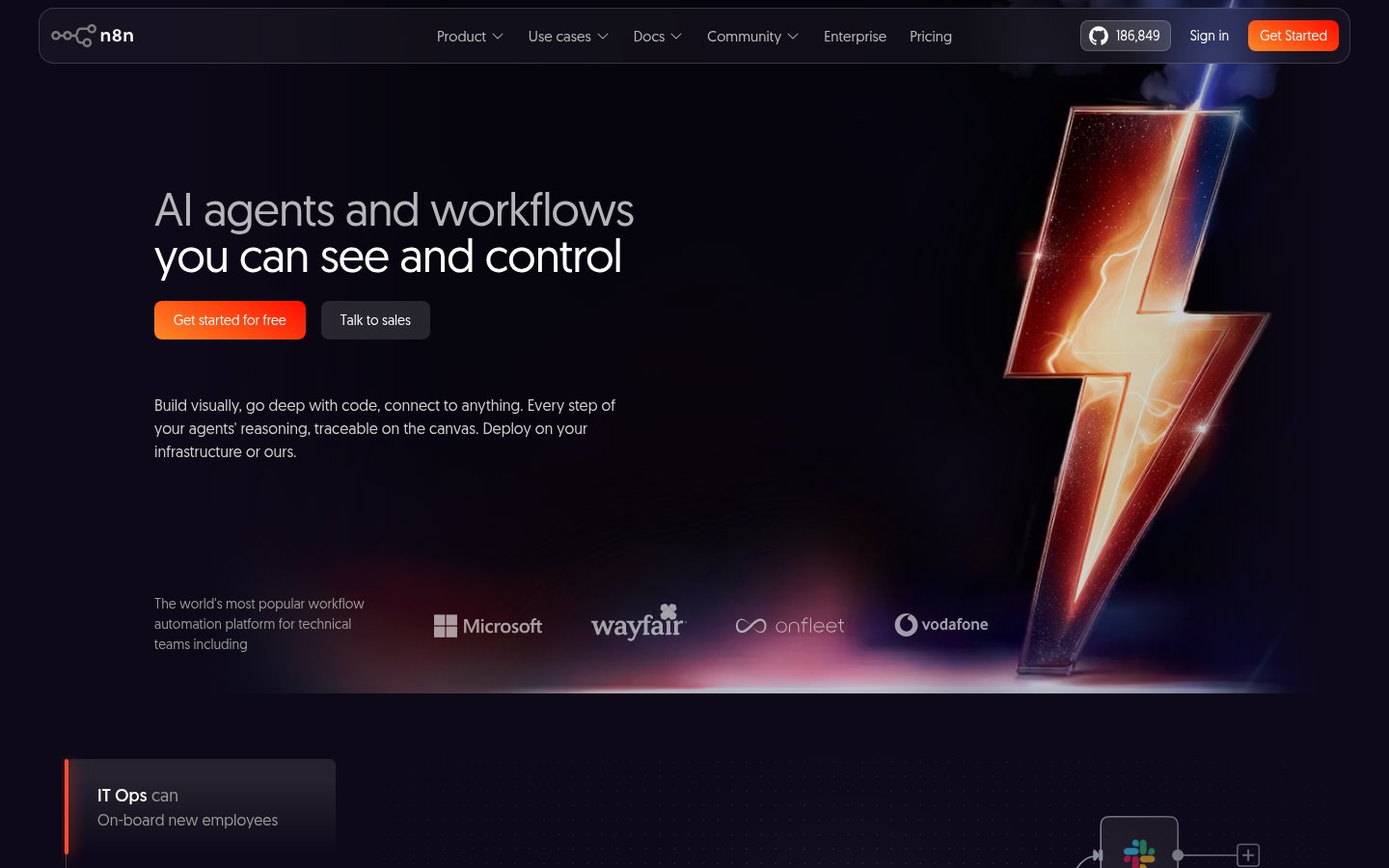
n8n gives technical teams visual workflow building, full code access, 500+ integrations, and self-hosting. But is it worth it over Zapier or Make in 2026?
Quick facts
- Free plan
- Yes, self-hosted Community edition, unlimited executions
- Cloud trial
- 14 days, no credit card required
- Pricing model
- Per workflow execution (not per step or per user)
- Self-hosting
- Yes, Docker, full open source on GitHub
- Integrations
- 500+ native nodes plus HTTP request for any API
- AI agents
- Yes, multi-agent, RAG, human-in-the-loop, any LLM
- GitHub stars
- 186,800+ (top 50 most starred projects)
Key features
Visual Canvas Editor
Drag-and-drop workflow builder with real-time input/output visibility at every node.
Code Node (JS/Python)
Write custom JavaScript or Python anywhere in a workflow; import npm packages on self-hosted.
500+ Native Integrations
Pre-built nodes for common apps plus an HTTP request node for anything else.
AI Agent Builder
Build multi-agent systems and RAG pipelines with visible reasoning and human-in-the-loop gates.
Self-Hosting via Docker
Run n8n entirely on your own infrastructure, your data never leaves your servers.
Git Version Control
Push workflow definitions to Git, review diffs, and maintain dev/staging/prod environments (Business+).
Human-in-the-Loop Approvals
Insert human approval checkpoints before AI agents take consequential real-world actions.
Execution-Based Pricing
Pay per complete workflow run, not per step, making complex automations far cheaper than competitors.
Pros
- Execution-based pricing makes complex, multi-step automations dramatically cheaper than Zapier or Make at scale.
- Full self-hosting via Docker gives data-sensitive teams complete control over where their information lives.
- The code node with JavaScript and Python support means there's essentially no ceiling on what you can build.
- AI agent support is genuinely production-ready, with visible reasoning chains and human approval gates.
- 186,000+ GitHub stars and an active community mean strong third-party resources and community nodes.
- The Community edition is completely free with no artificial caps, extraordinary value for self-sufficient technical teams.
Cons
- Non-technical users will hit a hard wall quickly; meaningful automation requires JavaScript familiarity.
- The jump from Pro (€50/mo) to Business (€667/mo) is steep and will exclude smaller teams needing SSO or Git version control.
- AI Workflow Builder credits are extremely limited on Starter (50) and Pro (150), not enough for sustained experimentation.
- Error messages in complex workflows can be cryptic, and debugging multi-step failures requires patience.
- Forum-only support on Starter and Pro means slow resolution when you're blocked on something obscure.
See n8n for yourself
Free to start, no credit card needed for the trial.
Screenshots
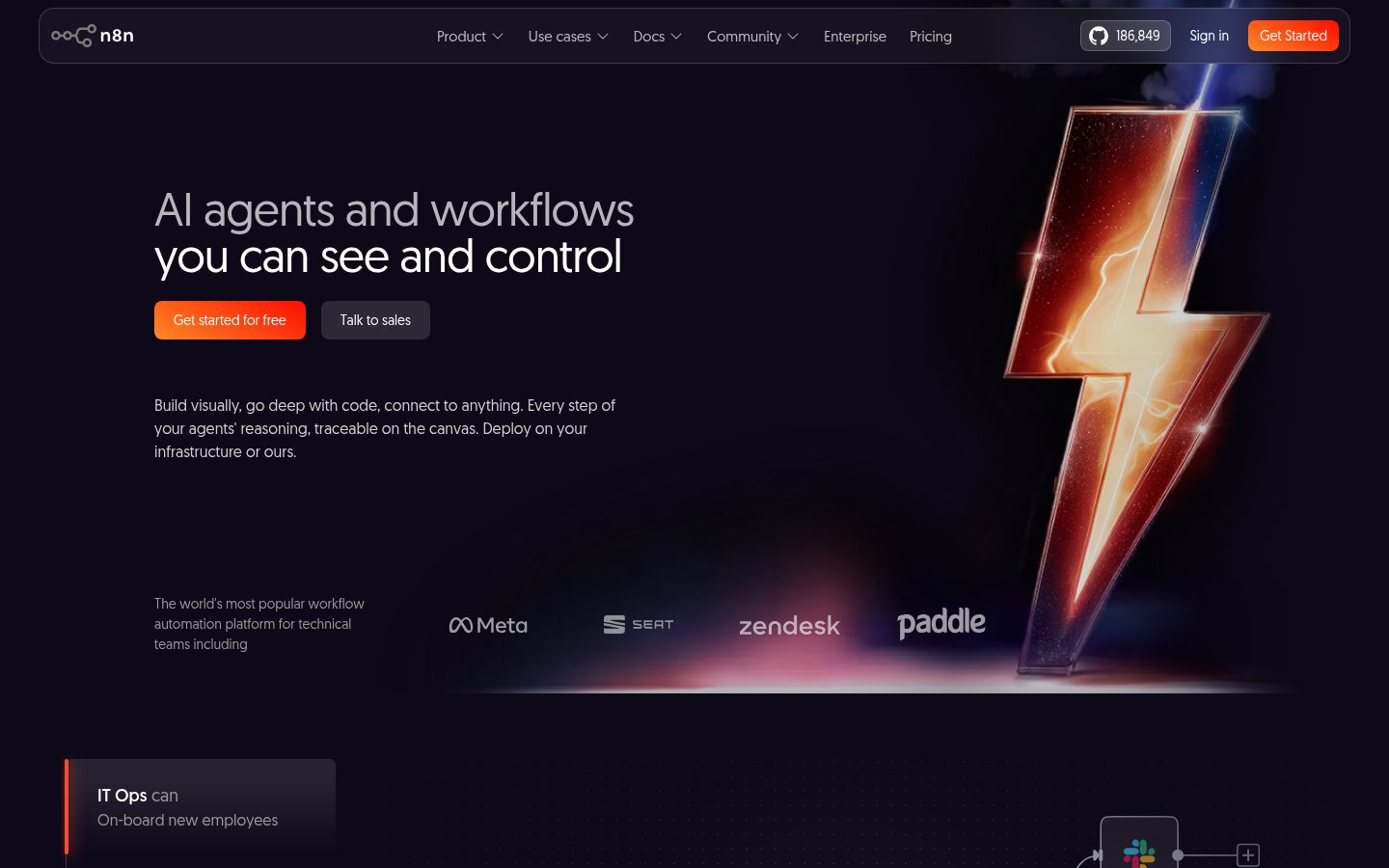
Ready to try n8n?
Skip the screenshots and explore it live.
What n8n Actually Does
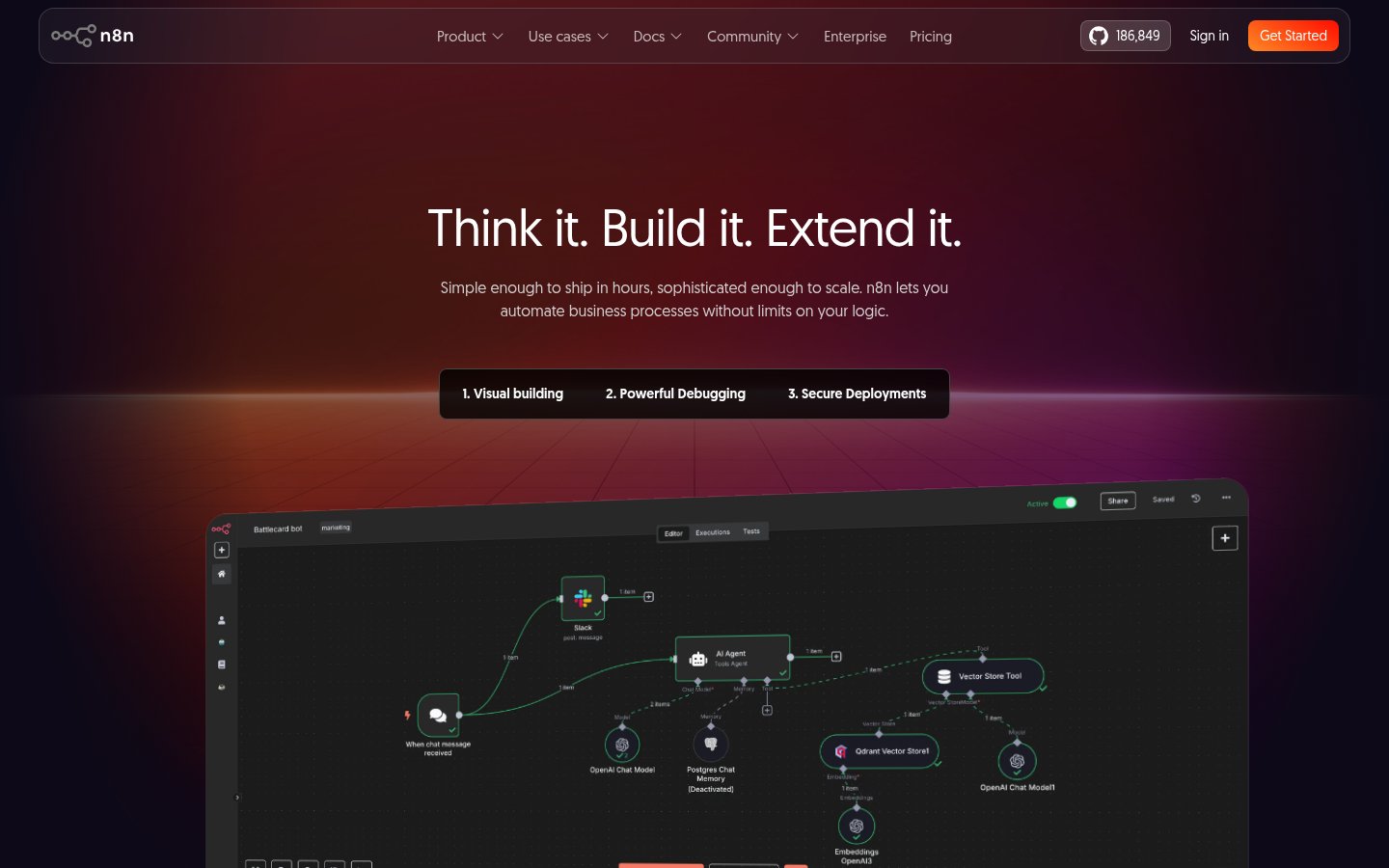
n8n is a workflow automation platform built primarily for technical teams. It sits in the same category as Zapier and Make, but it takes a meaningfully different stance: it assumes you can write code, and it rewards you for it. The platform lets you build automated workflows by connecting nodes on a visual canvas, where each node represents a trigger, action, or transformation. You can chain together hundreds of steps, branch on conditions, loop over data sets, call custom APIs, and embed full JavaScript or Python where the visual layer isn't enough.
The defining characteristic is the self-hosting option. n8n is open source, with over 186,000 GitHub stars as of mid-2026, placing it among the top 50 most-starred projects on the platform. You can run it entirely on your own infrastructure via Docker, which means your data never leaves your servers. For security-sensitive teams, financial services, healthcare, defense contractors, this isn't a nice-to-have. It's a requirement. The hosted cloud version exists too, and it's fine, but self-hosting is where n8n's value proposition gets most compelling.
The AI story has matured considerably. n8n now ships native AI nodes that let you wire in LLMs (your choice of model, including local ones), build RAG pipelines, and construct multi-agent systems where each agent's reasoning is visible on the canvas. The human-in-the-loop approval mechanism is built-in, not bolted on. That matters if you're building agents that take real-world actions, approving a payment, closing a support ticket, updating a CRM record, and you want a human checkpoint before things run.
How It Works in Practice
The canvas editor is fast and opinionated in good ways. Each node shows its inputs and outputs directly alongside its settings, so you're not hunting through separate panels to understand what data is flowing where. You can execute a single node in isolation, replay cached data from a previous run, or mock external responses to test error paths without triggering real API calls. These are the kinds of features that people who've spent time debugging Make pipelines will immediately appreciate.
The expression system is where things get interesting. Every parameter in every node supports dynamic values via expressions, which use JavaScript or n8n's own templating language called Tournament. This means you're not limited to static values or simple field mappings, you can compute, transform, and conditionally set anything on the fly. That's genuinely powerful. It also means n8n has a real learning curve for anyone who hasn't worked with scripting before.
The code node is the escape hatch that every automation builder eventually needs. Hit a transformation that the visual nodes can't express? Drop into JavaScript or Python. On self-hosted instances, you can even import npm packages, which takes the ceiling off what you can build essentially entirely. This is where n8n separates from tools like Zapier most clearly: Zapier's ceiling is low and you hit it fast. n8n's ceiling is your own skill level.
What feels clunky: the documentation, while extensive, isn't always up to date with the latest node versions. Community forum support on the Starter plan can be slow when you're debugging something obscure at 11pm. The AI Workflow Builder credits (used for the AI-assisted workflow generation feature) feel artificially constrained on lower tiers, 50 credits on Starter is not enough for serious experimentation. Error messages from complex multi-step flows can be cryptic, and tracing exactly which node in a 40-step workflow threw an exception requires patience.
Pricing Breakdown
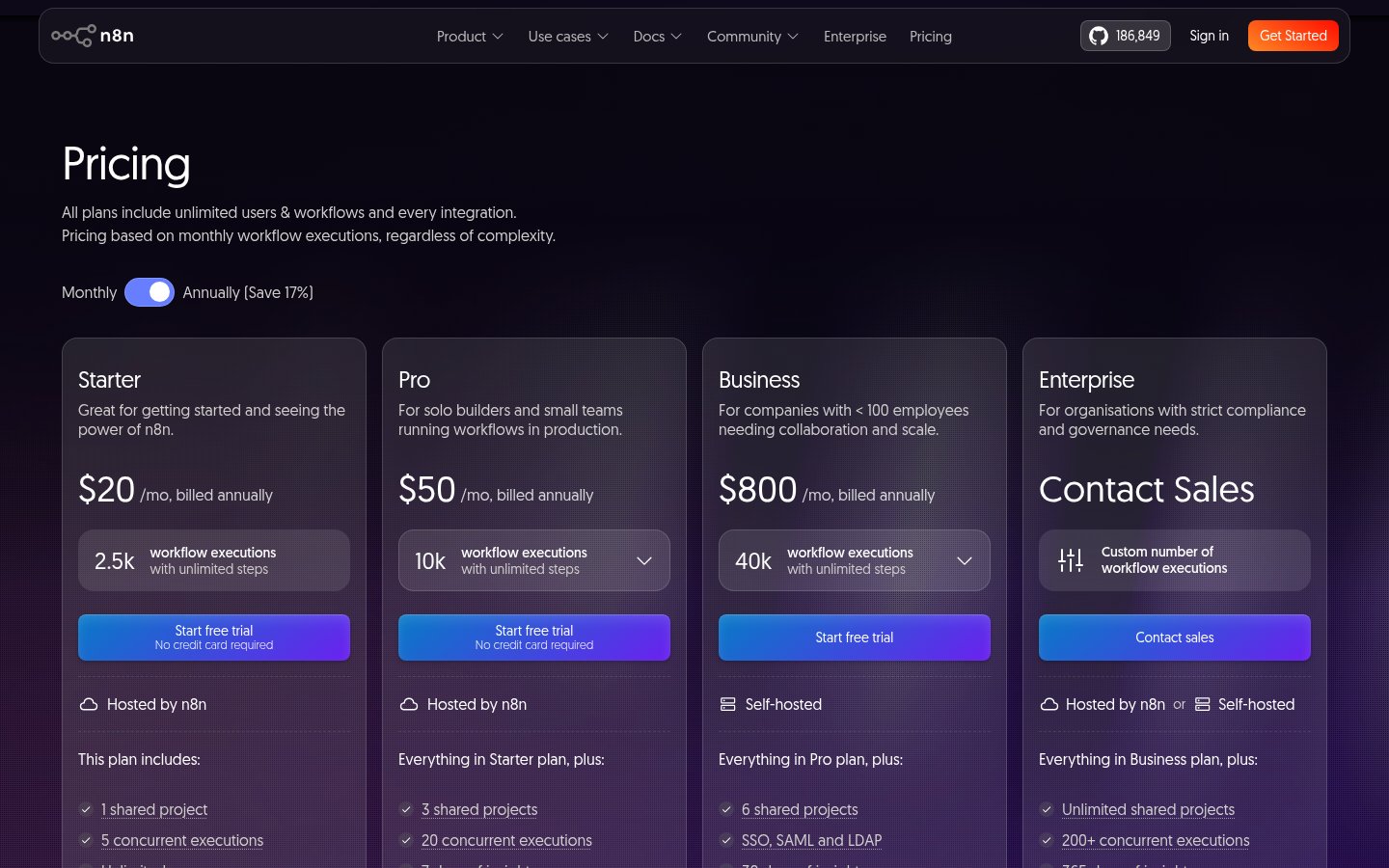
n8n's pricing model is refreshingly different from most competitors. You pay based on workflow executions, complete runs from start to finish, not per step or per user. Every plan includes unlimited users and unlimited workflows. That's a genuine differentiator. Zapier charges per task (each step in a workflow counts), which makes costs balloon fast on multi-step automations.
| Plan | Price (annual billing) | Executions/month | Key inclusions |
|---|---|---|---|
| Starter | €20/mo | 2,500 | 1 project, 5 concurrent executions, 50 AI credits, forum support |
| Pro | €50/mo | 10,000 | 3 projects, 20 concurrent, 7-day insights, 150 AI credits, workflow history, admin roles |
| Business | €667/mo | 40,000 | 6 projects, SSO/SAML/LDAP, 30-day insights, Git version control, environments |
| Enterprise | Custom | Custom | Unlimited projects, 200+ concurrent, 365-day insights, log streaming, dedicated SLA support |
| Community | Free | Unlimited (self-hosted) | Full feature set, no cloud, no support SLA |
The Community edition deserves its own mention. It's the full n8n codebase, self-hosted, with no artificial caps on executions, users, or workflows. You get everything except the managed cloud infrastructure and the enterprise governance features. For a technically capable team that can manage their own Docker deployment, this is a genuinely extraordinary free option. The trade-off is that you're handling uptime, backups, and updates yourself.
The Business tier's jump from €50 to €667 per month is steep and will price out smaller teams who need SSO or Git-based version control. The Start-up Plan (50% off Business for teams under 20 employees) partially addresses this, but you have to qualify and apply. Worth checking if you're in that window.
At €50/month for 10,000 executions on Pro, the math works out to €0.005 per execution. For most real-world automations, say, a customer onboarding flow that runs a few hundred times a month, that's nearly free. Compare that to Zapier, where a 10-step automation costs 10 tasks per run, and you're paying per-task rates that compound rapidly at any meaningful volume.
Three Features Worth Going Deeper On
AI Agents With Visible Reasoning
Most automation tools added AI as an afterthought, a "call ChatGPT" node that's no different from an HTTP request. n8n's AI layer is more considered. The canvas shows every step of an agent's reasoning chain, which means when an agent makes a wrong decision, you can see exactly where it went wrong. You can set structured input and output schemas for each AI step, which constrains what the model can and can't do. Combine that with human-in-the-loop approval gates before high-stakes actions, and you have something that actually addresses the AI verification gap that makes most AI automation feel unsafe in production.
The model flexibility matters too. You can connect any LLM via API, OpenAI, Anthropic, Mistral, DeepSeek, or run a local model entirely within your own infrastructure via LM Studio or Ollama. For organizations with strict data residency requirements, that's not a feature. It's the whole point.
Self-Hosting and Data Control
The on-premise deployment option is more than a checkbox. When you self-host n8n, your workflow definitions, execution history, credentials, and all processed data stay entirely within your environment. For teams handling PII, financial records, or proprietary business data, the alternative, piping everything through a third-party cloud, is increasingly untenable, especially given tightening data regulations in the EU and elsewhere.
The Docker deployment is well documented and the community has produced solid guides for running n8n on everything from a Raspberry Pi to Kubernetes clusters at scale. Upgrades are manual (you pull the new Docker image), which is the expected trade-off. The Enterprise plan adds external secret store integration and log streaming to your SIEM, which covers the compliance audit needs that large organizations will have.
This self-hosting capability connects directly to a broader question around AI tool dependency. With a fully open-source, self-hosted setup, you're not at the mercy of a vendor's pricing changes or platform shutdown, your workflows keep running regardless.
Git-Based Version Control and Environments
This feature is only available from Business tier upward, which is a shame given how useful it is. The ability to push workflow definitions to a Git repository, review diffs before merging, and maintain separate dev, staging, and production environments is table stakes for engineering teams. n8n's implementation is solid: workflows serialize to JSON, diffs are human-readable, and you can set up standard Git branching strategies around them.
The Workflow Diff feature shows exactly what changed between versions, which is critical when you're debugging a production issue and need to know whether a recent change caused a regression. This kind of tooling is what separates n8n from consumer-grade automation tools and makes it defensible in enterprise procurement conversations.
Limitations and Edge Cases
The no-code claim is, bluntly, oversold. You can build simple two-step automations without writing a line of code, but anything approaching real business logic will require expressions, and expressions require at least basic JavaScript familiarity. Non-technical users will hit a wall quickly and find themselves dependent on a developer to unblock them. If your team doesn't have someone comfortable with code, look elsewhere. This isn't the tool to learn automation and coding simultaneously.
Concurrent execution limits are a real operational constraint on lower tiers. The Starter plan allows 5 concurrent executions. If you have a webhook-triggered workflow that can receive bursts of traffic, you'll queue or drop executions. Upgrading to Pro gets you 20 concurrent, which is more workable, but still requires planning around peak load scenarios.
The AI Workflow Builder (the AI-assisted workflow generation feature) is early-stage. The credits system feels like artificial scarcity designed to push upgrades rather than a genuine reflection of compute cost. At 50 credits on Starter, you'll burn through them exploring the feature before you've shipped anything useful.
Error handling in complex workflows requires deliberate design. n8n has error triggers and the ability to route failed items through alternative branches, but setting this up correctly is on you. Default behavior on node failure is to halt the execution, which isn't always what you want for long-running batch jobs. Production-grade error handling adds meaningful complexity to any workflow.
The AI memory problem is relevant here too. n8n's AI nodes don't maintain persistent memory across workflow runs by default, each execution starts fresh. Building stateful AI agents requires you to explicitly wire in a memory mechanism, whether that's a database node, a vector store integration, or external storage. That's doable, but it's not automatic.
Who It's Built For
n8n is the right tool for developers, DevOps engineers, and technical operations teams who need production-grade automation with full control over their data and logic. If you're building workflows that involve custom API calls, complex data transformations, multi-step AI agents, or compliance-sensitive data processing, n8n is one of the few tools that won't box you in. The fact that it appears in the same breath as top AI productivity tools isn't marketing, for technical teams, it genuinely replaces a patchwork of point solutions. Companies like Vodafone (reportedly saving £2.2M in threat intelligence workflows) and Huel (saving 1,000 hours of manual work) represent the genuine ceiling of what's possible when a capable team commits to the platform.
Non-technical users, solo founders without coding background, and small business owners who want to connect two apps without touching a terminal should look at other options. The learning curve is real, the error messages can be opaque, and forum-only support on Starter means you're largely on your own when things break. If that description fits you, Make or Zapier will get you moving faster, even if they're more expensive at scale. The AI tool switching problem is real, don't adopt n8n only to abandon it after a month of frustration.
Setup and Onboarding
The cloud version offers a 14-day free trial with no credit card required, you sign up, get a hosted n8n instance, and can start building immediately using the template library (which contains hundreds of pre-built workflows you can clone and modify). The templates are genuinely useful for getting oriented quickly.
Self-hosted setup via Docker is well documented and typically takes 30-60 minutes for someone familiar with containers. The community has produced deployment guides for AWS, GCP, Railway, Render, and Coolify, among others. The n8n team maintains official Docker images that are updated with each release.
The template library is the best onboarding asset n8n has. Browsing community-contributed workflows for your specific use case (Slack alerts, CRM syncing, AI document processing) gives you working examples to pull apart rather than starting from a blank canvas. For teams new to the platform, this is the fastest path to first value.
Verdict
n8n is the best workflow automation platform available for technical teams who need real control over their logic, data, and infrastructure. The self-hosting option and execution-based pricing make it substantially more cost-effective than Zapier at scale. Non-technical users will struggle, and the Business tier price jump is jarring, but for developers and DevOps teams building serious automations, nothing else comes close.
Try n8nAlternatives
- Zapier
Best for non-technical users who need fast setup and don't mind higher per-task costs at scale.
- Make
Better visual interface than n8n for complex data routing, but slower and pricier at volume.
- Fireflies.ai
Not a direct alternative, but covers meeting automation workflows n8n users often try to build manually.
- Fathom
Covers AI meeting note workflows specifically, faster to set up than building an n8n pipeline for the same job.
- Screenpipe
Open-source local screen and audio capture tool for teams wanting self-hosted personal automation.
Frequently Asked Questions
Tools & Services Mentioned

infobro.ai Editorial Team
We research every tool from its documentation, pricing pages, product screenshots and public developer discussion, and say plainly what the evidence does and does not show. Drafts are AI-assisted and reviewed by our editors before publication. We revisit each article every 6 months to reflect platform changes. Learn more about our process.