Zapier Review 2026: The Automation Platform That Became an AI Orchestration Layer
Zapier now does far more than connect apps. This 2026 review covers its AI agents, MCP layer, governance tools, real pricing, and who should actually pay for it.
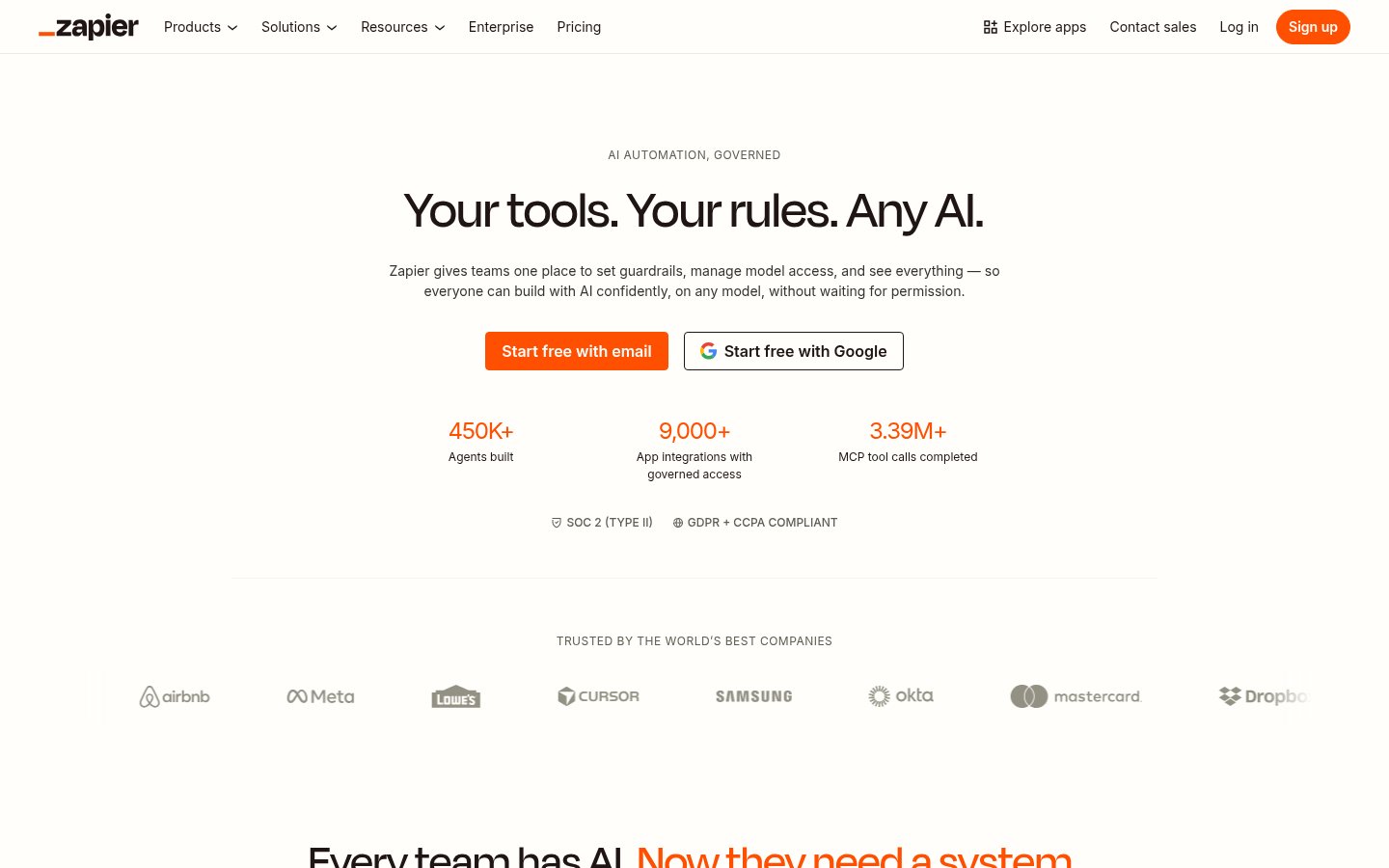
Zapier
Zapier
zapier.comZapier now does far more than connect apps. This 2026 review covers its AI agents, MCP layer, governance tools, real pricing, and who should actually pay for it.
Quick facts
- Free plan
- Yes, 100 tasks/mo, two-step Zaps
- App integrations
- 9,000+
- AI agents
- Yes, included on paid plans
- MCP support
- Yes, included on all plans
- SOC 2 Type II
- Yes
- GDPR/CCPA
- Compliant
- Enterprise plan
- Yes, custom pricing
Key features
Multi-step Zaps
Chain unlimited triggers and actions with conditional logic, data formatting, and scheduling.
AI Agents
Goal-directed bots that monitor conditions and take autonomous action across connected apps.
Zapier MCP
Connects AI assistants like Claude and ChatGPT to 9,000+ apps through a governed, audited action layer.
AI Chatbots
Deploy AI-powered chat interfaces to websites or internal tools, connected to your app data.
Tables and Forms
Built-in structured data storage and form capture, now included on all plans at no extra cost.
Zapier Copilot
AI assistant that builds Zaps from plain-English descriptions, maps fields, and debugs errors.
Governance and Audit Trail
Admin controls for which apps and AI models each team can access, with every action logged.
9,000+ Integrations
The widest app library of any automation platform, covering CRMs, project tools, AI models, and more.
Pros
- Widest app integration library of any automation platform at 9,000+ connectors.
- Thirteen years of production reliability means retries, error recovery, and uptime are genuinely solid.
- MCP support turns Zapier into a governed action layer for AI assistants like Claude and ChatGPT.
- Tables, Forms, and MCP are now bundled on all plans including Free, which is real added value.
- Governance and audit trail features give IT teams actual visibility into what AI is doing across systems.
Cons
- Task-based pricing punishes high-volume, multi-step workflows and costs can escalate quickly and without warning.
- Integration depth varies wildly, some connectors are comprehensive, others cover only basic triggers and actions.
- AI Agents are still maturing and require careful guardrail configuration to avoid unpredictable behavior.
- Developers building custom AI apps will find the platform limiting compared to direct API or self-hosted alternatives.
See Zapier for yourself
Free to start, no credit card needed for the trial.
Screenshots
Ready to try Zapier?
Skip the screenshots and explore it live.
Zapier launched in 2011 as a simple "if this, then that" connector for web apps. Thirteen years later, it's pitching itself as the infrastructure layer for enterprise AI, a single platform where IT sets governance rules, teams build AI agents, and every model call lands in one audit trail. That's a big pivot. Whether it sticks depends on whether you need what it now offers or what it always did.
What Zapier Actually Does in 2026
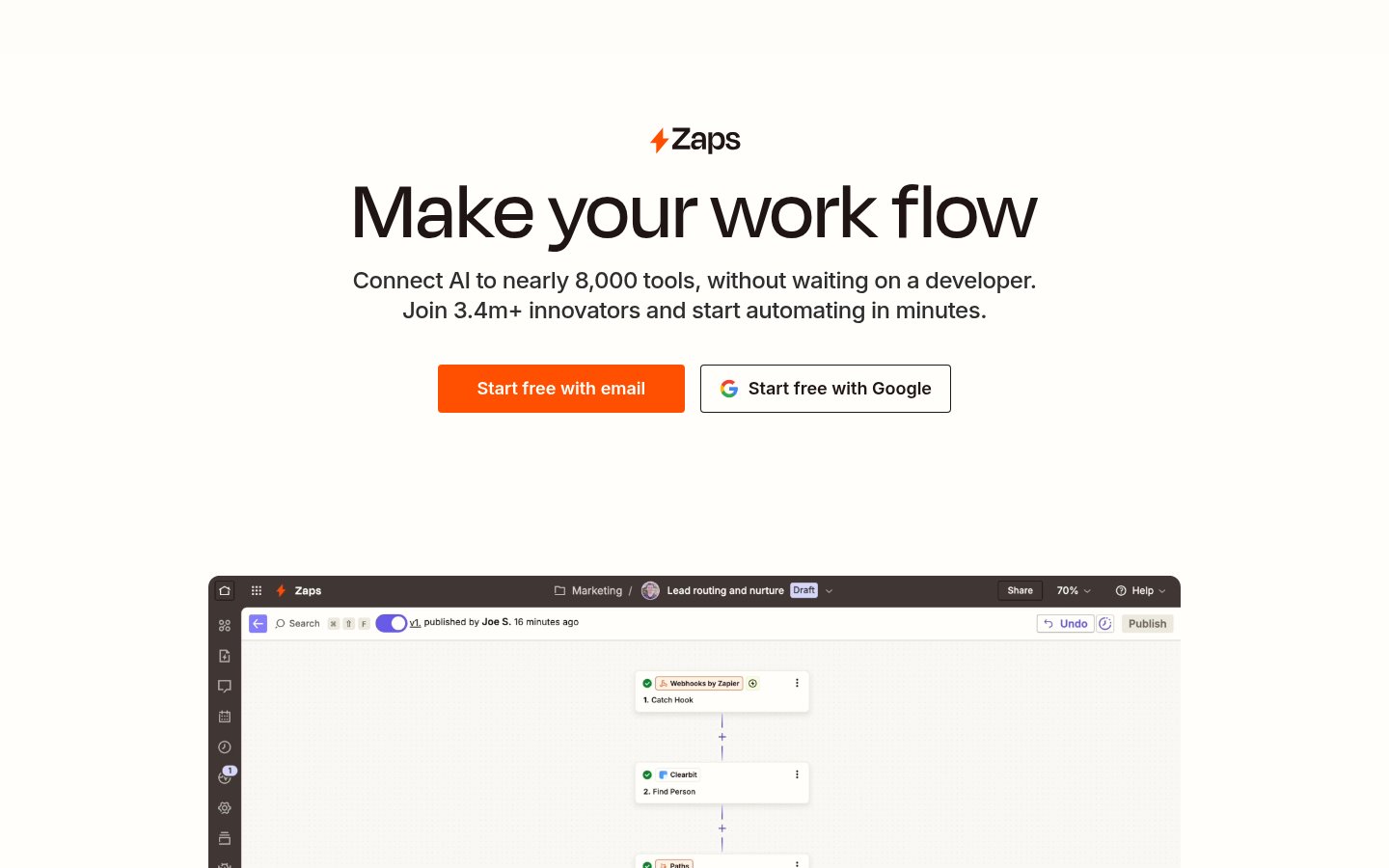
At its core, Zapier still does what it always did: connect apps via triggers and actions. You pick a trigger event in one app (a new Slack message, a form submission, a row added to a spreadsheet), then define one or more actions that fire automatically in other apps. No code required. That core mechanic is solid and genuinely useful for anyone who's tired of copying data between tools manually.
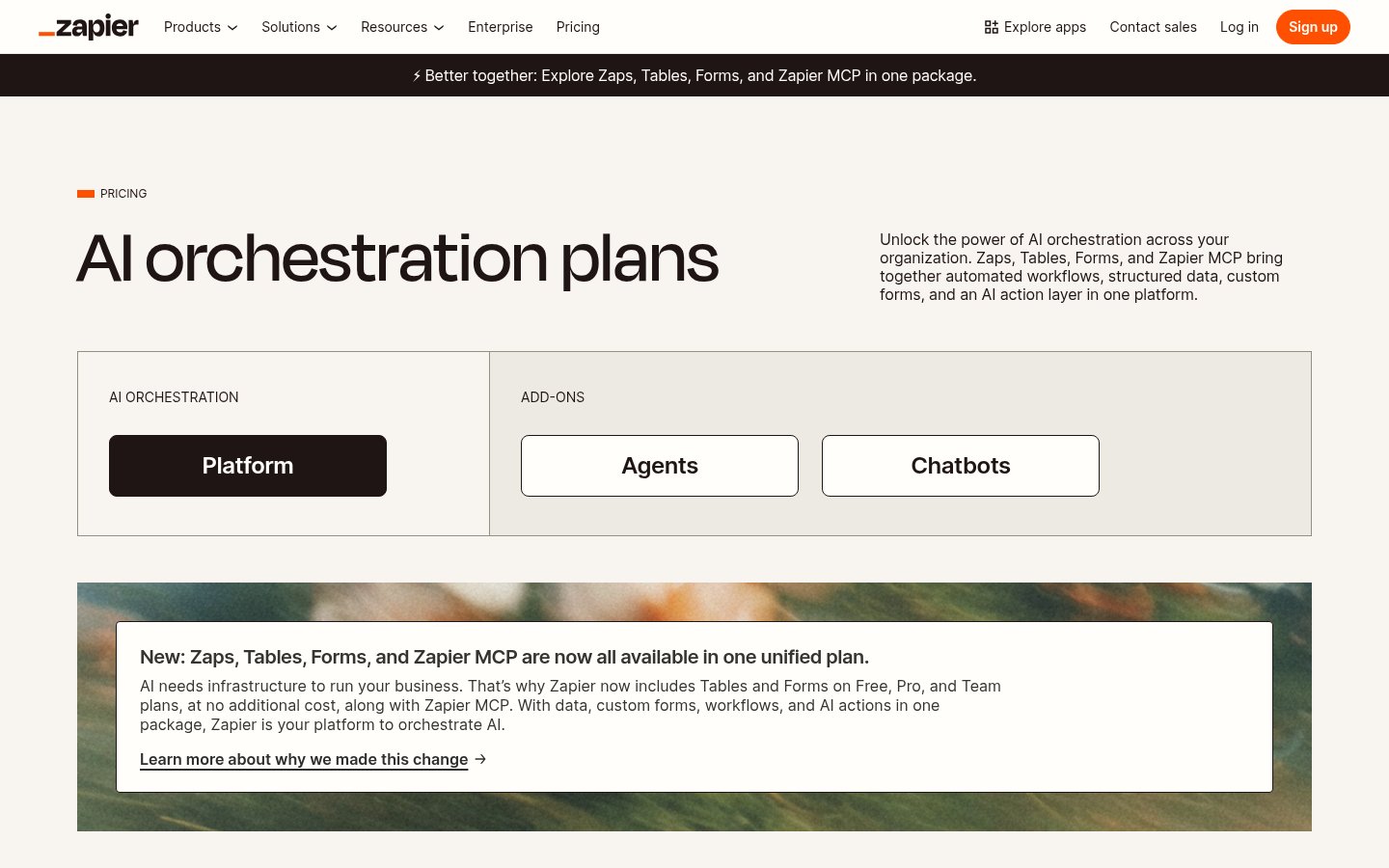
But the 2026 version layers a lot on top of that. Zapier now includes AI Workflows (multi-step automations with AI steps baked in), AI Agents (autonomous bots that monitor conditions and act without human triggers), AI Chatbots (deployable to websites or internal tools), Tables (structured data storage inside Zapier), Forms (data capture), Canvas (visual workflow design), and Zapier MCP (a Model Context Protocol layer that lets AI assistants like Claude and ChatGPT call Zapier-connected apps directly). These aren't separate products you pay for separately anymore. As of late 2025, Zapier bundled Tables, Forms, and MCP access into every plan including Free.
The MCP angle is genuinely interesting. When you connect Claude or ChatGPT to Zapier via MCP, those assistants can take actions across 9,000+ apps without you building custom integrations. You ask Claude to "add this contact to HubSpot and send them a welcome email" and it does it, through Zapier's auth layer. Zapier claims over 3.39 million MCP tool calls have already completed on its platform. That's a real signal that people are using this, not just signing up and leaving.
How It Works in Practice
The workflow builder is drag-and-drop friendly enough for non-technical users, but it rewards people who think in systems. Building a two-step Zap takes minutes. Building a multi-step workflow with conditional logic, data formatting, error handling, and AI steps takes patience and some trial and error. The visual builder is cleaner than it was two years ago, but it's not as intuitive as something like Make for complex branching logic.
Zapier Copilot, the built-in AI assistant, helps you build workflows by describing what you want in plain English. It maps fields, suggests steps, and debugs errors. On free plans it has daily message limits; on paid plans it's unlimited. From what's publicly visible and user reports, Copilot gets you 70-80% of the way there on common workflow patterns, but anything unusual still requires manual configuration.
The AI Agents feature lets you define goals and guardrails rather than step-by-step instructions. The agent decides which actions to take based on context. This is powerful for things like lead qualification or IT ticket routing, where the right action depends on the content of incoming data. The flip side: agents can behave unpredictably when edge cases fall outside what you tested. Governance controls at the team and admin level help here, but they require someone technical to configure properly.
One thing that stood out in user reviews: Zapier's reliability is genuinely good. It's been running production workflows for 13 years. Error recovery, retry logic, and uptime are not concerns you hear people raise. That matters more than people acknowledge when evaluating automation tools. If you're running workflows that touch your CRM, invoicing, or customer comms, downtime isn't just annoying, it's a business problem.
What feels clunky: the task-based pricing model creates anxiety. Every step in a multi-step Zap counts as a task. If you're running high-volume workflows, costs escalate fast and in ways that aren't always obvious upfront. The pricing calculator on the pricing page helps, but you can still underestimate what you'll use until you're already on a paid tier.
Pricing Breakdown
Zapier's pricing is based on tasks per month. A "task" is one action completed in a workflow. A three-step Zap that runs 1,000 times uses 3,000 tasks. This model is transparent but punishing at scale.
| Plan | Price (annual) | Tasks/mo | Key Limits |
|---|---|---|---|
| Free | $0 | 100 | Two-step Zaps only, no premium apps, daily Copilot limits |
| Professional | From $19.99/mo | 750-2,000+ | Multi-step Zaps, premium apps, webhooks, email/live chat support |
| Team | From $69/mo | Scales with tier | Shared workspace, 25 users, SSO, version history |
| Enterprise | Custom | Custom | Dedicated support, advanced admin, SAML SSO, custom data retention |
The Free plan is generous for light use. 100 tasks a month and two-step Zaps will cover simple personal automations without any issue. But the moment you want multi-step workflows, the Professional tier at $19.99/mo (billed annually) is the real entry point for anyone using Zapier seriously.
The Team plan is where SMBs land when they have multiple people building workflows. At $69/mo and up, it includes collaborative workspaces and more governance features. Enterprise pricing is negotiated and scales with volume and compliance requirements.
Where the pricing gets genuinely painful: high-task-volume use cases. Syncing large contact lists, processing every incoming email, or running agents that check conditions repeatedly can burn through thousands of tasks per day. Gartner Peer Insights reviewers consistently flag pricing as a sticking point, especially for smaller teams running complex workflows. If you're comparing Zapier to Make for high-volume use cases, Make's operation-based pricing often works out cheaper, and its scenario builder handles complexity better. Zapier wins on app breadth and ease of use, not cost efficiency at scale.
The new bundled approach (Tables, Forms, and MCP included on all plans) does represent real value improvement over where Zapier stood in 2024, when these were add-on charges.
Standout Features Worth Going Deeper On
MCP and the AI Assistant Layer
The Model Context Protocol integration is Zapier's most strategically interesting feature right now. MCP is an open standard that lets AI assistants like Claude and ChatGPT call external tools and services. Zapier acts as a bridge: you authenticate Zapier with your apps once, then any MCP-compatible AI client can act across all those apps through Zapier's permission layer.
This matters for teams who want AI assistants to do things, not just answer questions. Instead of building a custom integration every time you want Claude to write to your CRM, you configure it once through Zapier. IT controls which apps and actions the AI can access. Everything gets logged. That's a meaningful governance story, and it's exactly the kind of thing enterprise IT teams have been asking for as AI usage has spread across their organizations. If you've been reading about the AI personalization problem, the MCP approach is one concrete answer to making AI assistants actually aware of your business data.
AI Agents
Zapier's AI Agents aren't just triggered workflows with an AI step. They're goal-directed: you define what you want the agent to achieve, set guardrails on what it's allowed to do, and it figures out the steps. The practical use cases that keep appearing in customer stories: routing support tickets based on content, scoring and enriching leads, answering FAQ-style questions against a knowledge base, and processing documents. Remote.com reportedly uses Zapier agents to resolve 28% of IT support tickets automatically with a three-person IT team. That's a credible and specific claim.
Agents come with real risks too. They make decisions, which means they make mistakes. The governance layer (controlling which apps and actions they can reach) is important for limiting blast radius. This connects to a broader concern worth taking seriously: when AI tools take autonomous action across your business systems, the verification question matters more than people tend to assume. The discussion in The AI Verification Gap is directly relevant to how you should configure agent guardrails in Zapier.
Governance and Audit Trail
For IT teams and compliance-conscious organizations, Zapier's governance story is the strongest it's ever been. Every AI action, every model call, every workflow run gets logged. Admins can define which apps are accessible to which teams. Policy sets apply uniformly across MCP clients and SDK integrations. If your security team asks "what is our AI doing and to what systems," you can actually answer that now in under a minute, which is more than most organizations using scattered point solutions can say.
This is what Zapier is really selling to the enterprise right now. Not automation per se, but visible, auditable, controllable AI automation. Whether that justifies Enterprise pricing depends on how seriously your organization takes AI governance.
Limitations and Edge Cases
Zapier's 9,000+ app integrations sound vast, and they are. But integration depth varies wildly. Some connectors expose every API endpoint. Others cover only basic triggers and actions, and hitting the edge of what a connector supports is frustrating when you assumed it would cover your use case. Always check which specific triggers and actions are available for your key apps before committing to a plan.
The task-based pricing model creates perverse incentives at scale. Multi-step workflows with loops or agent polling consume tasks fast. If you're building anything high-volume, the economics need to be modeled carefully before you build. This is a real complaint from long-term Zapier users, not a theoretical concern.
The AI Agents feature is still maturing. It works well for structured, well-defined tasks with clear success criteria. It's less reliable for anything that requires nuanced judgment or where the input data is inconsistent. Anyone building on AI agents generally should be aware of the AI dependency considerations before automating anything mission-critical without a fallback.
Error handling in complex workflows requires deliberate design. Zapier will notify you when a task fails, but understanding why and fixing it can involve digging through logs that aren't always crystal clear. Teams without someone who owns workflow operations tend to accumulate silent failures over time.
Who Should Use Zapier
If you're a small to mid-sized business that needs to connect apps without an engineering team, Zapier is still the easiest starting point with the widest app coverage. The free tier is usable for basic automation. The Professional tier is a reasonable value for anyone running a handful of active workflows. Non-technical operators who need to integrate their CRM, email, and project management tools will get real value here without needing any technical help.
For enterprise teams that want to govern AI access across departments, the new governance and MCP features make Zapier genuinely compelling in a way it wasn't two years ago. If you're already thinking about AI meeting tools (see our Top 9 AI Meeting and Productivity Tools roundup) and want a single orchestration layer underneath all of them, Zapier's infrastructure story is worth evaluating seriously.
Who Should Skip It
High-volume, complex automation at scale is where Zapier starts losing on cost efficiency. If you're running scenarios with thousands of operations per day, intricate branching logic, or custom data transformations, Make or n8n will almost certainly serve you better on price and flexibility. n8n in particular is worth considering for developer teams who want full control and self-hosting options. Developers building custom AI applications will also find the SDK approach more limiting than direct API integration once requirements get complex.
Pure automation with no AI component also doesn't need Zapier's newer features. If you just want reliable app-to-app data syncing at volume, the pricing model punishes you for exactly the behavior you're optimizing for.
Verdict
Zapier is the easiest on-ramp into automation and, as of 2026, one of the most complete AI orchestration platforms for non-technical teams. The task-based pricing model becomes genuinely painful at scale, and developers will quickly outgrow it, but for business operators who need reliable, governed, multi-app AI workflows without writing code, nothing else matches its app coverage and governance story.
Try ZapierAlternatives
- Make
Better for high-volume, complex workflows at lower cost per operation
- n8nRead review →
Best for developers who want self-hosting, code control, and flexible pricing
- Microsoft Copilot
Better choice if your stack is Microsoft-first and you want native AI integration
- Pipedream
Developer-focused alternative with generous free tier and code-first approach
Frequently Asked Questions
Tools & Services Mentioned

infobro.ai Editorial Team
We research every tool from its documentation, pricing pages, product screenshots and public developer discussion, and say plainly what the evidence does and does not show. Drafts are AI-assisted and reviewed by our editors before publication. We revisit each article every 6 months to reflect platform changes. Learn more about our process.