PopAI Review 2026: A Capable AI Presentation Tool With a Billing Problem You Can't Ignore
PopAI's AI presentation engine is genuinely capable, fast document-to-deck conversion, solid multi-model content, and reliable PPTX export. But a documented pattern of opaque annual billing, near-impossible cancellations, and unresponsive support makes it one of the harder AI tools to recommend without serious caveats.
PopAI's AI presentation engine is genuinely capable, fast document-to-deck conversion, solid multi-model content, and reliable PPTX export. But a documented pattern of opaque annual billing, near-impossible cancellations, and unresponsive support makes it one of the harder AI tools to recommend without serious caveats.
Quick facts
- Free plan
- Yes, with limited exports and watermarks
- Paid plans
- ~$12/mo or ~$99/yr (billed upfront)
- AI models
- GPT, Claude, Gemini, DeepSeek
- Export formats
- PPTX, PDF, shareable web link
- File input types
- PDF, DOCX, PPTX, URL, plain text
- Mobile apps
- iOS (4.7 stars, 15k+ reviews) and Android (3.6 stars)
- Company
- 01.AI Pte. Ltd., Singapore
- Trustpilot rating
- 1.7 stars (billing and support complaints)
Pros
- Document-to-presentation conversion handles large, dense files better than most competitors.
- Multi-model AI backend (GPT, Claude, Gemini, DeepSeek) produces structurally coherent slide content rather than dumped bullet points.
- PPTX export preserves formatting reliably, which is rarer than it should be in this category.
- Template variety is genuinely broad with visually distinct themes across multiple categories.
- Mobile apps are well-rated (4.7 stars on iOS) and work well for quick, casual presentation needs.
Cons
- Annual billing ($99 charged upfront) is reported to be misleadingly presented as monthly-equivalent pricing.
- Cancellation process is documented across multiple platforms as deliberately difficult and unresponsive.
- Trustpilot rating sits at 1.7 stars, dominated by billing and support complaints.
- Users report being immediately downgraded to free tier upon cancellation with no refund for remaining paid time.
- AI-generated slide images are generic and rarely usable without replacement.
- No meaningful team or collaboration features despite an enterprise tier existing on paper.
See PopAI for yourself
Free to start, no credit card needed for the trial.
Screenshots
Ready to try PopAI?
Skip the screenshots and explore it live.
Updated May 2026
What PopAI Actually Does
PopAI is a Singapore-based AI productivity suite, operated by 01.AI Pte. Ltd., that positions its presentation maker as the flagship feature. The pitch is simple: give it a topic, a prompt, or a document, and it spits out a fully structured slide deck in seconds. It supports input from plain text prompts, uploaded PDFs, Word documents, existing PPTX files, and web page URLs. The output is a formatted deck you can edit in a browser canvas, then export as PPTX or PDF.
That core promise works better than you'd expect. PopAI doesn't just dump bullet points onto blank slides, it applies layout logic, groups related ideas, and picks template styles that match the content type. A business pitch gets a different structural treatment than an educational lesson plan. The AI runs on a mix of major models, including GPT, Claude, Gemini, and DeepSeek, which explains why the content quality is generally solid rather than generic.
Beyond presentations, PopAI bundles in a ChatPDF tool (ask questions about uploaded documents), a general AI chat interface, AI writing, AI image generation, and an AI Sheets feature. The product is trying to be a one-stop AI workspace for everyday tasks, not just a slide tool. Whether that breadth helps or dilutes the experience depends entirely on your use case, and if you're already wrestling with tool sprawl, adding another bundled suite deserves careful thought.
How It Works in Practice
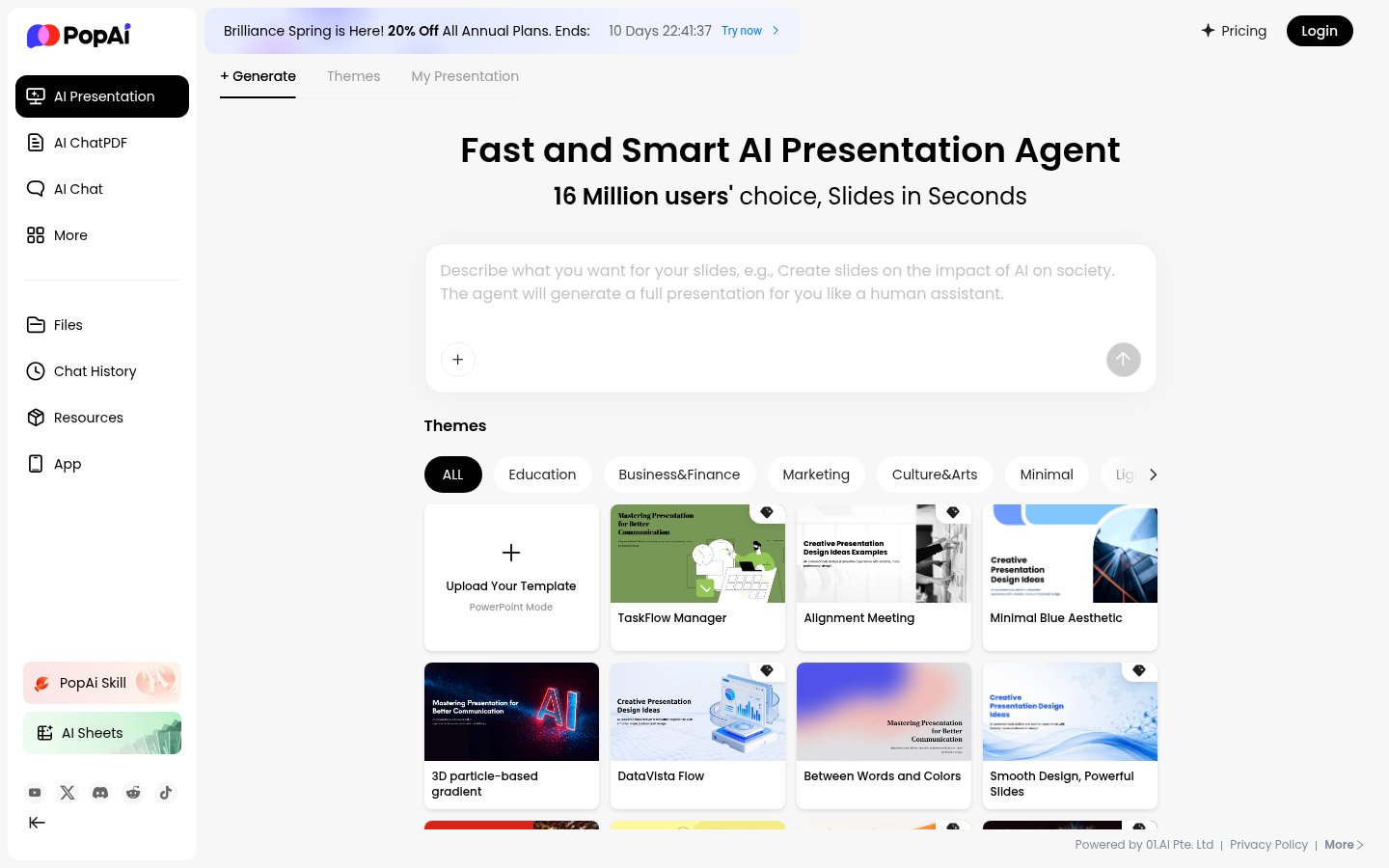
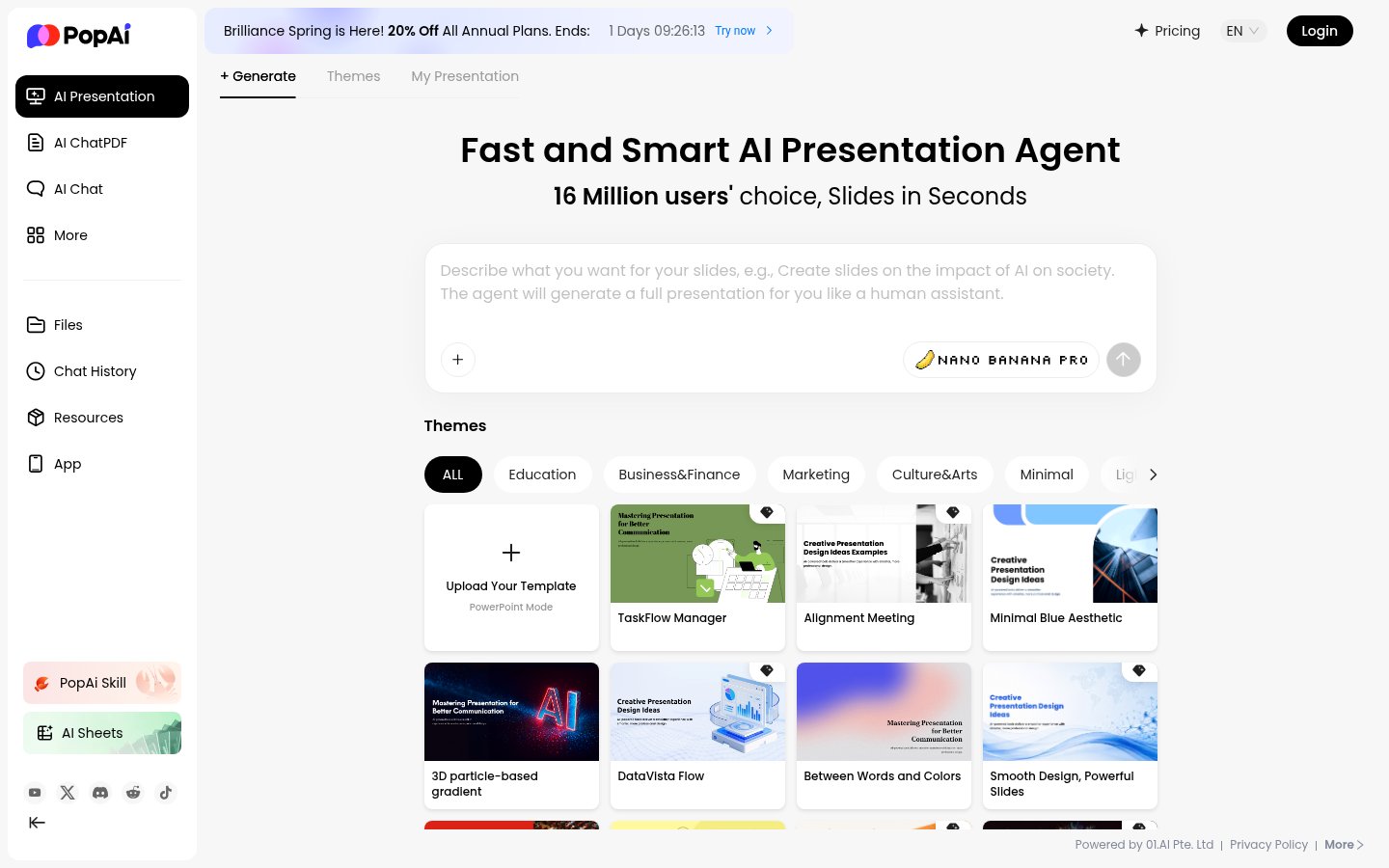
The workflow for generating a presentation is genuinely fast. You type a topic or drop in a file, pick a theme from categories like Business, Education, Marketing, or Minimal, and the AI takes over. The theme library is broader than most competitors, there are dark themes, light themes, and a decent spread of visual styles that actually look different from each other rather than being slight color variations of the same layout.
The canvas editor is browser-based and reasonably intuitive. Text is editable inline, layout blocks can be repositioned, and images can be swapped out. It's not going to replace a dedicated design tool, but for most professional use cases, the out-of-the-box output needs only minor adjustments. The PPTX export preserves formatting well, which matters more than most tools acknowledge. Nothing is worse than spending time in an AI editor only to have it fall apart when you open it in PowerPoint.
Where things get clunky is in the document-to-slides pipeline. Large PDF uploads work, PopAI handles dense reports better than several competitors, but the AI's extraction logic sometimes prioritizes the wrong sections, pulling boilerplate text over substantive content. You'll want to review the generated outline before committing to the full deck. The web page input feature is also hit-or-miss depending on how a site structures its content.
The ChatPDF feature is competent. You upload a document and ask questions in a chat interface. It's useful for quick research but isn't meaningfully differentiated from what you'd get using a general-purpose AI tool with a file upload. The AI Sheets feature rounds out the suite but similarly doesn't offer anything that would pull you away from a dedicated tool.
One note worth making: we were unable to register for a PopAI account during research (no functional signup page was accessible at the time of writing). The analysis here is based on extensive public-facing content, documented user reviews, and independent research, not hands-on dashboard testing.
Pricing Breakdown
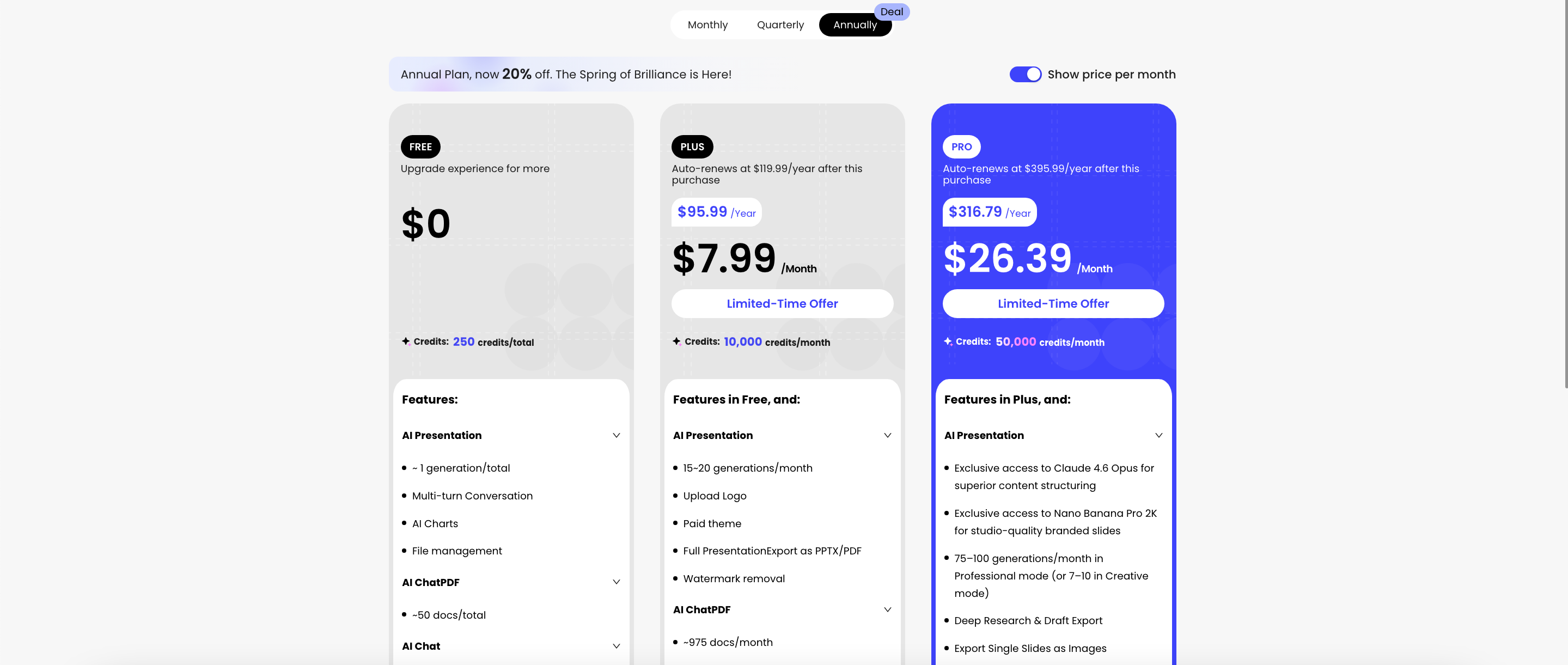
PopAI's pricing page was not fully accessible during research, but based on public information and user reports, here's what's known about the tier structure:
| Tier | Price | What You Get |
|---|---|---|
| Free | $0/mo | Limited presentations, basic templates, watermarked exports |
| Pro (monthly) | ~$12/mo | Unlimited presentations, PDF/PPTX export, AI chat, ChatPDF |
| Pro (annual) | ~$99/yr (billed upfront) | Same as monthly Pro, reduced per-month cost |
| Enterprise | Custom | Team features, priority support, custom branding |
The $99/year plan is where the most serious complaints originate. Multiple users across Google Play and third-party review aggregators report that the website's copy implies month-to-month billing totaling $99 annually, but the charge hits as a single upfront payment. Several users who contacted support seeking partial refunds were refused outright. This isn't a minor UX issue; it's a billing design that appears engineered to maximize commitment before users fully understand the terms.
The pattern goes beyond the upfront charge. Users report being downgraded to the free tier immediately upon requesting cancellation, forfeiting the remainder of their paid period with no recourse. Others describe months of continued charges on the monthly plan after attempting to cancel, with support taking over a month to respond, if it responds at all. On Google Play, the app currently holds a 3.6-star average from over 1,500 reviews, with the lowest ratings almost exclusively tied to billing and cancellation experiences. On Trustpilot, the score sits at a notably low 1.7 stars for similar reasons.
For context on why subscription clarity matters so much right now, the AI Cost Problem is a real phenomenon, people are stacking AI subscriptions without realizing how fast they compound. Opaque annual billing makes that significantly worse, and PopAI's practices are among the more egregious documented examples in the current AI tool landscape.
The monthly plan at approximately $12/mo is reasonable for what you get if you're a regular presentation creator. The problem is that getting out of it appears to be genuinely difficult regardless of which plan you're on.
Standout Features, Examined
Document-to-Deck Conversion
This is PopAI's strongest differentiator. Most AI presentation tools take a text prompt and build around it. PopAI goes further by ingesting actual documents, a 50-page research report, a Word brief, an existing deck, and restructuring the content into a new presentation. The AI doesn't just summarize; it identifies what belongs on a title slide, what should be broken into bullet-point slides, and what warrants a data visualization treatment.
For professionals who regularly turn dense written deliverables into executive presentations, this is genuinely useful. A quarterly business review, a technical specification, a research summary. These are exactly the use cases where the feature earns its keep. The AI handles large files better than most direct competitors in this space. If you're comparing options, the GenPPT review covers a leaner alternative worth considering alongside PopAI.
Multi-Model AI Backend
Routing tasks across GPT, Claude, Gemini, and DeepSeek is a meaningful architectural choice rather than a marketing bullet point. Different models have different strengths in structure, tone, and factual density. The result in practice is that PopAI's content output tends to feel more considered than single-model tools, less generic filler, more structural coherence. That said, the specific routing logic isn't transparent to users, so you can't deliberately choose which model handles a given task.
Theme Library and Visual Output
The template variety is broader than most tools at this price point. Business, Education, Marketing, and Minimal categories each contain genuinely distinct visual styles, not the same layout with swapped accent colors. Dark themes are well-executed, which matters for presentations that get delivered in low-light environments. The gap is in AI-generated images for slides, which skew toward generic stock-photo aesthetics and usually need replacement for anything client-facing.
Export Quality
PPTX export is one of the features that consistently draws positive mentions in user reviews, even among those who criticize the billing. The exported files open cleanly in PowerPoint with formatting intact, text boxes don't drift, fonts don't substitute unexpectedly, and layouts hold. PDF export is similarly reliable. For a browser-based AI tool, this level of export fidelity is genuinely above average.
Mobile Apps
PopAI has both iOS and Android apps, and the Apple App Store rating sits near 4.7 stars from over 15,000 reviews, a meaningful contrast to the Trustpilot and Google Play scores, which skew lower. The mobile experience appears to work well for quick, casual presentation creation and AI chat use cases. The divergence in platform ratings likely reflects that mobile users are more casually engaged and less likely to have hit the billing wall that drives negative desktop reviews.
The Billing Problem Is the Product Problem
It's worth being direct about something: PopAI's billing practices aren't an isolated complaint from a few frustrated users. They represent a documented pattern across multiple independent platforms, Google Play, Trustpilot, and third-party review aggregators, with consistent descriptions of the same mechanisms. Upfront annual charges presented as monthly-equivalent pricing. Cancellation interfaces that are deliberately unclear or unresponsive. Downgrades that forfeit remaining paid time. Support that goes dark for weeks.
This is relevant to anyone evaluating the tool because the product's core functionality and the company's billing operation are not separable. You're not just buying a presentation tool, you're entering a subscription relationship with a company that has a documented pattern of making that relationship difficult to exit. That's a material factor in any purchase decision, regardless of how good the slide output is.
If you're thinking about this in the context of broader AI spending, it fits a pattern worth understanding: individual tools that are useful on their own but create compounding costs and friction when stacked. The AI specialization problem is relevant here too, PopAI bundles a lot of features together, but the question of whether those features are genuinely better than purpose-built alternatives (or what you already have) rarely gets asked before subscribing.
Who PopAI Is Actually For
If you create presentations regularly from existing documents, reports, briefs, research summaries, and you're comfortable doing so on a month-to-month basis while staying vigilant about the cancellation process, PopAI's core product delivers real value. The document-to-deck pipeline and PPTX export quality are legitimate strengths that hold up against more expensive competitors.
If you're considering the annual plan, the documented user experiences should give you serious pause. The savings over monthly billing don't justify the risk of being locked into a plan that's difficult to exit and unsupported by responsive customer service.
For teams, collaboration features are minimal despite the enterprise tier existing on paper. Tools like Gamma or Beautiful.ai are better choices when shared workflows matter. For individual users who want a simpler, lower-commitment alternative, the GenPPT review covers a tool that does less but causes significantly less friction.
Verdict
PopAI's core presentation product is genuinely good, fast generation, solid document conversion, and better-than-average templates. The billing operation around it is a different story, with documented patterns of opaque annual charges, near-impossible cancellations, and unresponsive support that make it hard to recommend without serious caveats. Use the free tier to evaluate it and approach any paid plan with eyes open.
Try PopAIAlternatives
- GammaRead review →
Better design quality and team features with transparent billing
- GenPPTRead review →
Faster generation, simpler tool, fewer bundled features and less billing friction
- Beautiful.ai
Stronger for teams and collaborative deck workflows
- Visme
Best when you need presentations plus infographics and visual reports
- Plus AI
Works inside Google Slides and PowerPoint, best for existing workflows
Frequently Asked Questions
Tools & Services Mentioned

infobro.ai Editorial Team
We research every tool from its documentation, pricing pages, product screenshots and public developer discussion, and say plainly what the evidence does and does not show. Drafts are AI-assisted and reviewed by our editors before publication. We revisit each article every 6 months to reflect platform changes. Learn more about our process.