Gamma Review 2026: The AI Presentation Tool That's Quietly Eating PowerPoint's Lunch
Gamma turns raw ideas into polished presentations, docs, and websites in minutes. Here's an honest look at what it does well, where it falls short, and who it's actually for.
Gamma turns raw ideas into polished presentations, docs, and websites in minutes. Here's an honest look at what it does well, where it falls short, and who it's actually for.
Quick facts
- Free plan
- Yes, no credit card required
- AI models
- 20+ (varies by tier)
- Content types
- Presentations, docs, websites, social, graphics, API
- Export formats
- PDF, PPTX, PNG, Google Slides
- SOC 2
- Type II certified
- Users
- 50+ million
- Custom domains
- Up to 100 on Ultra plan
Pros
- Fastest time-to-polished-content of any AI presentation tool in 2026.
- Multi-format output (decks, docs, websites, social) from a single platform genuinely reduces tool-switching.
- Agent v3.0 conversational editing is more capable than any direct competitor's equivalent.
- Free plan is functional for light use, no credit card, real output from day one.
- SOC 2 Type II certification makes it viable for teams with basic compliance requirements.
- Analytics on paid tiers provide real signal on whether recipients actually engaged with your content.
Cons
- Credit limits can catch heavy users off guard, especially on lower tiers during revision-heavy sessions.
- Web-only platform means no offline access and no desktop fallback for unreliable-internet situations.
- Free tier AI model quality is noticeably below what Pro and Ultra produce, which can give a misleading first impression.
See Gamma for yourself
Free to start, no credit card needed for the trial.
Screenshots
Ready to try Gamma?
Skip the screenshots and explore it live.
Gamma occupies a specific niche: it's the tool you reach for when you need something that looks good, fast, and you don't want to spend three hours wrestling with PowerPoint alignment guides. That pitch is simple, and in 2026, Gamma delivers on it better than almost anyone else.
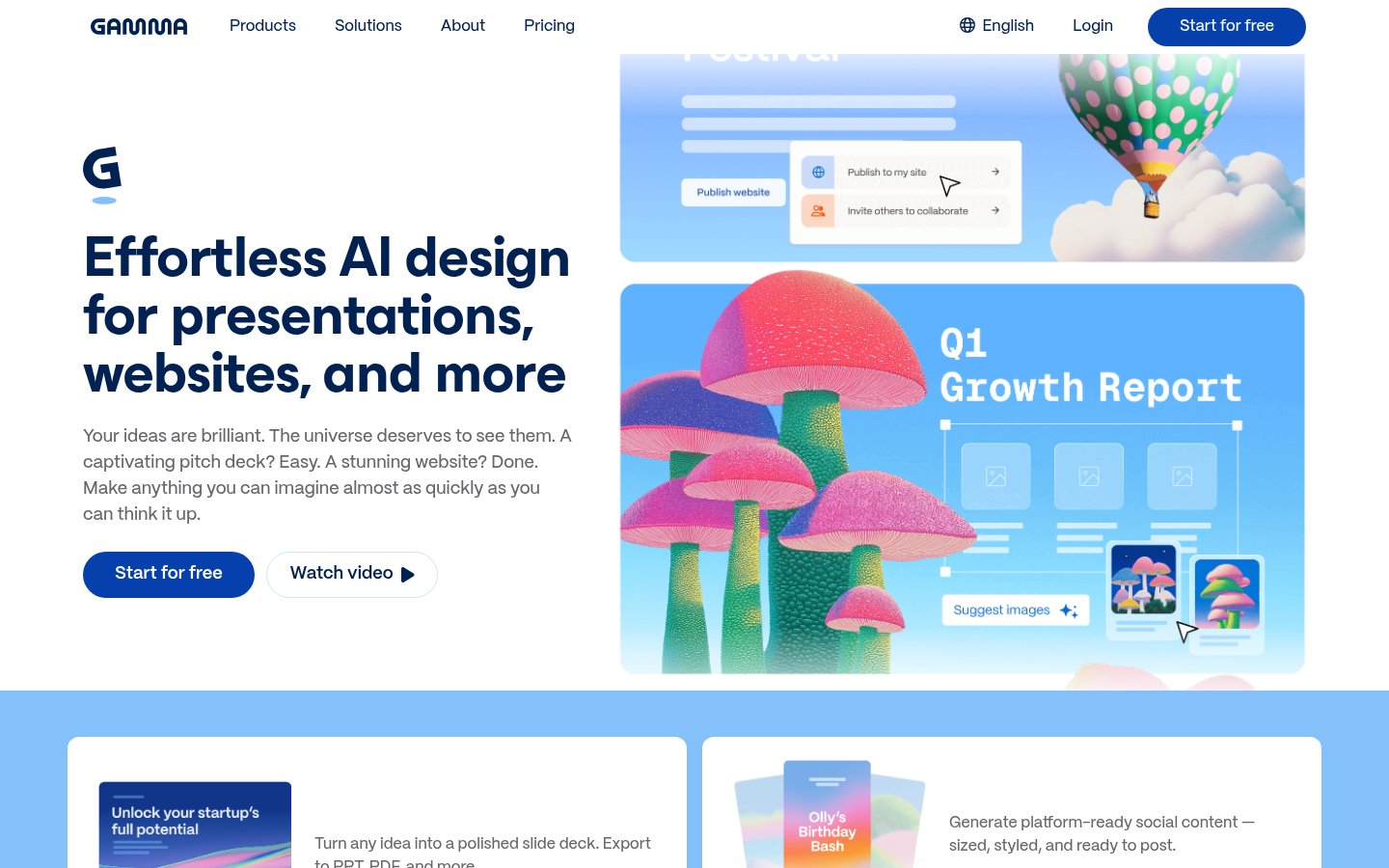
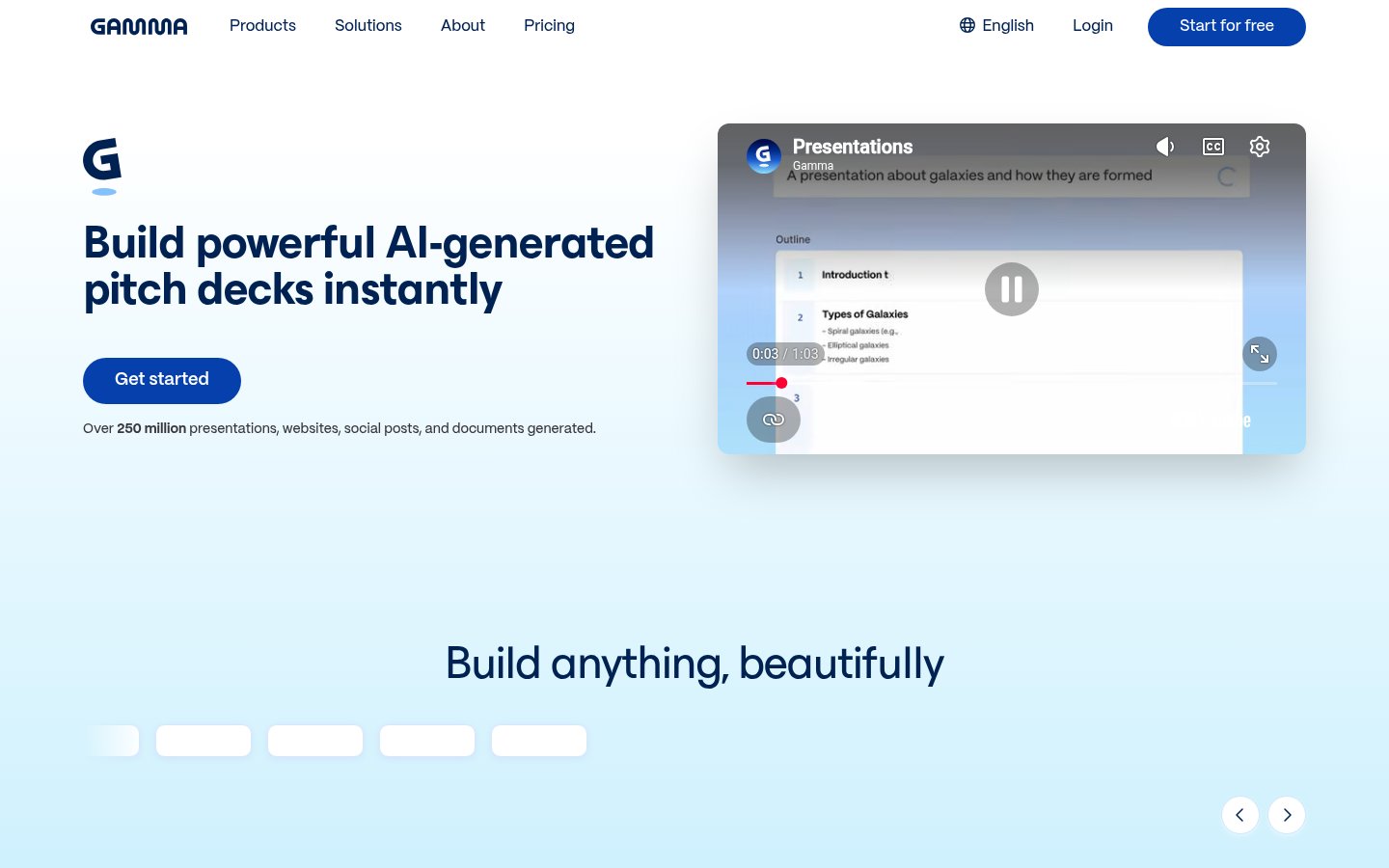
What Gamma actually does is generate structured, visually polished content from a text prompt or an imported file. You describe what you want, a pitch deck for a SaaS product, a one-pager on Q2 results, a website for a coaching practice, and Gamma produces a formatted, styled result in under a minute. The output isn't raw HTML or a rough draft you still need to hand-craft. It's a complete, shareable piece of content that usually looks like a professional designed it.
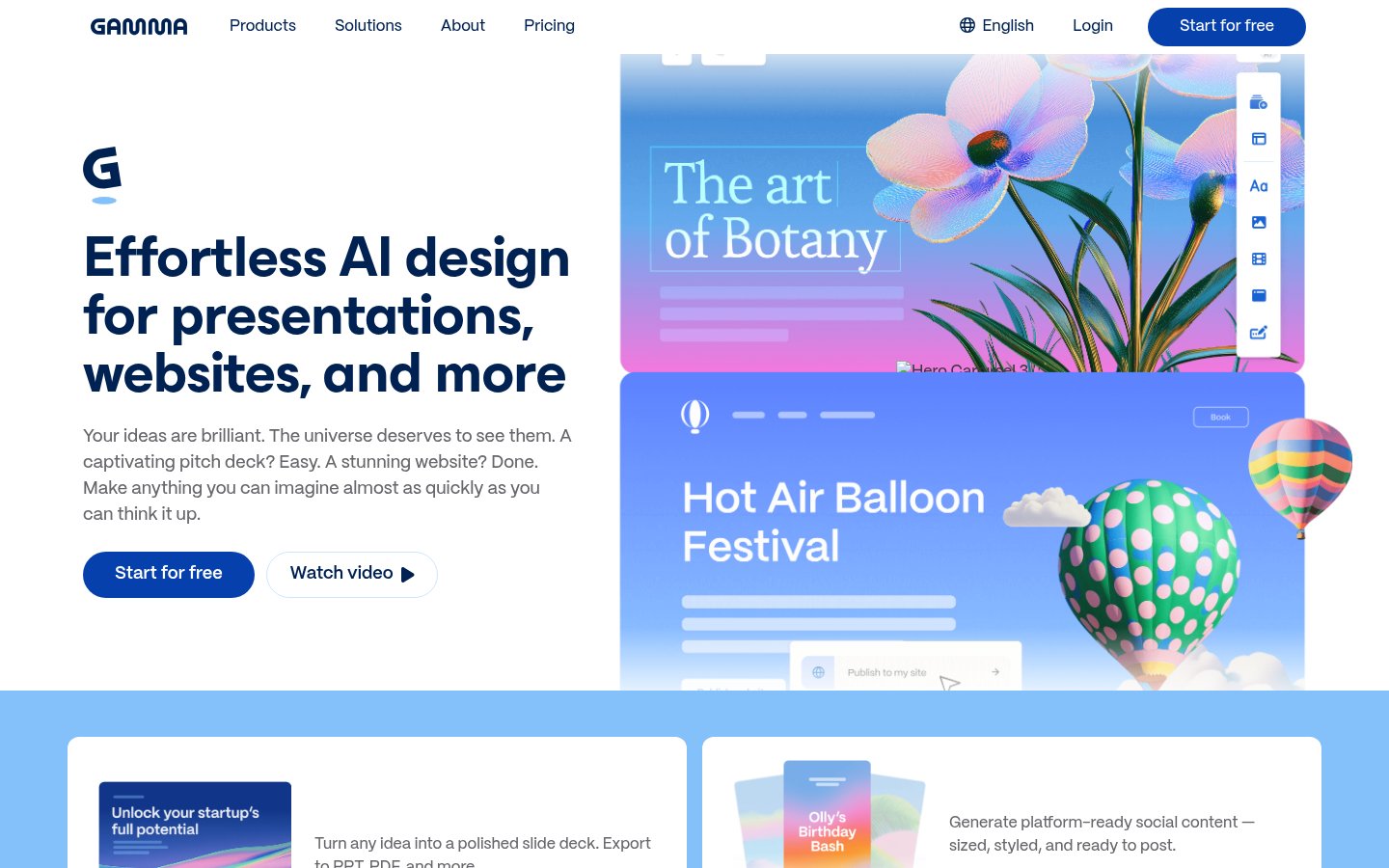
The platform covers six content types: presentations, documents, websites, social media graphics, API-driven creation, and a newer graphics/illustration tool powered by an AI design agent. That breadth is real. Gamma isn't just a slide tool with a coat of paint on top. The document and website generators are genuinely usable outputs, and the fact that you can go from "idea" to "hosted URL" in minutes is something most competitors still can't match.
How It Works in Practice
The core workflow is prompt-in, content-out. You can start from scratch with a text prompt, paste in an existing outline, or import a PDF or PPTX file and let Gamma reshape it into its card-based format. The card metaphor is central to how Gamma thinks about content: each slide or section is a "card," and cards stack to form your final piece.
Gamma supports over 20 AI models for generation, which matters because output quality varies meaningfully by model. The higher-tier plans unlock the better models, including image and video generation. The free tier gets you baseline generation, which is good enough to evaluate but noticeably less polished than what Pro and Ultra produce.
The editing experience sits somewhere between Notion and Canva. You can click into any card, adjust text, swap images, change layouts, and ask the AI to rewrite or expand specific sections inline. As of early 2026, Gamma's Agent v3.0 adds a conversational editing layer: you can type something like "make the third card more concise and add a chart" and the agent handles it without you manually clicking through menus. Reviewers who tested this extensively describe it as the most capable conversational editor in the presentation space, and based on what's publicly visible in demos, that tracks.
What feels clunky: Gamma's card-based format is excellent for web viewing but creates real friction when you export. The PPTX export often loses custom fonts, some animations don't translate at all, and complex layouts can break. If your audience expects a clean PowerPoint file as the deliverable, you'll need to budget time for cleanup after export. That's not a minor caveat, it's a genuine workflow limitation for anyone in a corporate environment where PowerPoint is the lingua franca.
Collaboration is real-time, similar to Google Slides, and the analytics on paid tiers let you see who viewed your presentation and for how long. That's genuinely useful if you're sending out sales decks and want to know if prospects actually read them.
Pricing Breakdown
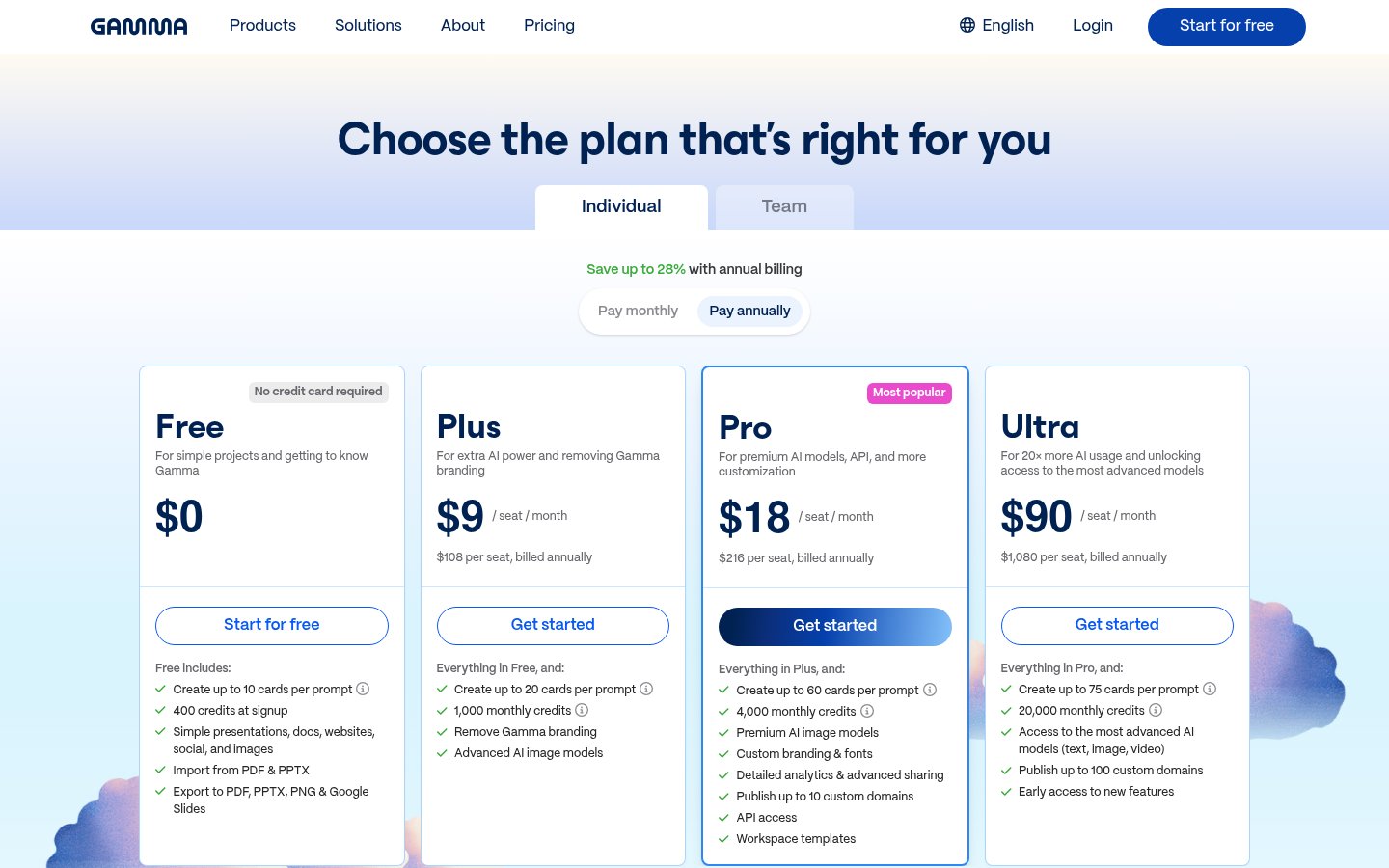
Gamma uses a credit-based AI system on top of its subscription tiers. The subscription sets your feature ceiling; the credits determine how much you can generate within a billing period. Here's how the tiers break down:
| Plan | Price | Cards per Prompt | Key Features |
|---|---|---|---|
| Free | $0/mo | Up to 10 | Basic generation, PDF/PPTX import, export to PDF/PPTX/PNG/Google Slides, Gamma branding |
| Plus | Paid (monthly or annual) | Up to 20 | Everything in Free, Gamma branding removed, advanced AI image models |
| Pro | Paid (higher tier) | Up to 60 | Premium AI image models, custom branding & fonts, detailed analytics, up to 10 custom domains, API access, workspace templates |
| Ultra | Paid (top tier) | Up to 75 | Most advanced AI models (text, image, video), up to 100 custom domains, 20x more AI usage, early access to new features |
Gamma offers a discount on annual billing, and the pricing page explicitly says no credit card is required to start on the free plan. Enterprise pricing is available via sales contact for teams that need SOC 2 compliance (Gamma is SOC 2 Type II certified, which matters for companies with data governance requirements).
The value calculation depends on use case. For a solo creator or consultant who needs to produce 5-10 decks per month, the Plus or Pro tier makes sense. For teams standardizing on Gamma across a department, the math shifts toward enterprise. The free tier is genuinely usable for light personal use, not just a teaser, 10 cards per prompt gets you a complete short presentation.
One thing worth flagging: the credit system means heavy users can burn through their monthly allowance faster than they expect. If you're generating a lot of content or iterating heavily with the AI, you may need to plan around credit limits or step up to Ultra.
Standout Features Worth Understanding
The multi-format content engine. Most presentation tools do one thing. Gamma does six. The ability to take a single idea and output it as a slide deck, a web page, or a shareable document without switching tools is a genuine time multiplier for solo operators and small teams. Consultants who reviewed Gamma extensively note that they'll generate a pitch deck for a client, then spin up a one-pager from the same content, then post a visual summary to social, all from one source in Gamma. That's real workflow compression, not a marketing bullet point.
Agent v3.0 conversational editing. The generative step is table stakes at this point, every AI presentation tool does it. What differentiates Gamma is the editing experience after generation. Agent v3.0 lets you have a back-and-forth conversation with the AI about your content. Ask it to restructure the second half, translate a deck to Spanish, or add a competitive comparison table. The agent handles it contextually, meaning it understands the full document rather than treating each request as an isolated edit. No major competitor matches this at the same level of capability as of mid-2026.
AI animations (January 2026 addition). Gamma now generates animated cards with motion effects and dynamic visual elements rather than static images. The animations are deliberately subtle, Gamma hasn't gone overboard here, and they add genuine polish to web-based presentations. The catch is that these animations don't survive export. If you're presenting live from the Gamma web interface, they look great. If you export to PPTX for a conference room laptop, they're gone.
Analytics and engagement tracking. On paid tiers, Gamma shows you who opened your presentation, which cards they spent time on, and how far they got. For anyone using presentations as part of a sales or consulting workflow, this is the kind of data that used to require dedicated tools. It's not as deep as a full sales enablement platform, but it's meaningfully better than sending a PDF and hoping for the best.
Limitations and Edge Cases
The PPTX export issue deserves more emphasis than most reviews give it. Gamma's card-based format is structurally different from traditional slide software. When you export, you're converting between two different content paradigms, and that conversion has real quality loss. Custom fonts often revert to defaults, animations disappear, and complex multi-column layouts can collapse. If your workflow ends with "email the PowerPoint file to the client," Gamma creates extra work in the final step.
The card format is also a creative constraint. Gamma's layouts are excellent for its own card system, but if you need a very specific visual arrangement, a complex infographic layout, a custom data visualization, a slide with precise positioning, you'll hit the ceiling of what the editor allows. You can work around many of these with the AI design agent, but not all.
Credit limits can be disorienting if you're used to unlimited-use software. Heavy iteration sessions, where you generate a version, revise it, generate again, and revise several more times, can consume credits quickly. The free tier is particularly limiting for any serious workflow.
The platform is web-only. There's no desktop application. If you're presenting in a location with unreliable internet, you'll want to export a PDF as a backup, which again runs into the export quality limitations.
For teams in regulated industries, while Gamma is SOC 2 Type II certified, the fact that content lives on Gamma's servers means you need to think carefully about what you put into it. This connects to broader questions about what your AI tools actually know about your data, worth reading before you upload sensitive client materials.
Output quality also varies by prompt quality and model tier. The free tier's models produce noticeably less polished results than Pro or Ultra. Users who try Gamma on the free plan and find the output mediocre should know it's not entirely representative of what the paid tiers can do.
Who It's For
Gamma is built for people who need to create presentable content regularly but aren't professional designers and don't want to become PowerPoint power users. Consultants, educators, startup founders, coaches, freelancers, and small team leads who produce decks, one-pagers, or client-facing documents weekly will get significant value. The combination of speed, multi-format output, and web-native sharing means Gamma fits naturally into a workflow where you're creating for diverse audiences across different contexts.
If you're evaluating AI productivity tools more broadly, Gamma pairs well with note-taking and knowledge management tools. The Mem.ai review covers a tool that works well in tandem with Gamma: notes and research go into Mem, the polished output comes out of Gamma. For teams managing complex workflows, pairing Gamma with an automation layer like Zapier or n8n can handle the Gamma API to push generated content into your existing publishing pipelines.
Who Should Skip It
If your deliverable is always a PowerPoint file and your audience expects traditional slides with full formatting fidelity, Gamma will create friction rather than remove it. Corporate enterprise teams with strict branding standards and complex slide templates will find the card system limiting and the export quality frustrating. Gamma also isn't the right tool if you need deep data visualization, complex chart editing, or financial modeling in slides. It generates visuals but doesn't replace tools like Excel-connected charts or Tableau embeds.
Teams deeply embedded in the Microsoft 365 ecosystem, where everything runs through SharePoint, Teams, and PowerPoint, won't find Gamma's web-native approach a natural fit. For those teams, Microsoft's own Copilot integration into PowerPoint is probably the more sensible path, even if Gamma's generation quality is often better. It's also worth noting the AI tool switching problem: adding Gamma to a stack that already includes Google Slides, Canva, and Notion means managing yet another subscription and another context switch.
Setup and Getting Started
Since Gamma is web-based, setup is just creating an account, no download, no install. The free plan requires no credit card. From public demos and user reports, the onboarding experience gets you to your first generated piece of content within minutes. The prompt interface is simple enough that you don't need a tutorial to produce something useful on day one.
The learning curve is mostly about understanding the credit system and figuring out how to prompt effectively for your specific content type. Gamma's prompt guide (linked from the footer) is worth reading. The quality gap between a vague prompt ("make a presentation about marketing") and a specific one ("create a 10-slide pitch deck for a B2B SaaS tool targeting HR managers, focused on ROI and implementation ease") is significant.
For teams, the workspace template feature on Pro tiers lets admins set up branded starting points so everyone's output stays on-brand without individual setup.
Verdict
Gamma is the fastest path from idea to shareable, polished content in 2026, and for web-native presentations, documents, and sites, nothing matches its speed-to-quality ratio. The PPTX export limitations are a real problem for corporate users, and the credit system can surprise heavy users, but for consultants, founders, and educators who create content regularly, it earns its place.
Try GammaAlternatives
- Beautiful.ai
Better for teams needing strict template control and PowerPoint-fidelity output
- Canva
Better for pure design flexibility and social content at scale
- Plus AI
Better for teams already living inside Google Slides who want AI on top
- Tome
Similar web-native approach but narrower feature set than Gamma in 2026
- Visme
Better for data-heavy infographics and interactive content with more chart control
Frequently Asked Questions
Tools & Services Mentioned

infobro.ai Editorial Team
We research every tool from its documentation, pricing pages, product screenshots and public developer discussion, and say plainly what the evidence does and does not show. Drafts are AI-assisted and reviewed by our editors before publication. We revisit each article every 6 months to reflect platform changes. Learn more about our process.