Activepieces Review 2026: The Zapier Alternative That's Actually Built for Teams
Activepieces offers open-source workflow automation with a generous free tier, self-hosting, and AI agents. Here's the honest picture for teams considering the switch.
Activepieces
Activepieces
activepieces.comActivepieces offers open-source workflow automation with a generous free tier, self-hosting, and AI agents. Here's the honest picture for teams considering the switch.
Quick facts
- Free plan
- Yes, forever, no card required
- Self-hosting
- Yes, Docker/Helm, all plans
- Open source
- Yes, 23,600+ GitHub stars
- AI agents
- Included on all plans
- SSO
- Team plan and above
- Data regions
- EU and US (cloud); your choice (self-hosted)
- G2 rating
- 4.8
Key features
Visual Flow Builder
Drag-and-drop canvas with named 'pieces' that make data flow between steps readable at a glance.
AI Agent Builder
Configure intelligent agents with tools, memory, and human-approval checkpoints, not just a prompt wrapper.
Chat to Automation
Describe a workflow in plain language and the platform generates a starting flow for you to refine.
Self-Hosting
Full product runs on your own infrastructure via Docker or Helm; dev and staging environments are free.
Projects (Team+)
Isolated environments with separate credentials, flows, and permissions, critical for agencies and enterprise teams.
MCP Support
Model Context Protocol integration lets flows interact with AI models in a structured, multi-step way.
AI Adoption Analytics
Team dashboards track hours saved, active flows, cost savings, and AI adoption rates by department.
BYOK (Plus+)
Bring your own AI API keys so you control model costs and which models your agents use.
Pros
- The free tier is genuinely useful, with unlimited flows, agents, and API access included from day one.
- Self-hosting on every plan is a real differentiator for compliance-sensitive teams, not a buried enterprise upsell.
- The Plus plan at $16/month is one of the most competitive prices in serious workflow automation.
- AI agents with human-approval steps are built into the core product, not a separate add-on.
- Community responsiveness is unusually strong, new integration pieces have been added within days of requests.
Cons
- The daily credit reset on the Free plan makes it impractical for any automation running at real volume.
- There's no mid-tier between Plus ($16/mo, 5 users) and Team ($166/mo, 25 users), which creates a painful gap for growing teams.
- Custom TypeScript piece documentation is thin, adding trial-and-error friction for developers building custom integrations.
- AppSumo lifetime deal buyers had a rough experience with plan changes in late 2025, a trust signal worth noting for new buyers.
See Activepieces for yourself
Free to start, no credit card needed for the trial.
Screenshots
Ready to try Activepieces?
Skip the screenshots and explore it live.
What Activepieces Actually Does
Activepieces is a workflow automation platform that competes directly with Zapier and n8n, but it's carving out a specific position in that crowded market: open-source infrastructure with a consumer-grade interface, priced aggressively below its rivals. The pitch is that you shouldn't have to choose between powerful and usable, or between affordable and enterprise-ready.
At its core, the platform lets you build automated workflows ("flows") by connecting apps through pre-built "pieces", its name for connectors. You set a trigger (a new row in a spreadsheet, an inbound webhook, a scheduled time), chain together actions across different apps, and let it run. That's familiar territory. What Activepieces adds on top is a layer of AI agents, a built-in data table system, and MCP (Model Context Protocol) support, which means your automations can interact directly with AI models as part of the flow logic, not just as a bolt-on step.
The self-hosting angle is real, not just marketing copy. The company publishes a Community Edition on GitHub with over 23,600 stars as of mid-2026, and every paid plan supports on-premises deployment. That's meaningful for teams in regulated industries where data leaving the building is a problem, and it's worth comparing to n8n's self-hosted model for teams evaluating both. (If you're on the developer-heavy end of the spectrum, our full n8n review covers that trade-off in detail.)
How It Works in Practice
The public-facing interface is built around a drag-and-drop flow builder with a visual canvas. The "pieces" concept that users consistently praise isn't just branding, it makes the data flow between steps genuinely readable at a glance. Each piece shows its inputs and outputs clearly, and the lookup for finding the right connector is fast. Reviewers on G2 and Capterra repeatedly call the builder approachable for non-technical team members, which tracks with how the UI is structured: it doesn't bury options in nested menus.
The AI agent builder sits alongside the flow builder rather than replacing it. You configure an agent with a system prompt, connect tools (which can be other pieces or external APIs), and set a trigger. Agents can also include human-approval steps, so a flow can pause mid-execution and wait for a person to sign off before continuing. That's genuinely useful for automations where you want oversight without breaking the whole chain, something that matters more as AI agents handle higher-stakes tasks. It's the kind of safeguard that autonomous agent behavior increasingly requires.
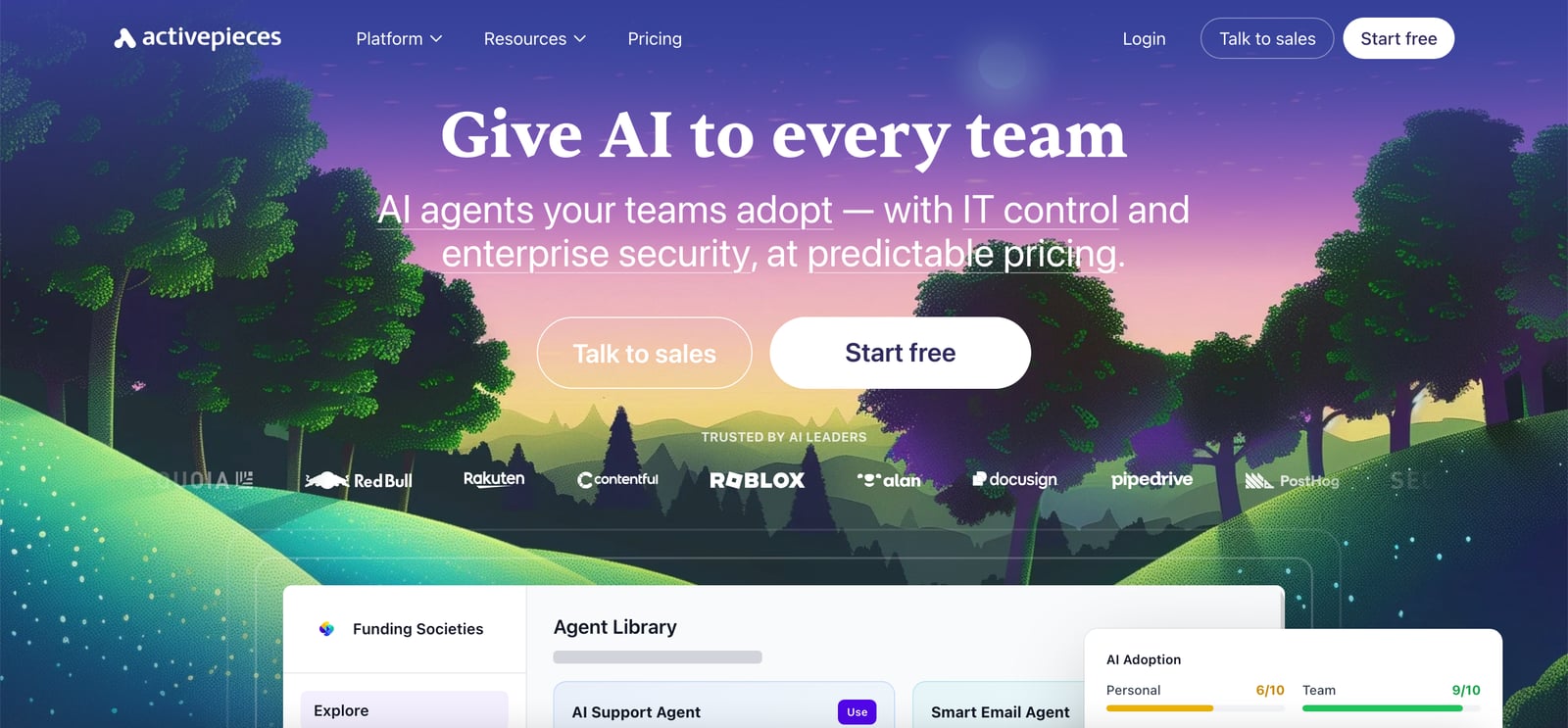
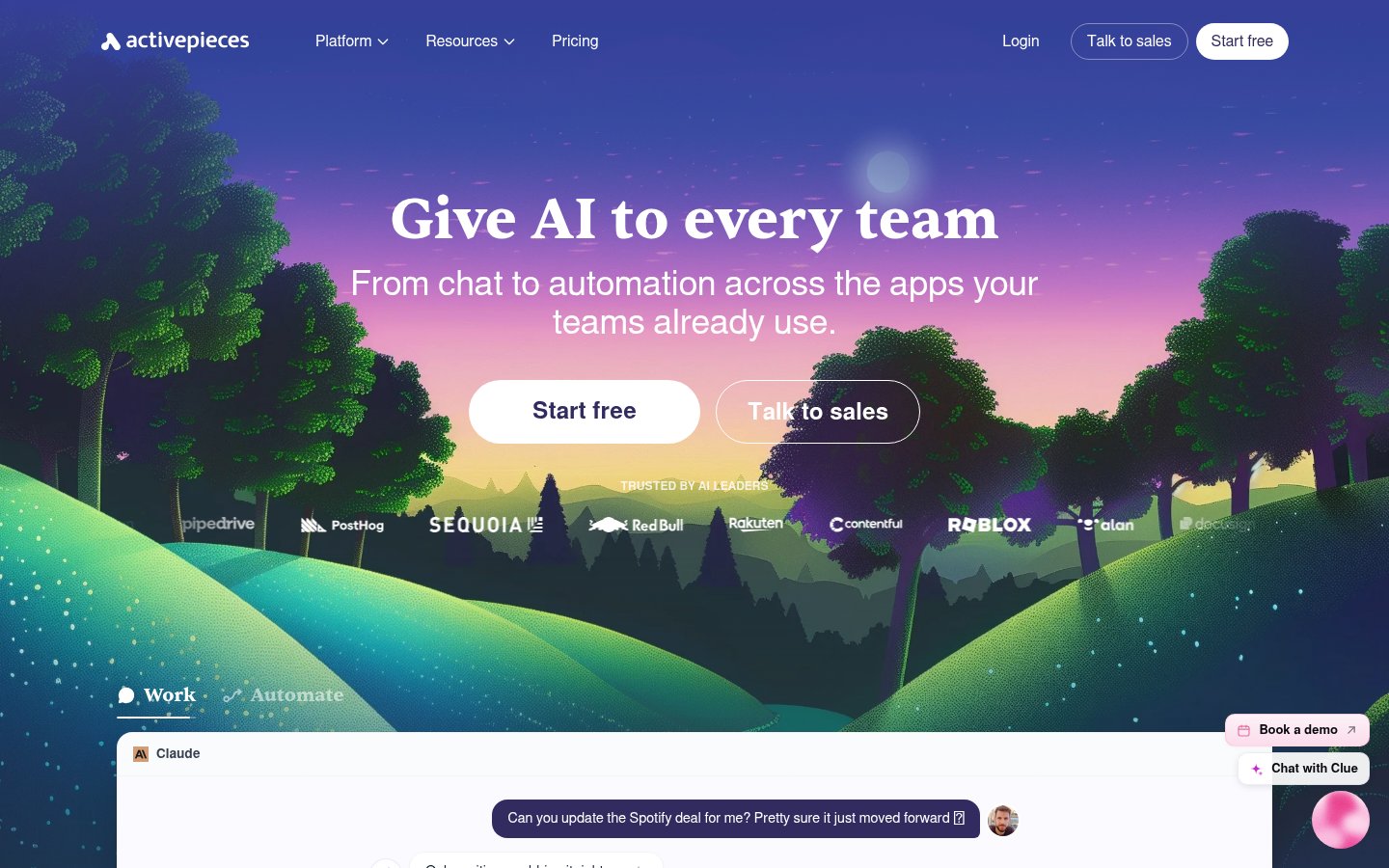
The chat-to-automation feature is a newer addition the Team plan prominently advertises. The idea is that you describe what you want in plain language and the system builds the flow for you. The homepage shows this prominently as a differentiator. Based on user reviews, it works better as a starting point than a finished product, you'll likely need to edit what it generates, but it can cut the time to a working first draft.
One friction point that surfaces in reviews: custom TypeScript pieces require more documentation than the platform currently provides. One developer reviewer on Hacker News noted it took "trial and error" to get a first custom piece working. That's not a dealbreaker for developers, but it does mean the extensibility promise has a real learning curve attached.
The platform also tracks AI adoption rates, hours saved, and cost savings across a team with a leaderboard and badge system. Whether that gamification actually drives adoption or just adds noise depends entirely on your team culture, but the analytics underneath it are legitimately useful for IT teams trying to justify automation spend.
Pricing Breakdown
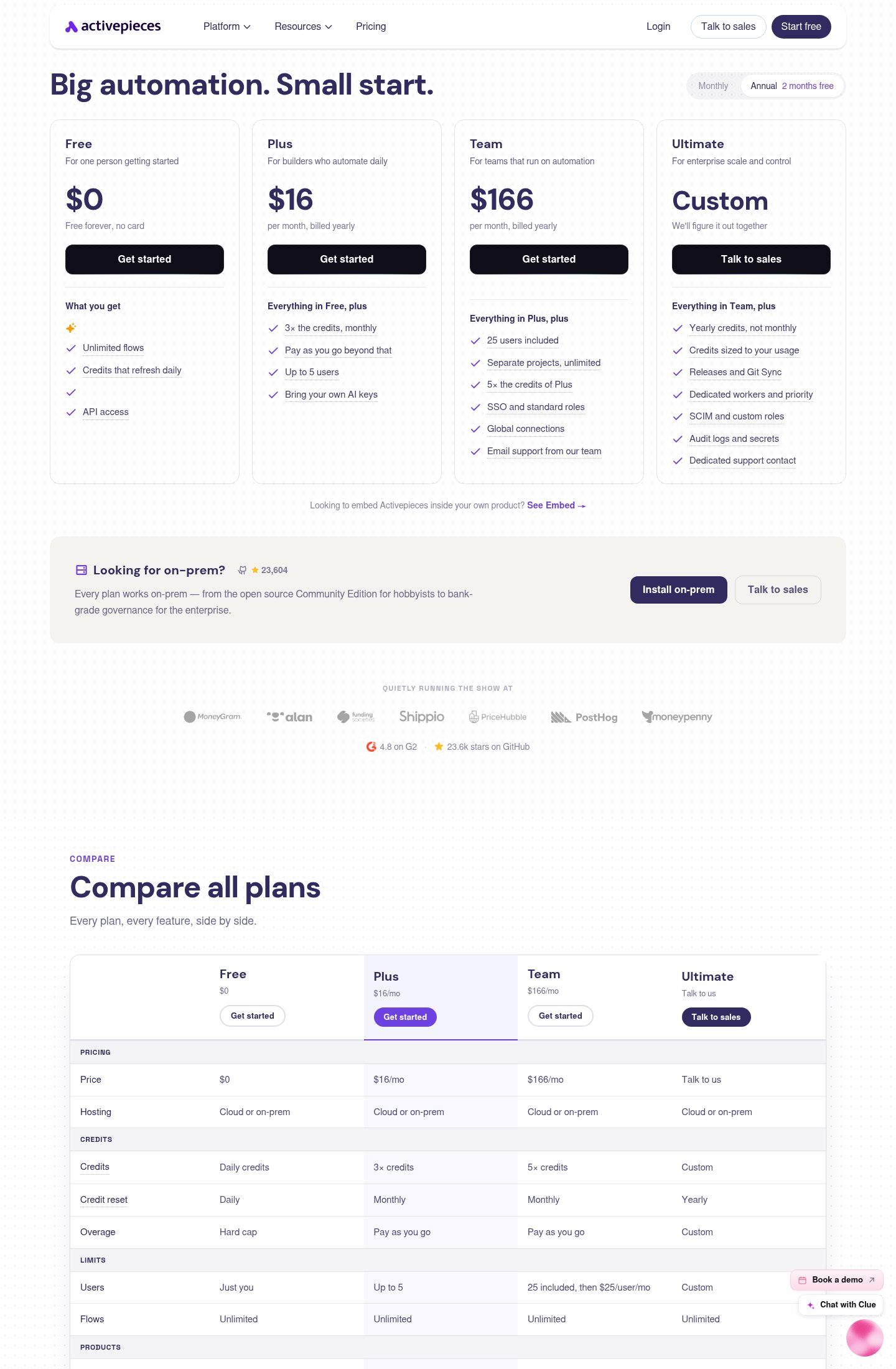
Activepieces uses a credit-based model where credits fund execution. The free tier resets credits daily, which makes it genuinely usable for light workloads but limiting for anything running at volume. Here's how the plans stack up:
| Plan | Price | Users | Credits | Key Limits |
|---|---|---|---|---|
| Free | $0/mo | 1 | Daily reset | No BYOK, no global connections, no projects |
| Plus | $16/mo (billed yearly) | Up to 5 | 3× Free, monthly reset | BYOK included, pay-as-you-go overage |
| Team | $166/mo (billed yearly) | 25 included (+$25/user/mo) | 5× Plus credits | SSO, projects, global connections, email support |
| Ultimate | Custom | Custom | Yearly, custom sizing | Git Sync, SCIM, audit logs, dedicated workers |
The Free plan is legitimately free forever, no card required, and it includes flows, agents, tables, MCPs, and API access. That's a much more generous baseline than most competitors offer. The Plus plan at $16/month is positioned for solo builders or very small teams automating daily. The jump to Team at $166/month is steep proportionally, but that plan includes 25 seats, SSO, and unlimited projects, which makes the per-seat math reasonable for mid-size teams.
The credit reset mechanic is the thing to watch closely. Free users hit a hard cap daily. Plus and Team users get monthly resets with pay-as-you-go beyond that. Ultimate users get yearly credits sized to their actual usage, which is the right model for enterprise workloads with spiky patterns. If you're evaluating this for a finance team running month-end automations in bursts, the yearly credit reset at Ultimate is materially better than paying for peak capacity month after month. That kind of consideration matters more as finance teams adopt AI agents for recurring workflows.
There's also an on-prem path: the Community Edition is free and open-source, and every paid plan supports self-hosting. Dedicated workers and staging environments are free for self-hosted deployments. That's a meaningful cost advantage for teams with the infrastructure to run it.
One caveat worth naming: AppSumo reviews from 2025 include complaints about plan changes that downgraded lifetime deal buyers. The company does appear to have addressed this, but if you bought through a third-party deal site, verify your current entitlements directly with Activepieces before building critical automations on assumptions about your tier.
Standout Features Worth Understanding in Depth
The Agent Builder and Human-in-the-Loop
The agent builder is more than a thin wrapper around an LLM call. You can give agents tools (pieces from the integration library), memory via the Tables product, and explicit approval gates. That last piece matters: a flow can route to a human for sign-off, wait indefinitely, and then continue or abort based on the response. This is the kind of design that makes agentic automation actually deployable in a business context, not just a demo. As AI output quality becomes a real concern, especially in customer-facing or financial contexts, the ability to insert a human checkpoint without rebuilding the whole flow is worth a lot.
Projects and Global Connections (Team+)
Projects are isolated environments within your Activepieces workspace. You can run separate credential sets, flows, and team permissions per project. This is critical for agencies managing multiple clients or for enterprises that want to wall off production and staging environments. Global connections, also a Team+ feature, let you share a single authenticated connection (say, a Salesforce OAuth token) across projects without re-authorizing it everywhere. That's the kind of operational detail that sounds boring but saves hours of maintenance headache at scale.
Open Source and Self-Hosting
The GitHub-backed Community Edition isn't a stripped-down demo version. It's the same core product, without the cloud hosting and enterprise governance layers. Docker and Helm deployments are supported. Dev and staging environments on self-hosted infrastructure are free. For teams in sectors where data residency is a hard requirement, healthcare, legal, financial services, this is the feature that makes Activepieces worth evaluating seriously. The alternative with most SaaS automation tools is an enterprise contract with an EU data region, which is slower and more expensive to negotiate. Given how seriously some industries take data handling (the concerns around deepfake audio fraud are just one example of why data security matters in automated pipelines), keeping data on your own infrastructure isn't paranoid, it's often a requirement.
MCP Support
Model Context Protocol support means Activepieces flows can interact with AI models in a structured way, passing context and receiving structured outputs rather than doing basic prompt-in, text-out calls. It's a relatively new addition and MCP as a standard is still maturing, but its inclusion signals that the product roadmap is tracking where the AI infrastructure space is heading. Teams building automations that involve AI at multiple steps will benefit from this more than teams doing simple app-to-app data sync.
Limitations and Edge Cases
The daily credit reset on the Free plan sounds minor until you hit it on a Tuesday afternoon. Any automation that runs more than a handful of times per day will brush against it, which means the Free plan is really a trial tier for real workloads, not a permanent free option for automating anything non-trivial.
Custom piece development needs better documentation. The TypeScript piece SDK exists, but reviewers consistently note the docs don't cover enough edge cases. If your use case requires a custom integration, budget time for that learning curve or check whether the community has already built what you need.
The jump from Plus ($16/month, 5 users) to Team ($166/month, 25 users) is a significant cliff. There's no middle tier for teams of 6-15 users. That gap will price out small but growing teams who've outgrown Plus but can't justify the Team price. Worth pushing back on in a sales conversation.
SSO and SCIM are Team and Ultimate features respectively. If your IT policy requires SSO for all business tools (common at companies with more than ~50 employees), you're locked into Team at minimum. That's not unusual in the market, but it's worth knowing before you start evaluating.
The cloud version has had occasional latency notes in user reviews, though these appear to be isolated rather than systematic. The self-hosted path gives you control over performance but adds infrastructure overhead that not every team wants to absorb.
Who This Is For
Activepieces is a strong choice for small to mid-size technical teams who find Zapier too expensive at scale but find n8n too rough around the edges. Agency owners managing client automations across isolated projects will get real value from the Team plan's project structure. Teams with a data residency requirement who still want a clean, non-code-required interface should evaluate the self-hosted Community Edition seriously. Developers who want to extend the platform with custom pieces will find the TypeScript SDK usable, if under-documented.
Who Should Skip It
If your team is entirely non-technical and needs hands-holding through every integration, Zapier's larger library and more polished support experience may justify the price premium. If you need maximum raw power and your team is comfortable with YAML and self-managed infrastructure, n8n gives you more control without the commercial overhead. Enterprise buyers who need pre-negotiated compliance contracts, dedicated CSMs, and guaranteed SLAs from day one may find the Ultimate tier's "talk to sales" pricing process slower than going to an established player. And if you're a solo hobbyist running ten flows a week, the free Community Edition on your own server is probably all you need.
Setup and Onboarding
The cloud version requires no card to start, and the free tier is available immediately. The Team plan currently advertises a 1:1 setup call as a special offer (noted as ending August 31, 2026), which is a meaningful differentiator for teams nervous about migrating existing automations from another platform. Self-hosted setup uses Docker or Helm; the documentation covers the basics, though community resources on GitHub fill in the gaps for more complex configurations. The agent library includes pre-built templates across sales, marketing, support, and operations use cases, which gives new users a working starting point rather than a blank canvas.
Verdict
Activepieces hits a genuinely underserved spot between Zapier's polish and n8n's power, with pricing that makes serious sense for small teams. The credit reset mechanic on lower tiers and the steep Plus-to-Team price jump are real friction points, but the open-source foundation and AI agent architecture are built for where automation is actually heading.
Try ActivepiecesAlternatives
- ZapierRead review →
Better polish and a larger integration library, but significantly more expensive at volume
- n8nRead review →
More raw power and flexibility for developer-heavy teams comfortable with self-managed infrastructure
- Make
Strong visual builder and better mid-tier pricing options than Activepieces, but no true self-hosting path
- Pipedream
Better for code-first developers who want maximum API flexibility without a visual builder
Frequently Asked Questions
Tools & Services Mentioned

infobro.ai Editorial Team
We research every tool from its documentation, pricing pages, product screenshots and public developer discussion, and say plainly what the evidence does and does not show. Drafts are AI-assisted and reviewed by our editors before publication. We revisit each article every 6 months to reflect platform changes. Learn more about our process.