Descript Alternatives by Job: Podcasts, Video, Meetings, Free
A vendor-neutral shortlist of Descript alternatives sorted by the job they replace, with Descript's media-hour and AI-credit limits, listed prices, and who each pick is wrong for.
If you want the closest thing to Descript without its metering, start with Riverside. It records remote guests locally, transcribes the session and lets you edit by deleting text, which covers most of what podcasters pay Descript for. The other seven picks each replace one specific Descript job, so the list is sorted by job instead of crowning one winner. We have not run these tools ourselves. Everything below comes from vendor documentation, pricing pages and published comparisons, and we flag where a source is a vendor ranking itself first.
Pick by situation
- Podcaster who records remote guests: Riverside. Recording, transcription and transcript editing in one place.
- Beginner podcaster who wants an all-in-one tool: Alitu.
- Video creator who wants a free, serious editor: DaVinci Resolve. Text-based editing comes with the paid Studio version.
- Social clips and captions: VEED for browser editing from a transcript, CapCut if price is the main concern. Clipchamp, Canva Video and quso also target this job.
- Free and open source: Audapolis, or Rescript if you're comfortable working from GitHub.
- Teams working through large video archives: Reduct.
- Meetings, not media: Otter.ai, Jamie, Rev or Amazon Transcribe. None of them edits media, and for this job that's fine.
Why people leave Descript, and what it costs now
Text-based editing means the software transcribes your recording and treats the transcript as the edit. Delete a sentence in the text and that stretch of audio or video disappears from the timeline.
Descript made this mainstream. Its Studio Sound (one-click voice cleanup) and Overdub (voice cloning to patch flubbed words) are the features people miss most after they leave. The complaints that push them out show up across the published comparisons: bugs and update churn, performance problems on longer projects (Transcribe.com), feature overload, transcription errors on business terms and reliance on an internet connection (Jamie), and pricing built on media hours and AI credits (ngram). Spokenly's comparison sums up the metering: Descript counts transcription in media hours and AI features in credits.
Descript's annual-billing plans:
| Plan | Price (billed annually) | Media hours / month | AI credits / month |
|---|---|---|---|
| Hobbyist | $16/mo | 10 | 400 |
| Creator | $24/mo | 30 | 800 |
| Business | $50/mo | 40 | 1,500 |
Monthly billing costs more on every tier. Descript has changed these numbers before, so re-check its pricing page before you budget. Older comparisons still in circulation, such as The Podcast Host's April 2024 piece, quote a free plan with 1 hour and paid plans at $15 and $30. Those figures are out of date.
Two meters run side by side. Media hours count the footage and audio you bring in. AI credits are spent on AI features. Here is what that means in practice:
- A podcaster importing 4 hours of raw audio a month fits inside Hobbyist's 10 hours: $16 a month, or $192 a year. Riverside's entry plan is listed at $19 a month billed annually in HeyGen's comparison, and Alitu at $32 a month billed annually in eesel's. At this volume, switching saves nothing unless Descript's credits or bugs are what bother you.
- A team moving 20 hours a month overshoots Hobbyist and lands on Creator at $24 a month annually ($288 a year per account), with 10 hours to spare. If the team leans on AI features, the 800 credits run out before the hours do. Business adds only 10 more hours for roughly twice the price, so a heavy month pushes you toward a flat-priced tool or a free editor.
Flat-priced and free tools pay off when your usage swings from month to month or relies heavily on AI features. If your usage is small and steady, Descript's entry plan holds up.
Which alternatives offer text-based editing
Text-first editors: Riverside, Reduct, Alitu, VEED, Audapolis, Rescript and Spokenly. Conventional timeline editors that do not work this way, or have only added a transcript feature on top: DaVinci Resolve (text-based editing in the paid Studio version), Premiere Pro (built-in text-based editing inside a full professional editor, per the Video Tools Insights comparison), CapCut and Camtasia. Transcription-only tools: Otter, Jamie, Rev, Amazon Transcribe and Vook.
Comparison table
| Tool | Best for | Native text-based editing | Free tier | Starting paid price |
|---|---|---|---|---|
| Riverside | Remote podcast recording + editing | Yes | Yes | $19/mo billed annually (per HeyGen's listing) |
| Reduct | Teams with large video archives | Yes | Not confirmed | $12/editor/mo (per eesel's listing) |
| Alitu | Beginner podcasters, all-in-one | Yes | Not confirmed | $32/mo billed annually, $38 monthly (per eesel) |
| DaVinci Resolve | Full video editing for free | Studio version only | Yes, full editor | Studio is paid; check Blackmagic's store |
| VEED | Browser video and social clips | Yes | Check pricing page | $12/mo Creator (per eesel; billing period not stated) |
| CapCut | Short-form social clips | No (timeline editor) | Yes | Check in-app pricing |
| Audapolis | Free, open-source audio editing | Yes | Free, open source | None |
| Otter.ai | Meeting transcripts | No (transcription only) | Not confirmed | Check Otter's pricing page |
The prices come from third-party comparisons published in 2026, not from each vendor's own page. Vendors in this category reprice often, so check each pricing page before you commit.
1. Riverside

Official website: riverside.fm
Riverside started as a remote recording platform and added editing later, the reverse of Descript's path. It records each guest locally on their own machine, up to 4K per participant according to HeyGen's comparison, and keeps separate audio and video tracks per speaker. A dropped connection doesn't damage the local files. It then transcribes the session, produces captions and opens a text-based editor where you cut by deleting words. eesel's review notes you can also cut short social clips and switch between speaker and gallery views in the same tool.
Strength: the recording. Descript's remote recorder depends on the session connection. Riverside's local capture doesn't.
Limit: Transcribe.com describes its editor as simple, built for trims and clips. Detailed audio work still means exporting to a dedicated audio editor. It is also a cloud workflow, like Descript.
Price: free plan; paid from $19 a month billed annually, with Pro at $24 a month, per HeyGen's listing. eesel lists Pro at $24 a month.
Best for: interview and video podcasts with remote guests.
Skip it if: you record solo into a local mic and only need an editor. You'd be paying for a recording studio you won't use.
Pros: local per-guest recording, separate tracks, built-in transcript editor, social clips, one tool from recording to export
Cons: basic editor for detailed audio work, cloud-based, priced around recording
Try Riverside →2. Reduct
Official website: reduct.video
Reduct applies Descript's core idea to teams working with large amounts of footage: documentary filmmakers, researchers and anyone sitting on a big archive of interviews. You work from transcripts across many recordings instead of scrubbing timelines, and its own write-up says the text-based editing will feel familiar to Descript users.
Disclosure: Reduct publishes its own "Descript alternatives" article and ranks itself first. We place it second because its text-based editing is native and it fits a job Descript doesn't target. It isn't a podcast tool.
Strength: handling large volumes of video through transcripts.
Limit: no Studio Sound or Overdub equivalent, and nothing aimed at polished YouTube or podcast output.
Price: $12 per editor per month, per eesel's comparison. Confirm current tiers on Reduct's site.
Best for: documentary producers, journalists and research teams working across many recordings.
Skip it if: you make one podcast episode a week.
Pros: native transcript editing, built for large archives, team-oriented pricing
Cons: no audio cleanup or voice cloning, not a podcast tool, vendor ranks itself first in its own comparison
Try Reduct →3. Alitu
Official website: alitu.com
Alitu is what Descript might look like if it had stayed a podcast tool. eesel's comparison lists it for beginner podcasters, with all-in-one podcast creation as its main feature, and it supports editing from the transcript. The pitch is getting from raw voice recording to a finished episode without learning audio engineering.
Strength: a narrow, podcast-only scope. If you left Descript because of feature bloat, that's the appeal.
Limit: it is audio-first. If your show has a YouTube version, you'll need a second tool for video.
Price: $38 a month, or $32 a month billed annually, per eesel's comparison. Check Alitu's pricing page for current rates.
Best for: solo and small-team audio podcasters who want a single, simple tool.
Skip it if: your show has a video version, or you enjoy hands-on audio mixing. It also costs more per month than Descript's Hobbyist plan.
Pros: podcast-focused, transcript editing, simple for beginners
Cons: little video support, higher entry price than Descript Hobbyist, no voice cloning
Try Alitu →4. DaVinci Resolve
Official website: blackmagicdesign.com
Does DaVinci Resolve have text-based editing? Yes, in the paid DaVinci Resolve Studio. The Video Tools Insights comparison notes that Studio has built-in text-based editing inside a full professional editor. It can also connect to AI assistants such as Claude and ChatGPT through MCP, so you can ask for a highlight reel, a marker at every topic change or a vertical export.
The free version is a full video editor. eesel lists it as free, and Jamie's comparison calls it more robust than Descript for professional video. Because it's a desktop application, your footage stays on your own drives instead of a vendor's cloud.
Strength: a professional editor at no cost, with a paid upgrade path to transcript editing.
Limit: it's a timeline editor with a transcript feature added, not a text-first tool. Expect a real learning curve.
Price: free version; Studio is paid. Check Blackmagic's store for the current price.
Best for: video creators willing to learn a professional editor to avoid a subscription.
Skip it if: you want to edit a podcast the way you'd edit a document.
Pros: full free editor, text-based editing and AI assistant hooks in Studio, footage kept local
Cons: text editing only in Studio, steep learning curve, not built for spoken-word podcasts
Try DaVinci Resolve →5. VEED
Official website: veed.io
VEED is the browser option for people whose Descript use was mostly talking-head video for the web. Transcribe.com picks it as its choice for text-based video editing, eesel lists it for social media marketers with quick, template-based creation, and ngram groups it with CapCut for web and short-form social editing.
Strength: nothing to install, and you can go from upload to a social-ready clip in a browser tab.
Limit: browser editors are a weaker fit for long, hour-plus episodes, and VEED isn't positioned as a podcast audio tool.
Price: Creator plan at $12 a month, per eesel's comparison, which doesn't state the billing period. Check VEED's pricing page for current tiers and what the free plan includes.
Best for: marketers and creators producing short social video.
Skip it if: you edit long podcast episodes or care most about audio quality.
Pros: transcript editing in the browser, templates, low entry price
Cons: less suited to long files, billing terms need checking, social-video focus
Try VEED →6. CapCut

Official website: capcut.com
Is CapCut better than Descript? For short vertical clips on no budget, it's the better fit. For podcasts or anything you'd edit by transcript, it isn't. CapCut is a free timeline editor that ngram and Clevera both list for web and short-form social video. Editing happens on the timeline, not in the text.
If you're comparing social-clip tools, the published lists also include Clipchamp and Canva Video (both in ngram's roundup) and quso, which publishes its own Descript comparison and ranks itself first.
Strength: the price. You can edit and publish social clips without paying.
Limit: no text-first workflow, so long-form spoken content is slower to cut than in Descript.
Price: free tier; check in-app pricing for paid options in your region.
Best for: TikTok, Reels and Shorts creators.
Skip it if: you want text-first editing for long-form audio or interviews.
Pros: free, built for short-form social, widely used
Cons: timeline-first, not a podcast tool, paid-tier details vary by region
Try CapCut →7. Audapolis
Official website: github.com
Which Descript alternatives are open source? Audapolis is the name that comes up most. eesel lists it as a free, open-source editor for hobbyists and budget-conscious creators, and it works the Descript way: you edit audio by editing its transcript. There's no subscription and no metering.
Note what's missing: no Studio Sound equivalent, no Overdub, no collaboration and no recording. The published comparisons don't cover its maintenance status or platform support, so check the GitHub repository's recent commits, release dates and supported operating systems before relying on it. An editor that no longer gets updates can break after an OS update.
Rescript is the other open-source transcript editor that comes up in Reddit and GitHub threads, and it suits people comfortable working from a repository. The same checks apply. If you only need transcripts kept on your own machine, a local Whisper-based app such as MacWhisper, or Spokenly, handles that. Spokenly's comparison article promotes its own app, so weigh that accordingly.
Strength: text-based editing for free, with no account or meter.
Limit: no audio enhancement, voice cloning or collaboration, and maintenance you have to verify yourself.
Price: free and open source.
Best for: budget-conscious audio editors and privacy-minded users willing to do some setup.
Skip it if: you need polished output, video, or a tool with a guaranteed update schedule.
Pros: free, open source, transcript editing, no metering
Cons: maintenance unclear, no Studio Sound or Overdub equivalent, no collaboration, audio-focused
Try Audapolis →8. Otter.ai
Official website: otter.ai
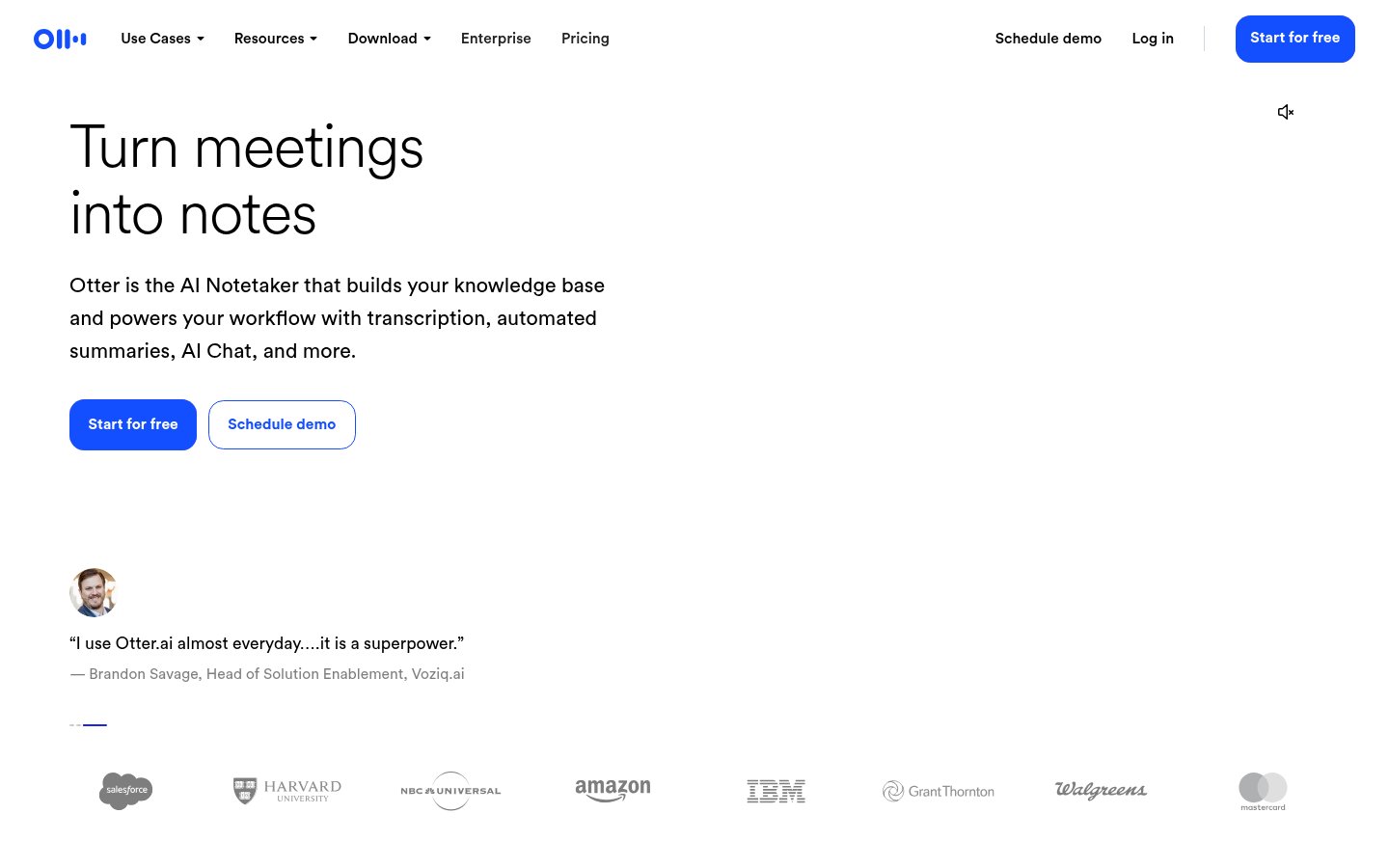
Otter.ai is on this list because many people bought Descript only to transcribe meetings and interviews, and for that job Descript is overkill. Jamie's comparison lists Otter for real-time transcription. It solves a different problem from the editors above: it produces transcripts and doesn't edit media.
If you were paying for Descript media hours to get transcripts you never edited, a meeting tool is the better fit. Your other options:
- Jamie offers bot-free, on-device capture with summaries and action items. Its own "Descript alternatives" article ranks Jamie first, so weigh that.
- Rev offers human and AI transcription for cases where accuracy matters.
- Amazon Transcribe is built for developers who want to add transcription to their own applications.
Strength: real-time transcription for meetings.
Limit: no editing, no audio cleanup and no export to a timeline.
Price: check Otter's pricing page for current plans and limits.
Best for: teams that need searchable meeting transcripts.
Skip it if: you produce content.
Pros: live transcription, made for meetings, sensible replacement for transcript-only Descript use
Cons: no media editing, transcripts only, not a content tool
Try Otter.ai →Replacing Studio Sound and Overdub
Studio Sound is the easier one to replace. Async (formerly Podcastle) offers AI voice enhancement that the Video Tools Insights comparison calls similar to Studio Sound, and it's that video's budget podcast pick. Podcast-focused tools such as Riverside and Alitu also aim to give you clean audio without manual mixing.
Overdub is harder. None of the editors above is documented in our sources as bundling voice cloning for patching words the way Descript does. The usual workaround is a standalone voice-cloning service such as ElevenLabs: generate the corrected phrase there and drop it into your editor. If you use Overdub every week, that's a good reason to stay with Descript.
FAQ
Is there anything better than Descript? No single tool beats it across the board. It's still the most complete text-first editor for both audio and video. Some jobs have better fits: Riverside for remote recording, Alitu for simple audio podcasts, Reduct for large archives, DaVinci Resolve for free professional video, and Otter or Jamie for meetings.
Is Descript worth it? Yes, if your usage fits within the Hobbyist or Creator caps, you use Studio Sound and Overdub regularly, and updates don't disrupt your work. Leave if you mainly record remote guests, keep hitting the AI-credit ceiling, need files kept off the cloud, or only want transcripts.
Is there a free version of Descript? Yes. Descript's homepage offers a free start, with lower caps than the paid plans. Check the pricing page for current limits, since the 1-hour figure in 2024 articles is out of date. The free plan is enough to find out whether text-based editing suits you.
What is the best free Descript alternative? For video, DaVinci Resolve's free version, though transcript editing needs Studio. For text-based audio editing, Audapolis. For social clips, CapCut.
Which tools work offline or keep files on your own machine? DaVinci Resolve is a desktop editor, so footage stays on your drives. Audapolis and Rescript are open-source projects you run yourself. Check each repository for what runs locally. Local Whisper apps such as MacWhisper keep transcription on your Mac, and Jamie advertises on-device meeting capture.
How we ranked these
The main criterion was how fully each tool replaces Descript's core feature, text-based editing, for a specific job. Price transparency and local or open-source options came next. We didn't test these tools hands-on. The rankings draw on vendor documentation, pricing pages and published comparisons.
DaVinci Resolve sits fourth even though its text editing requires Studio, because its free version is a full professional editor. Otter sits last because it isn't an editor. It's here for readers who only bought Descript for transcripts.
Many top-ranking "Descript alternatives" pages come from vendors that rank themselves first, including Reduct, Jamie, eesel, ngram, quso, Clevera, HeyGen, Happy Scribe and Spokenly. HeyGen, for example, names itself the top alternative. We used these pages for background and ranked independently. Reduct is on our list for its text-based editing.
Affiliate disclosure: some /go/ links may earn us a commission. That didn't affect the order. Affiliate status is only a tie-breaker between tools we judge equal.
Related reading
Frequently Asked Questions
Tools & Services Mentioned

Founder and editor of infobro.ai
We research every tool from its documentation, pricing pages, product screenshots and public developer discussion, and say plainly what the evidence does and does not show. Drafts are written with AI assistance under our editorial rules, and we revisit articles to reflect platform changes. Learn more about our process.