ChatGPT Wallet Puts Agent Checkout Behind the Pro Plan, US Only
OpenAI's ChatGPT Wallet lets agents shop and pay on your behalf, but the first rollout covers only US Pro subscribers. What the Pro entry price means, what to ask OpenAI, and how to cap your exposure.
 Stanislav VovchykNov 15, 20263 min read
On this page · 4 sections
In short
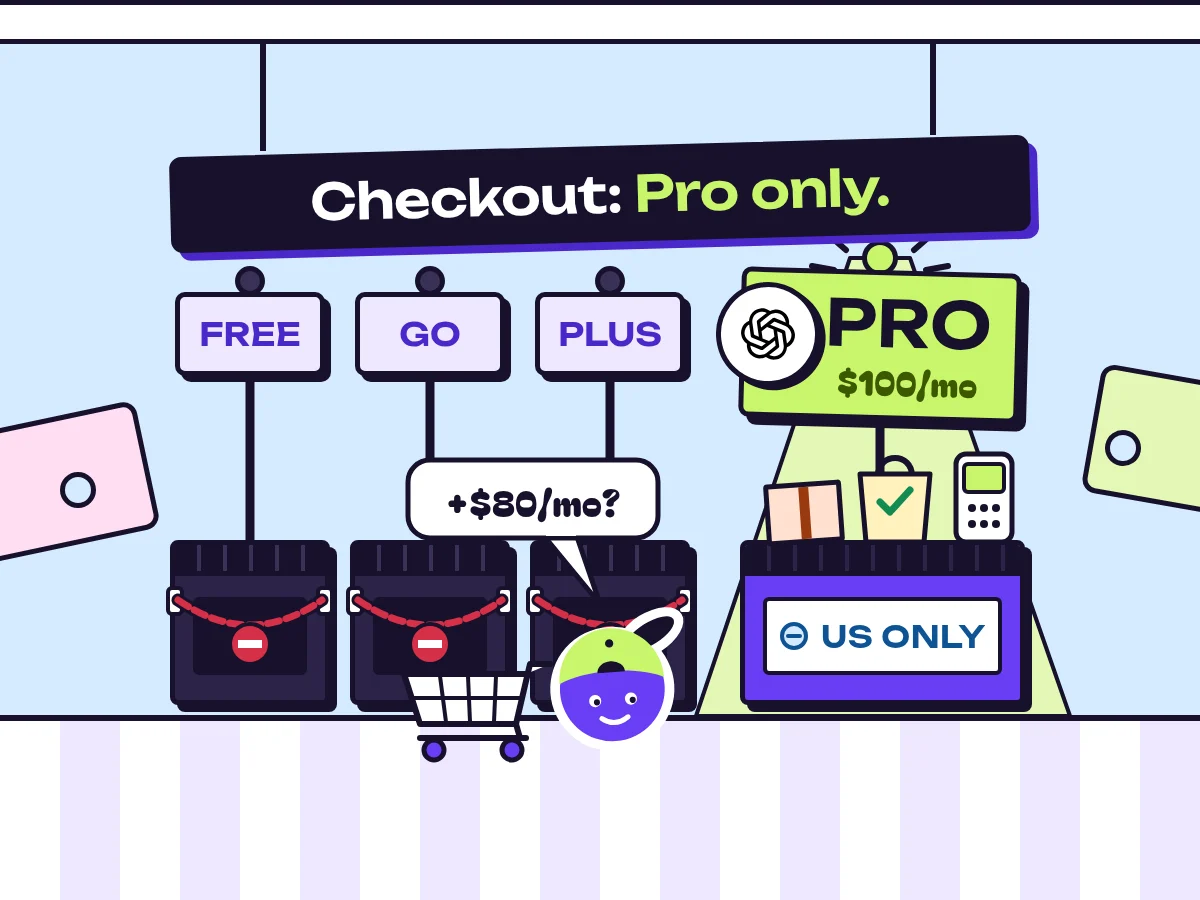
- ChatGPT Wallet agent checkout is rolling out first to US ChatGPT Pro subscribers only; Free, Go and Plus users and anyone outside the US cannot use it yet.
- Upgrading from Plus at $20 to Pro at $100 a month just for Wallet costs $960 a year extra, so Plus users should wait for the rollout.
- ChatGPT trains on customer content by default, so turn off model training in data controls before connecting a card, since shopping chats hold addresses, sizes and medication brands.
- Use a low-limit or virtual card, require cart approval, read every confirmation and start with returnable items, because hidden page text can steer the agent into wrong purchases.
OpenAI has started rolling out ChatGPT Wallet, which lets agents inside ChatGPT shop and complete checkout for you instead of stopping at a suggestion, TechCrunch reported on November 13, 2026. The first wave is a limited rollout to US subscribers on ChatGPT Pro. Free, Go and Plus users don't get agent checkout yet, and neither does anyone outside the US. If you're planning around it, ask OpenAI which merchants take part and when your tier gets access.
Pro-only access puts the entry price at five times Plus
I wouldn't move from Plus to Pro for Wallet alone. OpenAI's pricing lists ChatGPT Pro from $100 a month, against $20 for Plus and $8 for Go in the US. The $80 monthly gap comes to $960 a year, and the feature is still in a limited first wave. The rival top tiers don't change that sum: Claude Max starts at $100 a month and Gemini's Google AI Ultra at $99.99, billed monthly only, on Anthropic's and Google's own pricing pages.
Our Codex review breaks down what each ChatGPT plan includes, so you can judge Pro on everything else it offers. If you already pay for Pro, Wallet costs nothing extra. If you're on Plus, wait for the rollout to reach your tier. OpenAI's launches don't always go smoothly: TechCrunch's November 14 list of AI projects that missed expectations calls OpenAI's "super app" launch messy.
A card on file raises the stakes on what ChatGPT keeps
Our directory lists ChatGPT as training on customer content. Shopping chats hold more personal detail than most: delivery addresses, clothing sizes, medication brands, budgets. Before you connect a card, open ChatGPT's data controls and turn off model training.
Any agent connected to outside services carries a second risk. It can follow instructions it picks up along the way, and a product page can contain text written to steer it. We explain how that goes wrong in our explainer on MCP and connected agents. With checkout attached, a hidden line on a listing could push the agent to buy from a lookalike seller, or to order ten units when you asked for one, and the charge would land before you'd seen the cart.
Capping your exposure before the first order
If you're a US Pro subscriber, get three answers from OpenAI before you connect a card:
- Which card networks and merchants Wallet supports. That tells you which of your cards can be used and where the agent can buy.
- Who handles a disputed agent purchase. Ask whether OpenAI, the merchant or your card issuer deals with a wrong order, and how you raise the claim.
- Whether a confirmation step is on by default. If the agent can pay without showing you the cart first, find out how to require approval for every order.
Then limit what one bad order can cost:
- Give it a low-limit card or a virtual card number from your bank, so a mistake can't reach your main credit line. It's the same logic as setting caps before Copilot credits switch on by default.
- Read every order confirmation for the first few weeks. That's where a wrong size, quantity or seller will show up.
- Start with items that are easy to return. Hold off on final-sale goods, tickets and custom orders until you trust how the agent behaves.
Sources



Written by
Stanislav Vovchyk
Founder and editor of infobro.ai
I run infobro.ai: I decide what it covers and how tools are evaluated.
I research every tool from its documentation, pricing pages, product screenshots and public developer discussion, and say plainly what the evidence does and does not show.
More news