
Ginger
AI grammar, spelling and rephrasing help for English writers on any device
Own Ginger? Claim it, free to correct the facts and get the verified badge.
Pricing
Freemium
API
Yes
Platforms
What is Ginger?
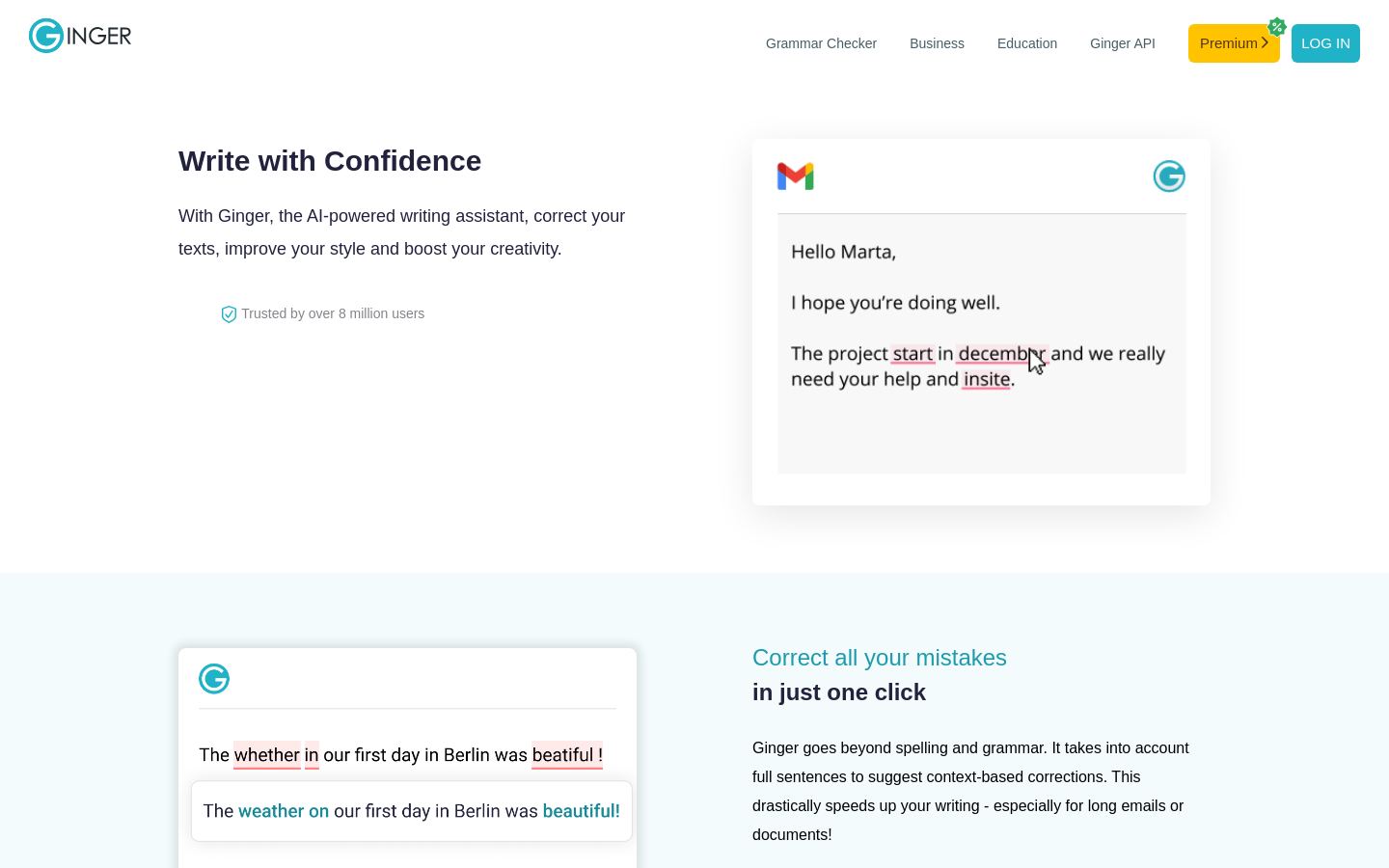
Ginger is an AI writing assistant that corrects English text, suggests rephrasing and offers synonyms. Instead of checking word by word, it looks at full sentences and suggests corrections based on context, which helps with long emails and documents.
Besides grammar and spelling correction, Ginger includes a sentence rephraser, translation, a punctuation checker, an essay checker, an English dictionary and a Personal Trainer for practice. Its site also has a Writing Center with grammar rules and lists of commonly misspelled and confused words.
Ginger runs as Chrome and Edge extensions, Windows and macOS desktop apps that work across applications, a Microsoft Word add-in, iOS and Android apps, and an Android keyboard. The core apps can be downloaded for free, and a Premium plan is available. There are also offerings for businesses and education, plus an API. It suits students, professionals and non-native English speakers.
Key features
- Context-based grammar and spelling correction of full sentences
- Sentence rephraser for wordy sentences
- AI synonyms by tapping or double-clicking a word
- Translation tool
- Punctuation checker and essay checker
- Microsoft Word add-in for Windows
- Android keyboard with built-in corrections
- Personal Trainer for practicing English
Use cases
Who it's for
Proofreading long emails
Sentence-level corrections help clean up long emails and documents faster.
Writing in Word
The Word add-in checks documents inside Microsoft Office on Windows.
Typing on mobile
The iOS and Android apps and Android keyboard correct text while typing on a phone.
Improving English as a learner
The Personal Trainer, grammar rules and dictionary help non-native speakers practice.
Ginger pricing
From the vendor's site, checked Oct 26, 2026; we re-check prices monthly. Prices change — confirm on their pricing page.
Free
Free
- Free download of extensions and apps
Premium
Not published
- Paid upgrade promoted on the site with lifetime-pricing sale offers
How Ginger compares
- Ginger has a free plan, like 3 of the 4 alternatives below.
- It offers an API, which only 1 of the others does.
| Tool | Starts at | Free plan | Free trial | API | Open source | |
|---|---|---|---|---|---|---|
| GGinger | — | — | — | |||
H Hemingway Editor | $8.33/mo | — | — | — | Ginger vs Hemingway Editor | |
L LanguageTool | — | — | Ginger vs LanguageTool | |||
P ProWritingAid | — | — | — | — | Ginger vs ProWritingAid | |
| G | — | — | — | Ginger vs Grammarly |
Compare 8 capabilities
| Capability | Ginger | Hemingway Editor | LanguageTool | ProWritingAid | Grammarly |
|---|---|---|---|---|---|
| AI rewrites | — | ||||
| Tone adjustment | — | — | |||
| Plagiarism checker | — | — | — | ||
| AI text detection | — | — | — | — | |
| Non-English checking | — | — | — | ||
| Word/Google Docs add-in | — | ||||
| Browser extension | — | — | |||
| Custom style guide | — |
Capabilities as stated on each vendor's own site; — means the site doesn't say. The closest alternatives in our directory by category. “Starts at” is the cheapest paid plan per month, as each vendor lists it.
Ginger data and privacy
Trains AI on your content
Not stated
Data retention
Personal data stored while account active or Ginger products used
“Personal data will be stored as long as your account is active or as long as you use Ginger’s sites or products.”
Where data is stored
Not stated
Security and compliance
None stated
From Ginger's own privacy and security pages , checked Oct 28, 2026. We only show what the vendor states in writing; “not stated” means the pages don't say.
Who's behind Ginger
- Company
- Ginger Software, Inc.
- Based in
- United States
- Founded
- 2010
“Ginger has received $25 million in investments since the founding in 2010.”
From Ginger's own about, terms and privacy pages, checked Oct 28, 2026.
Pros and cons
Strengths
- Available on browser, desktop, Word and mobile
- Extensions and apps are free to download
- Includes rephrasing, synonyms and translation as well as grammar checks
- API and business/education offerings
Limitations
- Premium prices are not published on accessible vendor pages
- English is the only correction language mentioned
- Word add-in listed for Windows only
Ginger FAQ
Is Ginger free?
Its extensions and apps are free to download, and a paid Premium plan is offered. Premium prices were not available on the vendor's pages.
Which platforms does Ginger support?
Chrome and Edge, Windows and macOS desktop apps, a Microsoft Word add-in, iOS and Android apps, and an Android keyboard.
Does Ginger have an API?
Yes, the site lists a Ginger API.
What does Ginger do beyond grammar checks?
It offers sentence rephrasing, synonyms, translation, punctuation and essay checking, a dictionary and a Personal Trainer.
User reviews
No reviews yet. Used Ginger? Be the first.
Sign in to rate this tool and share how you use it.
Ginger
Freemium
Tools similar to Ginger
Readability editor that flags wordy, unclear writing and offers AI fixes
Grammar, spelling and style checker for 30+ languages, with AI rephrasing
Grammar checking, line editing and story critique for fiction writers