Let's Enhance
Browser-based AI photo upscaling, enhancement and restoration up to 512 MP
Own Let's Enhance? Claim it, free to correct the facts and get the verified badge.
Pricing
Free · from $9/mo
Free trial
Yes
API
Yes
Company
LetsEnhance, Inc.
Platforms
What is Let's Enhance?
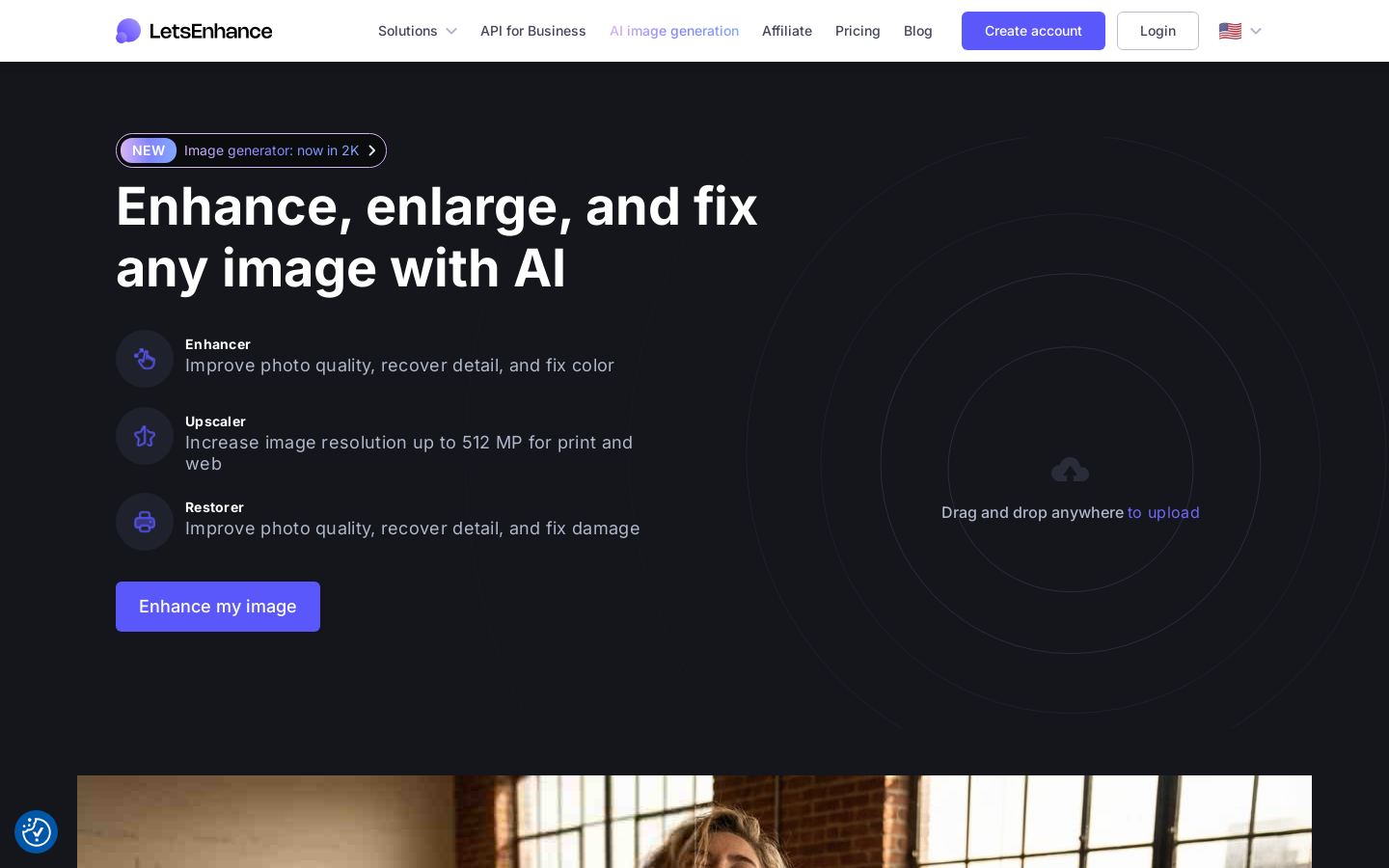
Let's Enhance is a web app that uses AI to upscale, enhance, sharpen and restore photos. Its Upscaler can raise resolution by up to 16x, with output as large as 512 MP. The Enhancer recovers detail and corrects color, and the Restorer repairs old or damaged photos.
You drag and drop JPG, PNG or WebP files into the browser and can edit up to 20 images at once. There are three enhancement modes: Prime is the default, Gentle is for small text and fine detail, and Old Photo is for restoration. The app also offers background removal, AI image generation, image-to-video and video upscaling.
Pricing is based on credits. A free plan gives you 10 credits when you sign up, and paid plans start at $9 a month billed annually. Developers and businesses can use the Enhancer and Upscaler APIs. The site also points to Claid.ai for automating product catalog images.
Key features
- AI upscaling up to 16x and 512 MP
- Enhancer for detail recovery and color correction
- Restorer for old or damaged photos
- Prime, Gentle and Old Photo enhancement modes
- Batch editing of 20 images at once
- Background removal and AI image generation
- Image-to-video and video upscaling
- Enhancer and Upscaler APIs
Use cases
Who it's for
Print-ready enlargements
Upscale low-resolution photos to large sizes, up to 512 MP, for printing.
Restoring family photos
Use Old Photo mode and the Restorer to repair scanned prints that are damaged or faded.
E-commerce product images
Enhance product photos in batches of 20 and remove backgrounds. For larger catalogs, the API or Claid.ai can automate the work.
Fixing images with text
Gentle mode keeps small text and fine detail intact when sharpening graphics or screenshots.
Let's Enhance pricing
From the vendor's site, checked Oct 26, 2026; we re-check prices monthly. Prices change — confirm on their pricing page.
Free
one-time
Free
- 10 credits at signup
- No credit card needed
- Upscale up to 8 MP
- Watermark applied
Starter
month
$9/mo billed yearly ($12 monthly)
- 100 credits/month
- Roll over up to 600 credits
- Upscale up to 256 MP
Pro
month
$24/mo billed yearly ($32 monthly)
- 300 credits/month
- Roll over up to 1,800 credits
- Upscale up to 350 MP
Max
month
$34/mo billed yearly ($45 monthly)
- 500 credits/month
- Roll over up to 3,000 credits
- Upscale up to 512 MP
What the free plan gets you
- 10 free credits upon signing up
- Input image up to 24 megapixels or 50MB
- Upscale up to 8 megapixels
- Watermark on output (removed for paid users)
- Output carries a watermark
$0.09 per upscaled image on the Starter plan ($9/mo ÷ 100 images).
Which plan do you need?
- Let's EnhanceStarter$9/mo
- Topaz GigapixelPersonal$12.42/mo
- UpscaylPro$24.99/mo
The cheapest paid plan with a published price that fits. Custom and sales-quoted plans aren't included.
How Let's Enhance compares
- Let's Enhance has a free plan, like 2 of the 4 alternatives below.
- It offers an API, which only 1 of the others does.
| Tool | Starts at | Cost per upscaled image | Free plan | Free trial | API | Open source | |
|---|---|---|---|---|---|---|---|
| L | $9/mo | $0.09 | — | ||||
T Topaz Gigapixel | $12/mo | — | — | — | — | — | Let's Enhance vs Topaz Gigapixel |
| R | — | — | — | — | — | — | Let's Enhance vs Remini |
| U | $24.99/mo | $0.083 | — | Let's Enhance vs Upscayl | |||
S Slazzer | — | $0.121 | — | Let's Enhance vs Slazzer |
Compare 8 capabilities
| Capability | Let's Enhance | Topaz Gigapixel | Upscayl | Slazzer |
|---|---|---|---|---|
| Up to 16x upscale | — | |||
| Face restoration | — | — | ||
| Old photo restore | — | — | — | |
| Generative upscaling | — | — | — | |
| Video upscaling | — | — | — | |
| Batch processing | — | |||
| Photoshop/Lightroom plugin | — | — | — | |
| Runs locally offline | — | — |
Capabilities as stated on each vendor's own site; — means the site doesn't say. The closest alternatives in our directory by category. “Starts at” is the cheapest paid plan per month, as each vendor lists it.
Let's Enhance data and privacy
Trains AI on your content
Not stated
Data retention
Accessible while account active; no longer than 12 months after account closure
“but, in no event no longer than 12 months after the closing of your account.”
Where data is stored
Not stated
Security and compliance
None stated
From Let's Enhance's own privacy and security pages , checked Oct 28, 2026. We only show what the vendor states in writing; “not stated” means the pages don't say.
Pros and cons
Strengths
- Free plan includes 10 credits with no credit card
- Unused credits roll over on paid plans
- Upscales to as much as 512 MP on the Max plan
- APIs are available for the Enhancer and Upscaler
Limitations
- Free plan output is watermarked and limited to 8 MP
- Free credits are a one-time grant, not a monthly allowance
- No desktop or mobile apps are listed
- Business plan and bundle prices are not published
Let's Enhance FAQ
Is Let's Enhance free?
You get 10 free credits when you sign up, with no credit card needed. Free output is watermarked and limited to 8 MP.
How much do paid plans cost?
Starter is $9/mo billed yearly or $12 billed monthly. Pro is $24 or $32, and Max is $34 or $45.
How large can images be upscaled?
Up to 512 MP on the Max plan. Starter goes up to 256 MP and Pro up to 350 MP.
Which file formats are supported?
JPG, PNG and WebP.
Is there an API?
Yes. Let's Enhance offers an Enhancer API, an Upscaler API and an API for Business.
User reviews
No reviews yet. Used Let's Enhance? Be the first.
Sign in to rate this tool and share how you use it.
Let's Enhance
Free · from $9/mo
Tools similar to Let's Enhance
AI image upscaling up to 16x for photographers and creative professionals
AI photo enhancer for improving and restoring photos and videos in the browser
Free, open-source AI image upscaler for desktop, with a paid cloud option