
Littlebird AI
AI assistant that remembers your screen, meetings and apps and acts on them
Own Littlebird AI? Claim it, free to correct the facts and get the verified badge.
Pricing
Free · from $17/mo
Free trial
Yes
Updates, last 90 days
1 · latest Oct 23, 2026
Platforms
What is Littlebird AI?
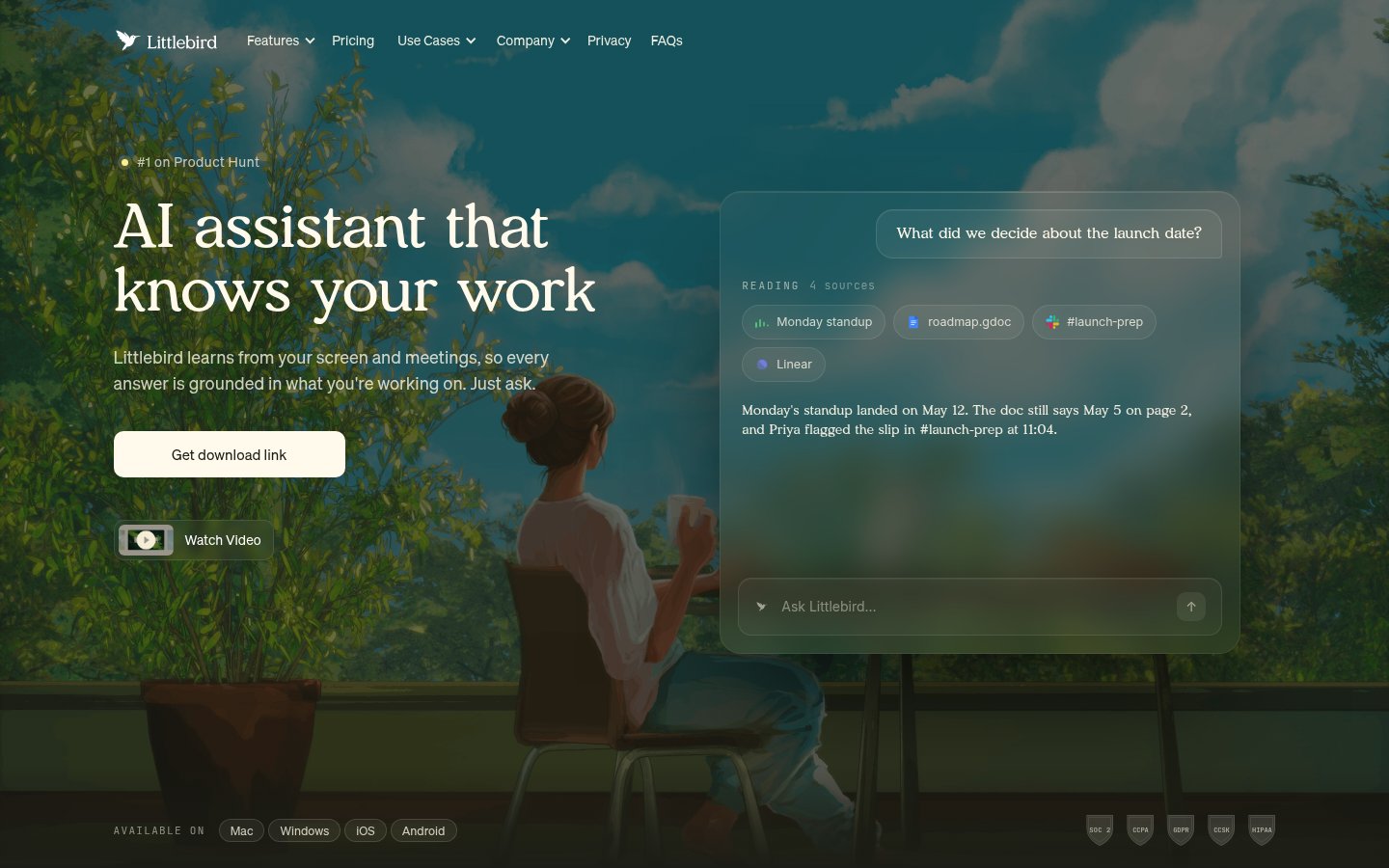
Littlebird is an AI assistant that builds a memory of your work. It watches the active window on your screen, takes meeting notes without a bot joining the call, and connects to tools such as Gmail, Google Calendar, Drive and Outlook. You can then ask questions about your work without pasting in context.
On top of that memory, Littlebird drafts emails, docs and updates, runs scheduled routines such as a morning briefing or a weekly project update, and appears on any screen through its Hover feature. Paid plans add Littlebird MCP, which lets other AI chat apps and code editors search your Littlebird memory.
It runs on Mac and Windows, works in the browser, and has companion apps for iOS and Android. Data is encrypted and stored on AWS. The company says it is SOC 2 Type II and HIPAA compliant. Banking and password sites are blocked by default, and you can pause capture or delete recent history at any time. It is aimed at founders, managers, client-facing staff, researchers and other knowledge workers.
Key features
- Screen-aware memory of the active window across all apps
- Meeting notes taken without a bot joining calls
- Scheduled routines like morning briefings and weekly updates
- Drafts emails, docs and updates in your voice
- Hover overlay to call the assistant on any screen
- Littlebird MCP so other AI tools can search your memory
- Hundreds of integrations including Notion, Linear, Gmail, Stripe
- Pause, block apps and delete recent history
Use cases
Who it's for
Recalling client call details
Ask what a client requested on a call, and Littlebird answers from the meeting notes and documents you had open.
Daily planning
Set up a morning briefing routine that summarizes priorities based on your recent work.
Drafting with context
Write emails, docs or project updates from what Littlebird has already seen, without pasting background.
Feeding context to coding tools
Use Littlebird MCP so AI chat apps and code editors can search your work memory.
Littlebird AI pricing
From the vendor's site, checked Oct 26, 2026; we re-check prices monthly. Prices change — confirm on their pricing page.
Basic
forever
Free
- Daily usage credits for chats and routines
- 25 meeting notes in total, 30+ languages
- 5 routines
- 2 Max mode messages a day
- Connect Gmail, Google Calendar, Drive, Outlook
Plus
month
$17/mo billed annually ($204 up front)
- 14-day free trial
- Unlimited meeting notes
- Up to 100 routines
- Max mode using credits
- Littlebird MCP
Power
month
$42.50/mo billed annually ($510 up front)
- Twice the monthly usage credits of Plus
- Premium image generation
Pro
month
From $100/mo billed monthly
- 5x or 12x the usage credits of Plus
- Ultra mode in chat and routines
- Priority support
- Early access to new features
Team
month
From $17 per seat/mo billed annually
- Plus, Power or Pro per person on one bill
- Admin controls and usage analytics
- Shared projects and routine templates
Enterprise
custom
Custom
- Everything in Team
- Single sign-on
- Require SSO for company domains
What the free plan gets you
- 25 meeting notes in total
- 5 routines
- 2 Max mode messages a day on desktop and web apps
- Daily usage credits for chats and routines (reset daily at midnight)
| Cost for a team, per month | 1 person | 5 people | 20 people |
|---|---|---|---|
| Plusflat | $17 | $17 | $17 |
| Powerflat | $42.50 | $42.50 | $42.50 |
| Proflat | $100 | $100 | $100 |
| Teamper seat | $17 | $85 | $340 |
Billed yearly where the plan offers it. — means the plan doesn't allow that many people.
Which plan do you need?
- EvernoteStarter$14.99/mo
- Littlebird AIPlus$17/mo
- ScreenpipeBasic$20.83/mo
The cheapest paid plan with a published price that fits. Custom and sales-quoted plans aren't included.
How Littlebird AI compares
- Littlebird AI has a free plan, like 3 of the 4 alternatives below.
| Tool | Starts at | Free plan | Free trial | API | Open source | |
|---|---|---|---|---|---|---|
| LLittlebird AI | $17/mo | — | — | |||
M Microsoft Recall | — | — | — | — | — | Littlebird AI vs Microsoft Recall |
S Screenpipe | $21/mo | — | Littlebird AI vs Screenpipe | |||
E Evernote | $14.99/mo | — | — | Littlebird AI vs Evernote | ||
N Notion AI | — | — | Littlebird AI vs Notion AI |
Compare 8 capabilities
| Capability | Littlebird AI | Microsoft Recall | Screenpipe |
|---|---|---|---|
| Calendar integration | — | ||
| Email integration | — | ||
| Meeting notes | |||
| Screen memory | |||
| Scheduled routines | — | ||
| MCP support | — | ||
| Local data storage | |||
| App/privacy exclusions |
Capabilities as stated on each vendor's own site; — means the site doesn't say. The closest alternatives in our directory by category. “Starts at” is the cheapest paid plan per month, as each vendor lists it.
Littlebird AI data and privacy
Trains AI on your content
Not stated
Data retention
Kept until you delete it or close your account
“Littlebird keeps your memory until you delete it or close your account.”
Where data is stored
US (AWS US East)
“Littlebird runs on Amazon Web Services in the United States (US East).”
Security and compliance
From Littlebird AI's own privacy and security pages , checked Oct 28, 2026. We only show what the vendor states in writing; “not stated” means the pages don't say.
Who's behind Littlebird AI
- Company
- Little Bird Software, LLC
- Founders
- Alap Shah, Alexander Green, Naman Shah
“Meet the three co-founders who started Littlebird Alap Shah Co-founder”
From Littlebird AI's own about, terms and privacy pages, checked Oct 28, 2026.
Pros and cons
Strengths
- Free Basic plan with no card needed
- Meeting notes are taken without a bot joining the call
- SOC 2 Type II and HIPAA compliant, with banking sites blocked by default
- Desktop, web, iOS and Android apps
Limitations
- Captured data is stored in the cloud on AWS, not locally
- Free plan limited to 25 meeting notes in total and 5 routines
- Mac desktop app requires Apple Silicon and macOS 13+
- Usage is credit-based, and Max mode uses more credits
Littlebird AI FAQ
Is Littlebird free?
Yes. The Basic plan is free with daily usage credits. Plus starts at $17/month billed annually and has a 14-day free trial.
How does Littlebird know about my work?
It watches the active window on your screen, listens in on meetings to take notes, and can connect to tools like email and calendar.
Which platforms are supported?
Mac and Windows desktop apps, a browser version, and companion apps for iOS and Android.
Where is my data stored?
It is encrypted and stored on AWS. Littlebird says it never sells user data, and you can delete the last hour, the last day or all of your history.
Is there a student discount?
Yes. Students get Plus for $15/month, billed monthly, and the first two months are free.
User reviews
No reviews yet. Used Littlebird AI? Be the first.
Sign in to rate this tool and share how you use it.
Littlebird AI
Free · from $17/mo
Tools similar to Littlebird AI
Searchable local snapshots of your screen history on Windows 11 Copilot+ PCs
Local screen and audio recording that gives AI tools searchable context
Notes, tasks and calendar in one app, with AI search and transcription