
Cursor
AI coding agent and editor for developers and engineering teams
Own Cursor? Claim it, free to correct the facts and get the verified badge.
Pricing
Free · from $8/mo
Platforms
What is Cursor?
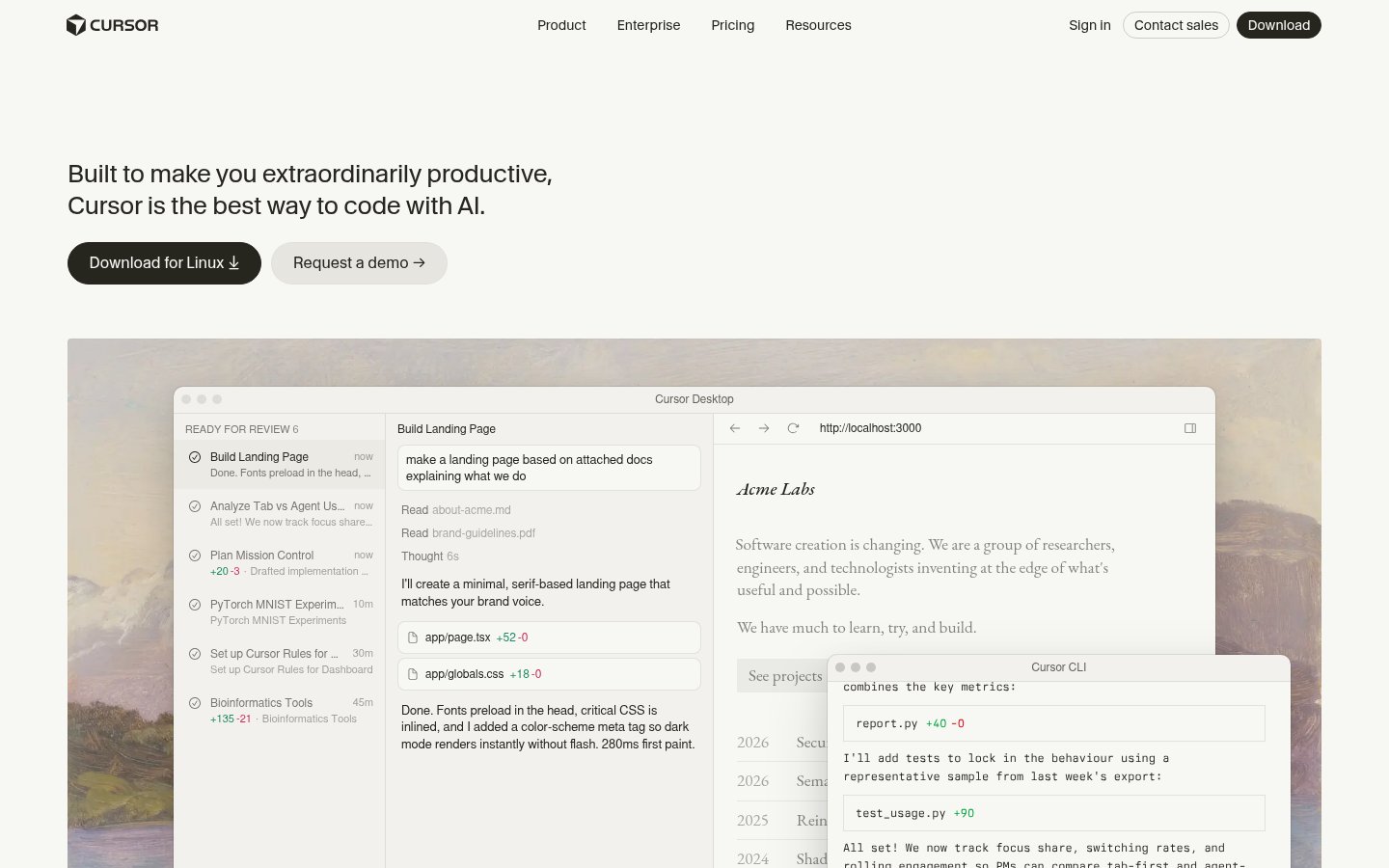
Cursor is an AI coding agent and desktop code editor that turns written tasks into code changes. You can hand off work like building a feature, fixing a parser or setting up a dashboard. You can make targeted edits yourself, or let agents plan and carry out the whole task.
Cursor works in several places. There is a desktop app, a CLI you install with a curl command, a Slack integration where you tag @cursor to open pull requests, and PR reviews in GitHub. Cloud agents run on their own machines, in parallel and for long stretches, and they build, test and demo features for you to review. You can pick models from OpenAI, Anthropic, Gemini, SpaceXAI and Cursor.
Cursor fits individual developers as well as large engineering organizations. Team and Enterprise plans add SSO, usage analytics, spend controls and audit logs. According to the pricing page, paid plans are bundled with Grok and X subscription features.
Key features
- Agent mode that plans and builds features from prompts
- Cloud agents running tasks in parallel on own machines
- Command-line agent installable via curl
- Slack integration that opens pull requests
- AI code reviews on GitHub PRs via Bugbot
- Model choice across OpenAI, Anthropic, Gemini, SpaceXAI, Cursor
- Cmd+K targeted inline edits
- Privacy mode excluding code from training
Use cases
Who it's for
Delegating feature work
Describe a feature and let an agent plan, write and test it, then review the diff.
Parallel background tasks
Launch several cloud agents on bug fixes or chores across repos while you keep working.
Team requests in Slack
Tag @cursor in a channel to have it make a change and open a PR.
Pull request review
Use Bugbot to get AI code reviews on GitHub pull requests.
Cursor pricing
From the vendor's site, checked Oct 26, 2026; we re-check prices monthly. Prices change — confirm on their pricing page.
Free
month
$0/month
- Limited agent requests
- Limited Chat requests
Plus
month
$8/month
- Shared AI usage pool
- Cursor Agent
- Grok API access
- Grok models only
Premium
month
$30/month
- 4x usage vs Plus
- Cloud agents & automations
- AI code reviews via Bugbot
- Third-party models at API list price
Super
month
$100/month
- 15x usage vs Plus
- Priority model access at peak times
Ultra
month
$200/month
- 50x usage vs Plus
- Earliest access to products & models
Teams
month
$30+/user/month
- Centralized billing
- SAML/OIDC SSO
- Usage analytics
- Team marketplace for rules and plugins
Enterprise
custom
Custom
- Pooled usage
- SCIM, audit logs
- Invoice/PO billing
- Priority support
What the free plan gets you
- Limited AI usage
- Limited agent requests
- Limited Chat requests
- No cloud agents, Bugbot code reviews, or third-party models
| Cost for a team, per month | 1 person | 5 people | 20 people |
|---|---|---|---|
| Plusflat, up to 1 | $8 | — | — |
| Premiumflat, up to 1 | $30 | — | — |
| Superflat, up to 1 | $100 | — | — |
| Ultraflat, up to 1 | $200 | — | — |
| Teamsper seat | $30 | $150 | $600 |
Billed yearly where the plan offers it. — means the plan doesn't allow that many people.
Which plan do you need?
- CursorPlus$8/mo
- OpenAI CodexGo$8/mo
- GitHub CopilotPro$10/mo
- WindsurfPro$20/mo
- DevinPro$20/mo
The cheapest paid plan with a published price that fits. Custom and sales-quoted plans aren't included.
How Cursor compares
- At $8/mo, Cursor starts cheaper than 3 of 4 similar tools with published prices (median $10).
- Cursor has a free plan, like all 4 alternatives below.
| Tool | Starts at | Free plan | Free trial | API | Open source | |
|---|---|---|---|---|---|---|
| CCursor | $8/mo | — | — | — | ||
G GitHub Copilot | $10/mo | — | — | — | Cursor vs GitHub Copilot | |
O OpenAI Codex | $8/mo | — | — | Cursor vs OpenAI Codex | ||
W Windsurf | $20/mo | — | — | Cursor vs Windsurf | ||
D Devin | $20/mo | — | — | — | Cursor vs Devin |
Compare 6 capabilities
| Capability | Cursor | GitHub Copilot | OpenAI Codex | Windsurf | Devin |
|---|---|---|---|---|---|
| Agent mode | |||||
| Tab completion | — | — | — | ||
| CLI / terminal | — | ||||
| Cloud agents | — | ||||
| AI PR review | — | ||||
| MCP support | — | — | — |
Capabilities as stated on each vendor's own site; — means the site doesn't say. The closest alternatives in our directory by category. “Starts at” is the cheapest paid plan per month, as each vendor lists it.
Cursor data and privacy
Trains AI on your content
Yes, unless you opt out
“We do not use Inputs or Suggestions to train our models, or permit third parties to use them for training, unless: (1) they are flagged for security review”
Data retention
Kept only as long as necessary for operations and legitimate business needs
“Anysphere retains your personal data only for as long as necessary to operate the Service effectively and to support legitimate business needs”
Where data is stored
US and other jurisdictions
“Anysphere processes your personal data for the purposes described in this Privacy Policy on servers located in various jurisdictions, including in the United States.”
Security and compliance
From Cursor's own privacy and security pages , checked Oct 28, 2026. We only show what the vendor states in writing; “not stated” means the pages don't say.
Who's behind Cursor
- Company
- Anysphere, Inc.
- Part of
- SpaceX
“Cursor is now a part of SpaceX”
From Cursor's own about, terms and privacy pages, checked Oct 28, 2026.
Cursor release activity
5 changelog entries since Sep 2026, latest Oct 20, 2026. Changelog
Pros and cons
Strengths
- Free plan available
- Works in desktop, terminal, Slack and GitHub
- Supports models from several providers
- SOC 2, ISO27001 and ISO42001 certified
Limitations
- Plus plan is limited to Grok models
- Third-party model usage is billed separately at API list price
- Cloud agents and code reviews require Premium ($30/month) or higher
- Prices exclude taxes
Cursor FAQ
Is there a free plan?
Yes. The Free plan costs $0/month and includes a limited number of agent and Chat requests.
How much do paid plans cost?
Plus costs $8/month, Premium $30/month, Super $100/month and Ultra $200/month. Teams starts at $30 per user per month, and Enterprise pricing is custom.
Which models can I use?
Plus includes only Grok models. Premium and higher plans can also use third-party models, which are billed at API list price.
How do usage limits work?
Each plan has an AI usage pool shared across Cursor and Grok. The pool refreshes weekly, and you can buy top-offs if you run out.
Is my code used for training?
When privacy mode is enabled, Cursor guarantees that code data is not used for training by Cursor or its model providers.
User reviews
No reviews yet. Used Cursor? Be the first.
Sign in to rate this tool and share how you use it.
Cursor in our articles
News
GitHub Copilot Now Has 4.7 Million Paid Subscribers. The Autocomplete Era Is Officially Over.
Aug 27, 2026 · 6 min read
Guide
What AI Coding Agents Actually Do for Non-Engineers on a Software Team
Jul 31, 2026 · 13 min read
News
SpaceX Just Acquired Cursor for $60 Billion. That's Not a Tech Story. It's a Power Consolidation Story.
Jun 16, 2026 · 6 min read
News
GitHub Copilot Just Switched to Token-Based Billing. Developers Are Furious.
May 31, 2026 · 8 min read
Guide
The AI Dependency Trap: Why You're Building on Sand (And How to Fix It)
May 4, 2026 · 13 min read
Cursor
Free · from $8/mo
Tools similar to Cursor
AI coding assistant and agents for editors, terminal, desktop and GitHub
OpenAI's coding agent for the desktop, CLI, IDE, web and iOS, included in ChatGPT plans
AI coding IDE and command center for running local and cloud coding agents