
NotebookLM
AI research notebook that answers questions from the sources you upload
Own NotebookLM? Claim it, free to correct the facts and get the verified badge.
Pricing
Freemium
Company
Platforms
What is NotebookLM?
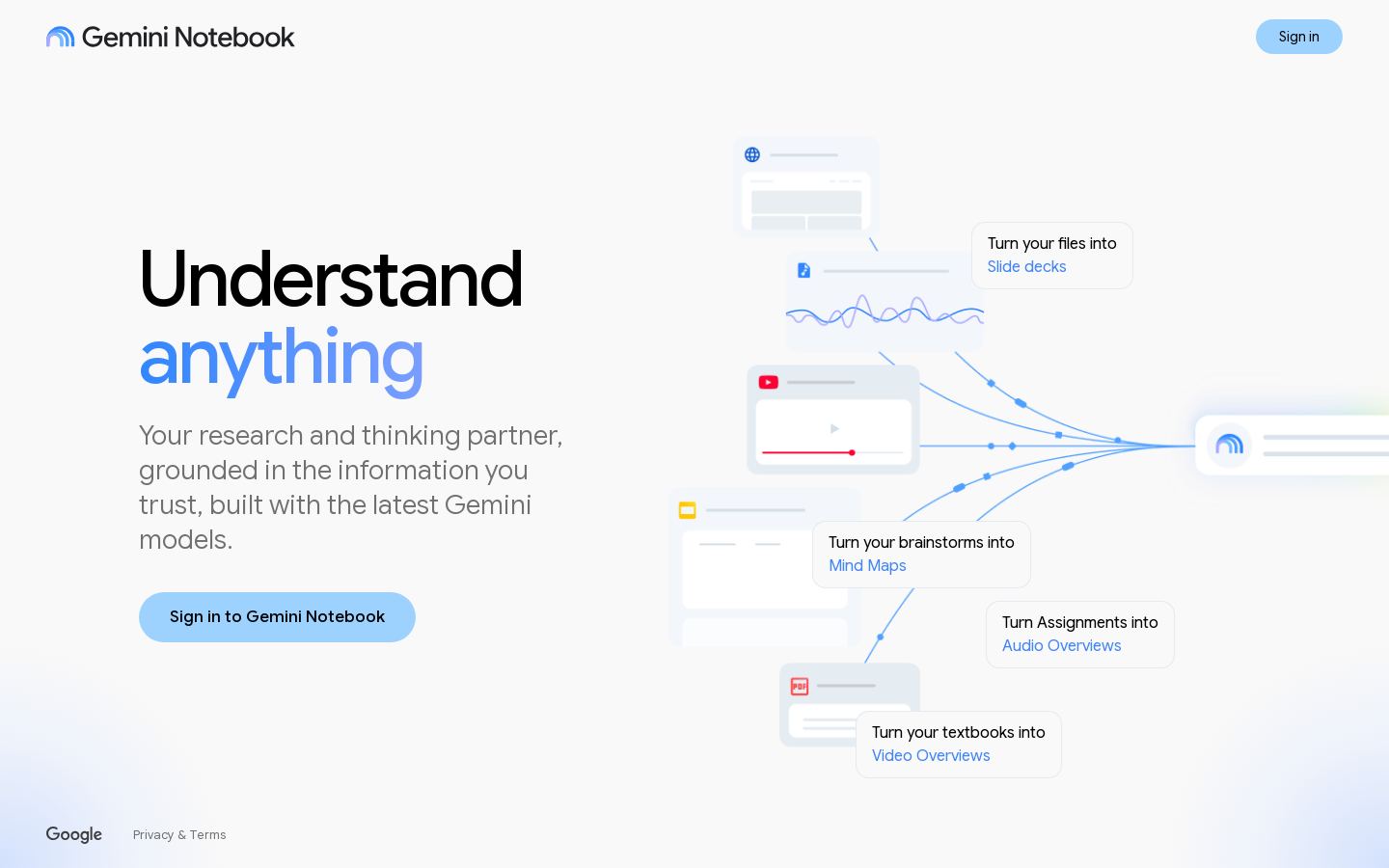
NotebookLM is Google's AI research and brainstorming tool. You collect sources in notebooks, and a Gemini model answers questions about them and helps you work through the material. Google's own site now presents it under the name "Gemini Notebook" and calls it an AI research tool and thinking partner.
Anyone with a Google account can use it for free on the Standard tier, which allows 100 notebooks per user and 50 sources per notebook. The Google AI Plus, Pro and Ultra subscriptions raise those limits, up to 500 notebooks and 600 sources per notebook. They also give more Gemini model access and earlier access to new features. On Pro and Ultra, watermarks are removed from generated output in most regions.
It suits students, researchers and knowledge workers. Organizations can get it through Google Workspace or through Google Cloud's enterprise licensing.
Key features
- Notebooks organized around your uploaded sources
- Answers questions using a Gemini model
- Up to 600 sources per notebook on top tiers
- Notebook sharing, with advanced controls on Enterprise
- Workspace and Workspace for Education access
- Enterprise security controls via Google Cloud
Use cases
Who it's for
Studying course material
Students can put readings and notes in one notebook and ask questions about them.
Research synthesis
Researchers can collect many sources in a notebook and use the AI to work through the material.
Brainstorming
Use it as a thinking partner to develop ideas from your own documents.
Team knowledge work
Organizations can use enterprise licenses with sharing and security controls.
NotebookLM pricing
From the vendor's site, checked Oct 26, 2026; we re-check prices monthly. Prices change — confirm on their pricing page.
Standard
Free
- Sign up with a Google account
- 100 notebooks per user
- 50 sources per notebook
Plus (Google AI Plus)
month
Price not stated
- 200 notebooks
- 100 sources per notebook
- Early access to features
Pro (Google AI Pro)
month
Price not stated
- 500 notebooks
- 300 sources per notebook
- Higher Gemini model access
- Watermark removal (not in India, South Korea or Vietnam)
Ultra (Google AI Ultra)
month
Price not stated
- 500 notebooks
- 500–600 sources per notebook, depending on storage tier
- Highest Gemini model access
- Priority access to features
Enterprise
Custom
- Via Google Cloud (Gemini Enterprise)
- 5x or more notebook artifacts
- Advanced sharing and security controls
How NotebookLM compares
- NotebookLM has a free plan, like all 4 alternatives below.
- It has no public API, unlike 3 of the 4 others.
| Tool | Starts at | Free plan | Free trial | API | Open source | |
|---|---|---|---|---|---|---|
| NNotebookLM | — | — | — | — | ||
S Semantic Scholar | Free | — | — | NotebookLM vs Semantic Scholar | ||
C Consensus | $20/mo | — | — | NotebookLM vs Consensus | ||
E Elicit | $49/mo | — | — | NotebookLM vs Elicit | ||
| K | $12.99/mo | — | — | NotebookLM vs Knowt |
Compare 7 capabilities
| Capability | NotebookLM | Semantic Scholar | Elicit |
|---|---|---|---|
| Source citations | — | ||
| Academic paper search | — | ||
| Upload own documents | — | — | |
| Citation export | — | ||
| Zotero/ref manager sync | — | — | |
| Systematic review tools | — | — | |
| Shared workspaces | — |
Capabilities as stated on each vendor's own site; — means the site doesn't say. The closest alternatives in our directory by category. “Starts at” is the cheapest paid plan per month, as each vendor lists it.
Pros and cons
Strengths
- Free Standard tier allows 100 notebooks and 50 sources per notebook
- Paid tiers raise limits to as many as 600 sources per notebook
- Available through Workspace, Workspace for Education and Google Cloud
Limitations
- NotebookLM help page gives no prices; they sit on separate Google AI plan pages
- Watermarks stay on output in India, South Korea and Vietnam even on paid plans
- Google labels plan limits as subject to change
NotebookLM FAQ
Is NotebookLM free?
Yes. The Standard tier is free with a Google account and allows 100 notebooks per user and 50 sources per notebook.
How do I get higher limits?
Subscribe to Google AI Plus, Pro or Ultra. Pro allows 500 notebooks and 300 sources per notebook. Ultra allows up to 600 sources per notebook.
Is there an enterprise version?
Yes. It is offered through Google Cloud with a Gemini Enterprise or Gemini Notebook for Enterprise license. It includes 5x or more notebook artifacts and extra security controls.
Can paid plans remove watermarks?
On Pro and Ultra, yes, except for users in India, South Korea and Vietnam.
User reviews
No reviews yet. Used NotebookLM? Be the first.
Sign in to rate this tool and share how you use it.
NotebookLM in our articles
Best of
Top 9 AI Tools for Education and Learning in 2026: Ranked by How Much They Actually Teach You
Jul 19, 2026 · 17 min read
Best of
Top 10 AI Tools for Researchers and Academics in 2026: Ranked by What Actually Speeds Up Your Work
Jun 7, 2026 · 16 min read
Guide
The AI Privacy Problem: What Your AI Tools Actually Know About You (And How to Take Back Control)
May 8, 2026 · 12 min read
Guide
The AI Verification Gap: Why You're Trusting Outputs You Shouldn't (And How to Fix It)
May 4, 2026 · 13 min read
Guide
The AI Dependency Trap: Why You're Building on Sand (And How to Fix It)
May 4, 2026 · 13 min read
NotebookLM
Freemium
Tools similar to NotebookLM
Free AI-powered search engine for scientific papers across all fields
AI search engine that answers questions from peer-reviewed research papers
AI research assistant for paper search, systematic reviews and evidence reports