Best of
Los 10 Mejores Herramientas de Presentación IA en 2026: Clasificadas por Calidad de Diapositivas, Velocidad y Utilidad Real
May 10, 2026 · 16 min read

AI presentation maker that turns prompts, PDFs and docs into editable slides
Own PopAI? Claim it, free to correct the facts and get the verified badge.
Pricing
Freemium
Company
01.AI Pte. Ltd.Singapore
Platforms
PopAI's document-to-deck route with an editable outline and PPTX export is a good fit for people who convert reports and briefs into slides. Public reviews describe hard-to-find cancellation, ignored support emails and refused refunds, and the price only shows at checkout. Test on the free tier and pay monthly if you upgrade.
Best for: Individuals turning finished documents into editable decks on a monthly plan
Read the full reviewPopAI is an AI presentation maker that turns a topic prompt or a source file into an outline, and then into a slide deck you can edit. You can start from a PDF, a Word document, a PPTX file or a webpage. You review and edit the proposed outline before the slides are created.
After the deck is generated, you can choose a template, replace images, revise text and change layouts in the browser. Decks export as PPTX or PDF, or you can share them with a link. The workspace also has AI ChatPDF, AI writing, AI chat and AI image tools, plus free converters such as PDF to Slides and Word to Slides.
PopAI is made by 01.AI Pte. Ltd. in Singapore. It runs on the web and is also available as a Chrome extension and as iOS and Android apps. It suits professionals, students and teachers who build pitch, training or sales decks.
Who it's for
Turn a pitch topic or a brief into a structured deck, then refine it in the editor.
Upload a report as a PDF or Word file and get a slide summary you can export as PPTX.
Teachers and trainers can produce lesson or training decks from an outline.
Build product or campaign presentations from a template and share them by link.
From the vendor's site, checked Oct 26, 2026; we re-check prices monthly. Prices change — confirm on their pricing page.
Free
month
Free
Plus
month or year
See vendor pricing page
Pro
month or year
See vendor pricing page
| Tool | Starts at | Free plan | Free trial | API | Open source | |
|---|---|---|---|---|---|---|
| PPopAI | — | — | — | — | ||
G Gamma | — | — | — | PopAI vs Gamma | ||
M MagicSlides | $6.67/mo | — | PopAI vs MagicSlides | |||
C ChatSlide | $8.25/mo | — | — | — | PopAI vs ChatSlide | |
G GenPPT | $8/mo | — | — | — | PopAI vs GenPPT |
| Capability | PopAI | MagicSlides | ChatSlide | GenPPT |
|---|---|---|---|---|
| Editable PPTX export | — | |||
| Doc/PDF to slides | ||||
| URL/video to slides | — | |||
| PowerPoint/Slides add-in | — | — | — | |
| Brand kit | — | — | ||
| Outline review | — | |||
| Viewer analytics | — | — | — | |
| MCP server | — | — | — |
Capabilities as stated on each vendor's own site; — means the site doesn't say. The closest alternatives in our directory by category. “Starts at” is the cheapest paid plan per month, as each vendor lists it.
Strengths
Limitations
 Stanislav VovchykUpdated Oct 29, 20269 min read
Updated October 2026
PopAI turns prompts, PDFs, Word files, PPTX files and web pages into editable slide decks, and the documents-in route is the reason to consider it. The reason to hesitate is billing: public complaints about cancellation and refunds are loud and consistent, and the price isn't visible until you reach checkout.
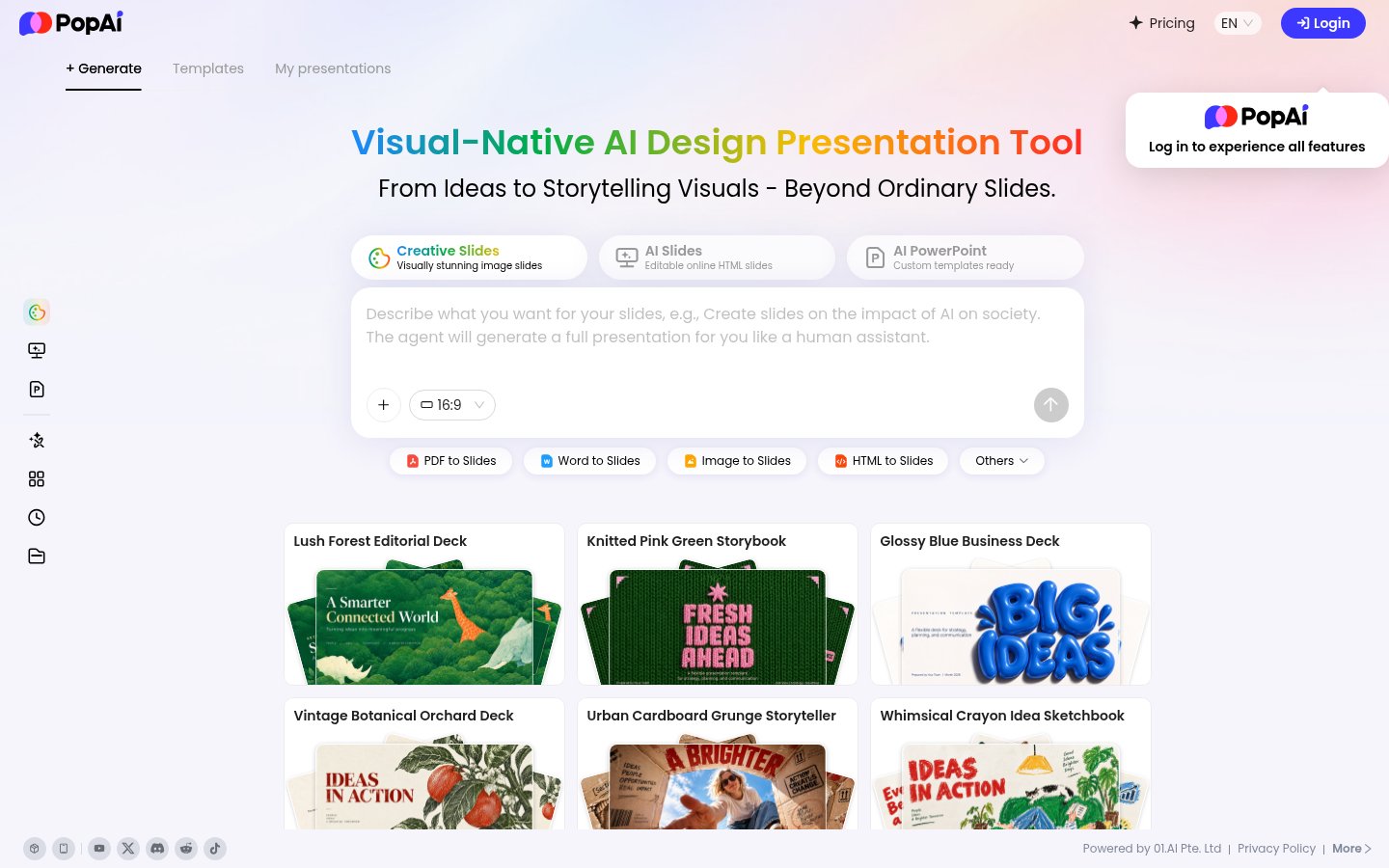
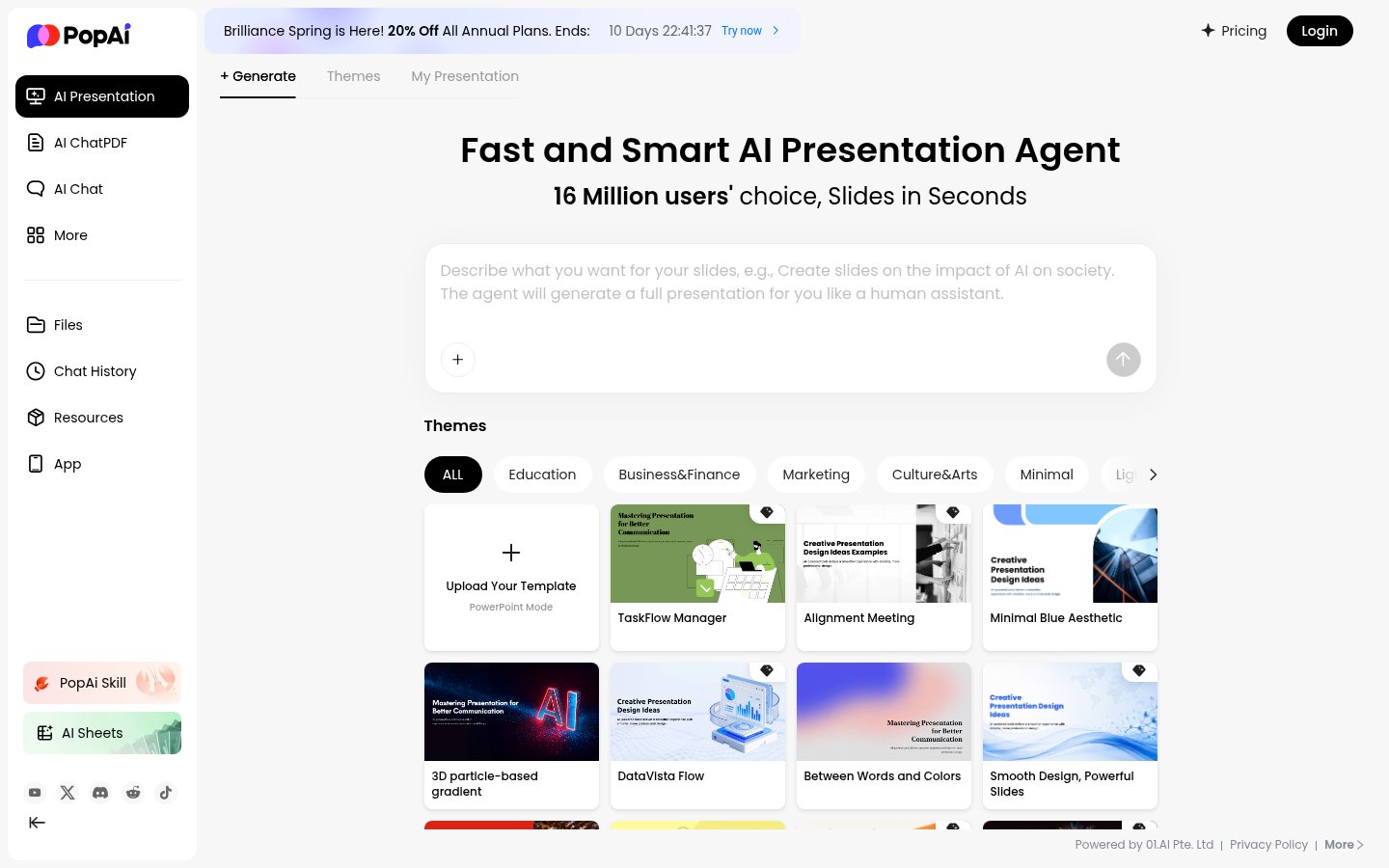
You start from one of four inputs: a topic prompt, an uploaded PDF, Word or PPTX file, or a web page URL. PopAI then builds an outline you can edit before any slides are generated. That order matters. Fixing a bad outline costs you a few seconds, while fixing 20 badly structured slides costs you far more.
After the outline, you pick a template and background from the gallery. The deck opens in a browser editor where you can change text, images and layouts. Export goes to PPTX or PDF, or you can share a link. The same account works on the web, in a Chrome extension, and in iOS and Android apps.
The suite also includes AI ChatPDF (ask questions about an uploaded document), AI writing, general chat and image generation, plus an AI Sheets tool. Those extras sit behind the same credit balance as the slide maker. Dupple's review lists Claude, GPT, Gemini, Grok and DeepSeek as selectable models, so you choose the model rather than leaving routing to the app.
The document-in route. Most AI slide tools start from a prompt and invent the content. PopAI accepts a finished source (a report, a brief, an old deck, a URL) and restructures it. For anyone who turns written deliverables into presentations on a regular basis, that's the entire use case. A quarterly review, a research summary or a technical spec is already written, and the job is reshaping it. If you're comparing tools for that specific job, our guide to turning a PDF into a presentation with AI covers the limits and prices of the alternatives.
Outline review before generation. This is the feature that decides whether the document route is usable. Source documents carry boilerplate, appendices and legal text. Being able to cut those from the outline before slides are built saves you from deleting the output afterwards. Tools that skip straight to finished slides don't give you that checkpoint.
Editable PPTX export. The export lands in PowerPoint as a file you can keep working on, not a flattened image. Reviewers praise export fidelity even when they criticise the company, which is a sensible thing to weigh if your deck will pass through other people's hands.
Model choice. Picking the model per task, with one balance covering all of them, is a real draw according to Dupple's review. You can try a different model on a weak outline without paying for a second subscription.
Billing is the dominant complaint, and it's consistent. Trustpilot showed PopAI at 1.3 out of 5 with a Bad label as of March 2026, with reviews running from December 2025 through March 2026. The same points repeat across reviewers: no visible cancel button on the website, emails to support going unanswered, and a refused refund after an automatic renewal. One reviewer who tried to cancel on the day they signed up said they blocked the company through their card issuer after three emails. Another called the cancellation process almost intentionally unclear.
That's Trustpilot, where unhappy customers are over-represented, so treat the score as a measure of billing friction rather than of slide quality. G2 reviewers, who mostly describe study use, give it 4.5 to 5 out of 5 and praise fast responses and the interface. The two audiences are describing different parts of the same company.
The pricing page loads through JavaScript, and Dupple reports the price only appears once you have an account and open checkout. You can't compare PopAI against ChatGPT or Gamma before handing over account details, and that opacity is a flaw on its own.
For safety, the operator is 01.AI Pte. Ltd. in Singapore, so it's a named company rather than an anonymous app. The Trustpilot complaints concern billing and support, not stolen data. Still, nothing public here spells out how uploaded documents are stored or whether they train models. Read the privacy policy before uploading client files or anything confidential, and pay with a card or virtual card you can freeze.
Team features are thin. Collaboration isn't the point of this tool, so if several people edit the same deck, look elsewhere. ChatPDF and AI Sheets also overlap with general-purpose chat tools that accept file uploads, so don't pay for PopAI on the strength of those two.
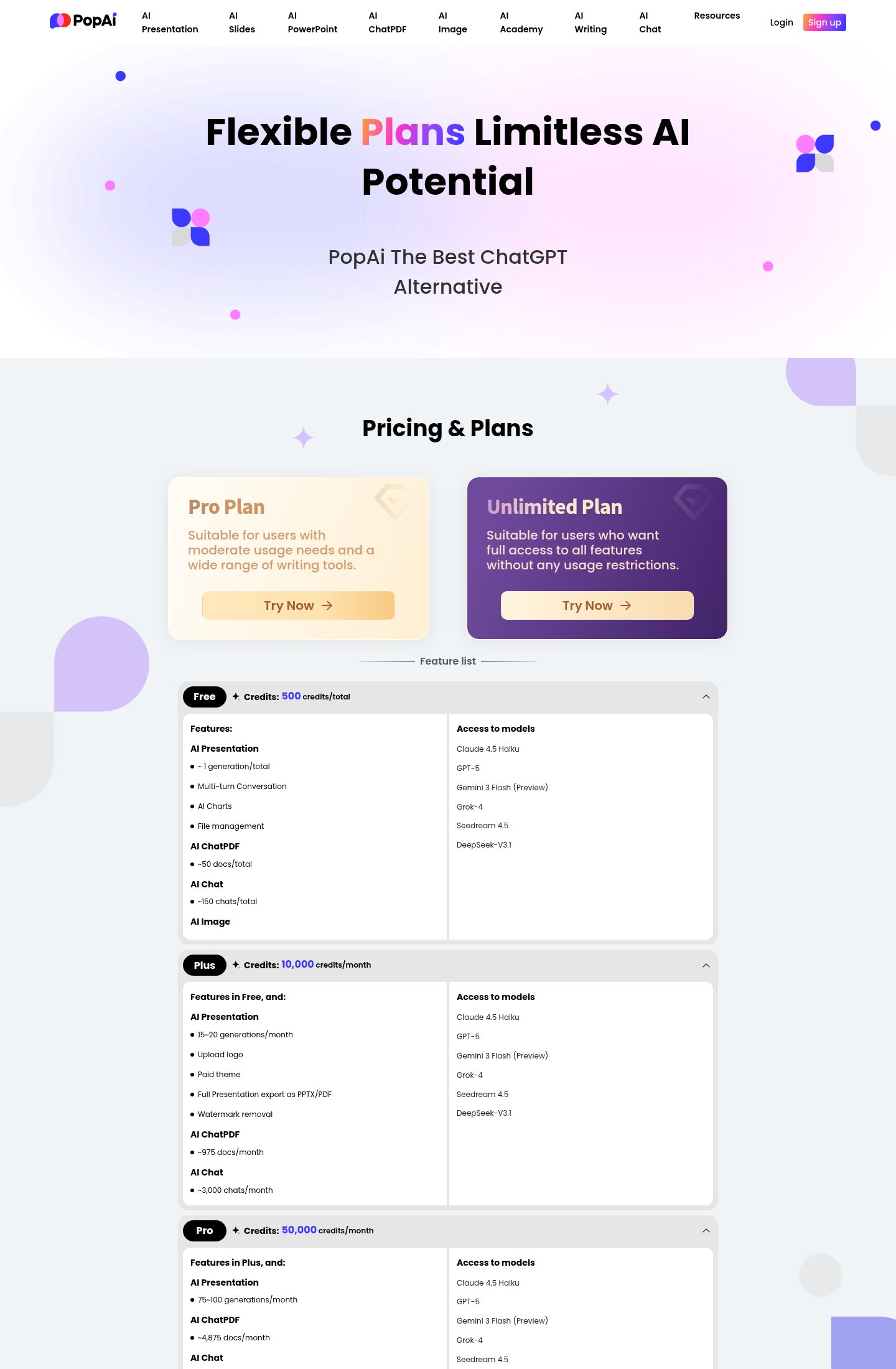
The plans are Free, Plus and Pro, all metered in credits rather than messages. The free tier gives you a credit allowance to test the document-to-deck flow, and Pro includes 50,000 credits a month. Plus and Pro can be billed monthly or yearly.
I can't give you a current price for Plus or Pro because PopAI doesn't show it until checkout. Check the figure in the checkout screen, and check whether it's a monthly price or a yearly charge taken in one payment. That distinction is where user complaints cluster, since a yearly plan displayed as a monthly-equivalent price still takes the full amount on day one, and reviewers say refunds for it get refused.
Credits add a second unknown. PopAI translates each allowance into approximate presentation, document and chat counts on its pricing page. A deck built from a long PDF plus a few regenerations may use far more credits than a short prompt-only deck, so test with your real documents on the free tier before judging the paid allowance.
My judgement: the free tier is fine for evaluation, and monthly billing is the only sensible way to pay. The yearly plan makes sense only if cancellation and refunds worked well, and public reports say they don't. For a lower-friction option focused on slides alone, see our GenPPT review. Gamma and Beautiful.ai both offer better team workflows.
Pick PopAI if you're a student, consultant or solo knowledge worker who regularly converts finished documents into decks and wants editable PPTX out of it. The outline checkpoint and model choice suit that job, and you'll be safest on a monthly plan, with the renewal date in your calendar and the card easy to freeze.
Skip it if you need to know the price before you register, if several people must edit the same deck, or if you'd rather not depend on a support team that Trustpilot reviewers describe as slow to answer. Skip the annual plan regardless of how good the output looks.
Start on the free tier and run one real document through the outline step before upgrading. Note your credit balance before and after, so you can work out what a deck costs you. Screenshot the checkout page showing plan, period and total, and look for the cancellation option straight away rather than at renewal time.
It creates editable slide decks from a prompt or an uploaded file. It also includes ChatPDF, writing, chat and image tools.
Yes. The pricing page lists a Free tier alongside the paid Plus and Pro tiers.
PPTX and PDF. You can also share a deck by link.
Web, a Chrome extension, and iOS and Android apps.
01.AI Pte. Ltd., based in Singapore.
No reviews yet. Used PopAI? Be the first.
Sign in to rate this tool and share how you use it.
Best of
May 10, 2026 · 16 min read
Best of
May 10, 2026 · 16 min read
PopAI
Freemium
AI tool that creates presentations, documents and websites from a prompt
AI presentation maker that turns text, PDFs, videos and links into slide decks
Turn PDFs, docs and links into editable slides, avatar videos and posters