Best of
Los 10 Mejores Herramientas de Presentación IA en 2026: Clasificadas por Calidad de Diapositivas, Velocidad y Utilidad Real
May 10, 2026 · 16 min read
Turns notes, documents and prompts into presentations in Google Slides or PowerPoint
Own Slides AI? Claim it, free to correct the facts and get the verified badge.
Pricing
Free · from $10/mo
Platforms
SlidesAI is a good drafting tool for people who want to approve an outline before any design happens, and its Brand Kit reuses your own PPTX template. The free plan's 2,500-character cap, generic design and divided public ratings, including reported cancellation complaints, make it a poor fit for client-facing decks or blind annual commitments. Try one real deck on the free plan before paying for Pro.
Best for: Educators, students and internal presenters who build decks from notes or documents inside Google Slides or PowerPoint
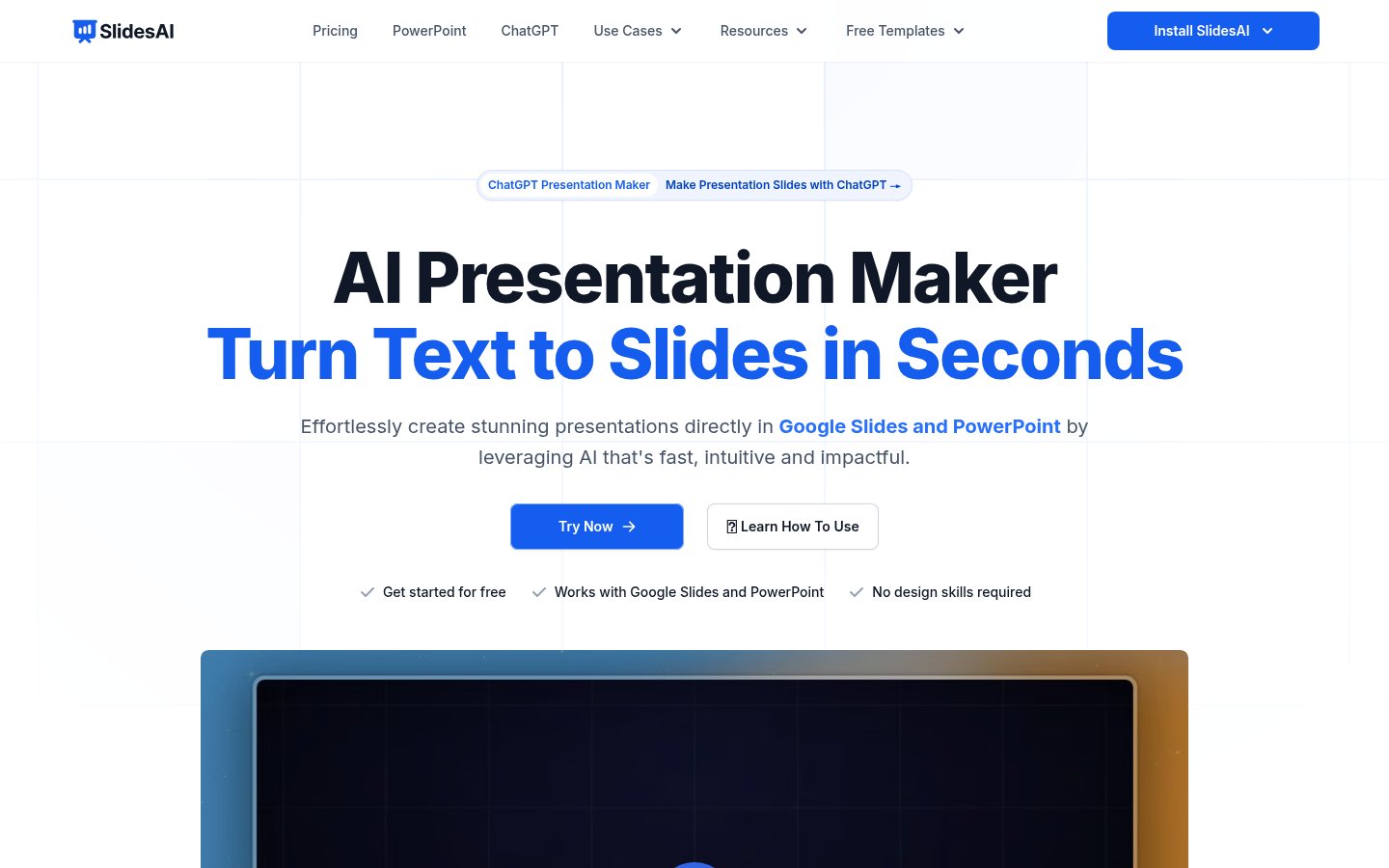
Read the full reviewSlides AI turns topics, notes, scripts, PDFs and Word documents into presentation decks. It runs as a web app and also works inside Google Slides, PowerPoint and ChatGPT, so you can build a deck without switching tools or importing a file afterward.
You start by typing a topic, pasting text or attaching a document, then choose a style. If something is unclear, the tool asks a few questions, and you confirm slide count, audience, tone and language. Next it shows an editable outline you can rewrite or reorder. After that it writes the slide text, and you can edit it yourself or accept AI suggestions before it designs the slides. A Brand Kit takes your PPTX template so decks use your colors, fonts, logo and layouts. Finished decks can be presented, shared by link or exported to PowerPoint or Google Slides.
It fits teachers, students, sales teams, founders, marketers and other professionals who build decks often.
Who it's for
Teachers can turn lecture notes or lesson plans into class-ready decks.
Students can turn essays and research notes into presentation decks.
Sales teams and founders can turn call notes or pitch notes into client or investor decks.
Upload a company PPTX template so generated reports use your brand colors, fonts and layouts.
From the vendor's site, checked Oct 26, 2026; we re-check prices monthly. Prices change — confirm on their pricing page.
Basic
month
Free
Pro
year
$10/user/mo billed yearly ($120/year)
Premium
year
$20.83/user/mo billed yearly ($250/year)
What the free plan gets you
| Cost for a team, per month | 1 person | 5 people | 20 people |
|---|---|---|---|
| Proper seat | $10 | $50 | $200 |
| Premiumper seat | $20.83 | $104.15 | $416.60 |
Billed yearly where the plan offers it. — means the plan doesn't allow that many people.
Which plan do you need?
The cheapest paid plan with a published price that fits. Custom and sales-quoted plans aren't included.
| Tool | Starts at | Free plan | Free trial | API | Open source | |
|---|---|---|---|---|---|---|
| S | $10/mo | — | — | — | ||
G Gamma | — | — | — | Slides AI vs Gamma | ||
B Beautiful.ai | $14.5/mo | — | — | — | Slides AI vs Beautiful.ai | |
V Visme | $12.25/mo | — | — | — | Slides AI vs Visme | |
| P | — | — | — | — | — | Slides AI vs Prezi AI |
| Capability | Slides AI | Beautiful.ai | Visme | Prezi AI |
|---|---|---|---|---|
| Editable PPTX export | — | — | ||
| Doc/PDF to slides | — | — | ||
| URL/video to slides | — | — | — | |
| PowerPoint/Slides add-in | — | — | — | |
| Brand kit | ||||
| Outline review | — | — | ||
| Viewer analytics | — | — | — | |
| MCP server | — | — | — |
Capabilities as stated on each vendor's own site; — means the site doesn't say. The closest alternatives in our directory by category. “Starts at” is the cheapest paid plan per month, as each vendor lists it.
Trains AI on your content
Not stated
Data retention
Kept as needed; deleted on request; presentations deleted within 30 days of deletion
“We retain data only for as long as necessary to provide our services and will delete user data upon request.”
Where data is stored
Not stated
Security and compliance
None stated
From Slides AI's own privacy and security pages , checked Oct 28, 2026. We only show what the vendor states in writing; “not stated” means the pages don't say.
“SlidesAI was founded in January 2023 by Anurag Bhagsain”
“SlidesAI was founded in January 2023 by Anurag Bhagsain with a simple goal”
From Slides AI's own about, terms and privacy pages, checked Oct 28, 2026.
Strengths
Limitations
 Stanislav VovchykUpdated Oct 29, 20269 min read
Updated October 2026. Prices checked October 2026.
SlidesAI's main draw is that it produces decks you can open and edit as ordinary Google Slides or PowerPoint files, and that it makes you approve an outline before it designs anything. The catch is the free plan's 2,500-character input cap, plus a pattern of reviewer complaints about reliability and cancellation that you should weigh before paying for a year.
SlidesAI runs in four places: a Google Slides add-in, a PowerPoint add-in, a ChatGPT integration, and a web app that needs no install. You type a topic, paste notes, or attach a document, then pick a style. If your request is vague, it asks a few questions rather than guessing, and it has you confirm slide count, audience, tone and language before it writes anything.
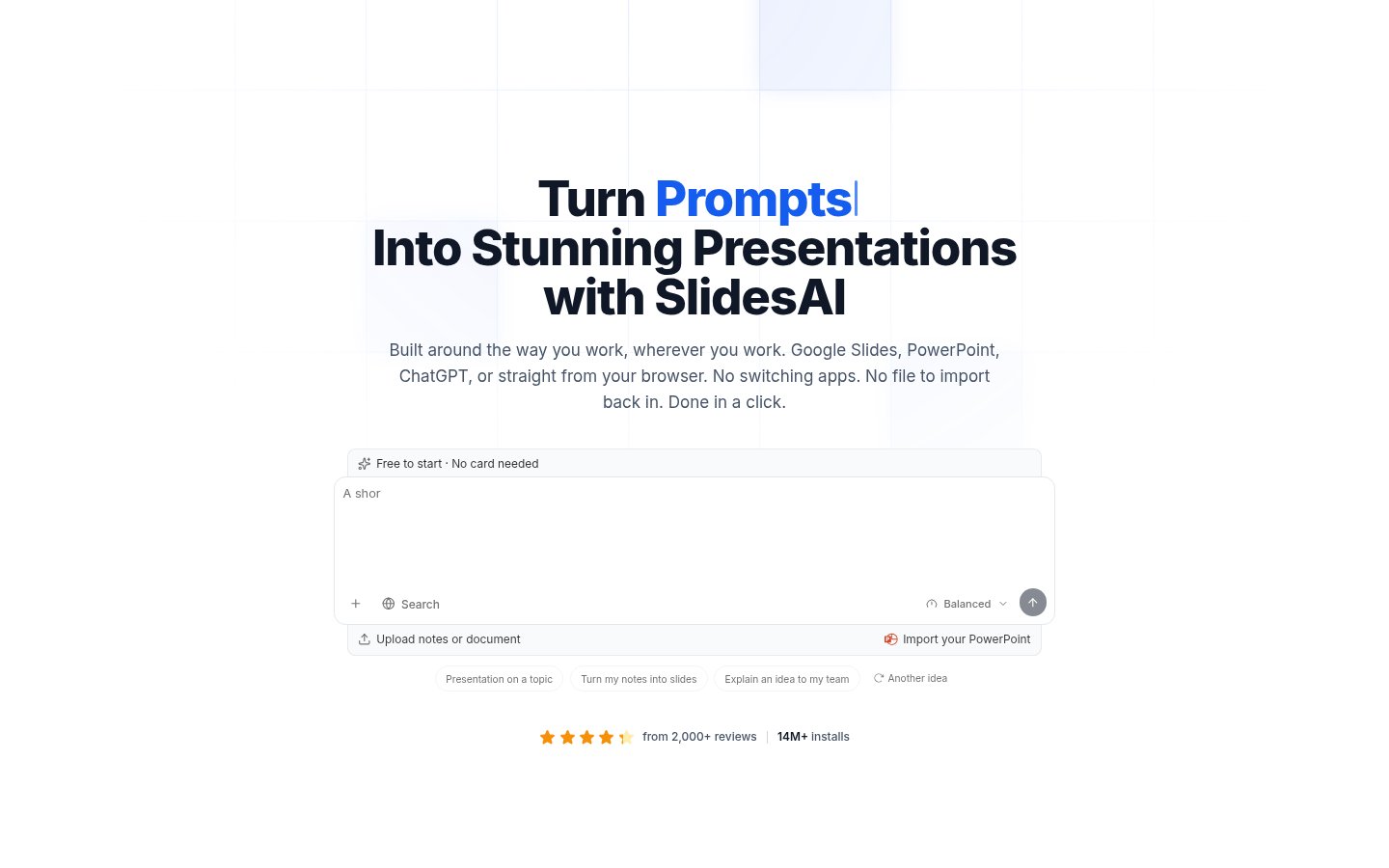
The next step is the one that sets it apart from one-shot generators. An outline opens beside the chat with one line per slide. You click any title or line to rewrite it, or drag slides into a new order. Only when you press Continue does it write the text for every slide. Press Create and it designs the slides, opens the deck in its editor, and lets you present, share a link, or export to PowerPoint or Google Slides.
Edits after generation work as suggestions. You can change a slide's text yourself or ask the AI to do it, and its changes wait for your Accept. That matters on a long deck, because you can reject a rewrite without hunting for an undo.
Input sources are broad: topics, notes, scripts, PDFs and Word files, and an existing PowerPoint. If your source material is already a PDF, our guide to turning a PDF into a presentation with AI compares the limits across tools.
The outline-first workflow. Most AI deck tools spend your time fixing slides after the fact. Here you fix the structure while it's still eight lines of text. Cutting a slide or reordering the argument costs seconds at that stage and minutes after design. For anyone who has deleted half a generated deck because slide three was off-topic, this is the feature that decides it.
Brand Kit from your own PPTX. Upload a branded PowerPoint and SlidesAI pulls out your colours, fonts, logo and layouts, so decks come out on-brand without restyling. The vendor's own example extracts 64 layouts from a 38.2 MB consulting-style file. Treat that as a best case, since the example decks are illustrative, but the mechanism is the right one: it reuses your template instead of imposing its own. The free plan includes 1 Brand Kit, Pro gives 3 and Premium 6. Pro and Premium also let you upload your own fonts. If you present under corporate brand rules, this is a bigger deal than any template count.
Where it plugs in. The ChatGPT integration lets you describe a deck in chat and get it saved to Google Slides, and the vendor lists an MCP server for tool-connected workflows. If you already draft structure in ChatGPT, that skips a copy-paste step. Plus AI is the closest rival for working natively inside Google Slides and PowerPoint, while Gamma keeps you in its own editor and produces stronger visual design.
The feature list also includes editable AI diagrams, flowcharts and timelines. Editable matters, because pasted images of diagrams are a common complaint with AI slide tools. Check how they look on your own content before relying on them.
The free plan caps input at 2,500 characters per presentation, roughly 400 words. A one-page brief fits. A meeting transcript or a report section doesn't. Pro raises the cap to 50,000 characters, 20 times higher, and Premium to 100,000. PDF and Word uploads are paid-only, so the free plan can't take a document at all. If your material arrives as files, budget for Pro.
Reliability is the recurring complaint. Pitchway's 2026 roundup of AI presentation makers reported that "Create" opened blank templates, "Remix" added blank slides and "Design" changed nothing, and that video export has been listed as "Coming Soon" for a long time. That reviewer tested an earlier version of the product, and the current outline-first flow may behave differently, but the report matches earlier criticism of overlapping elements and slide counts that missed the request. Run a real deck through the free plan before you commit.
Design is the other weak spot. Reviewers describe the output as generic, and the tool's strength is structure and text, not visual polish. For an internal update or a lesson, that's fine. For a client pitch, expect to restyle by hand, or lean on the Brand Kit so at least the colours, fonts and layouts are yours.
Sentiment splits on the public review sites. Pitchway put the Trustpilot rating at 2.6 out of 5 against 4 out of 5 on the Google Workspace Marketplace, and said users report dark patterns around cancellation. The vendor's homepage cites over 2,000 reviews and 14M+ installs, and shows testimonials that praise speed and fast support. Both can be true: the add-in is easy to install and try, while billing and cancellation draw the complaints. If you buy yearly, find the cancellation route before you pay.
The free plan gives 200 AI credits a month with the Lite and Balanced models, and no card is needed. That's enough to judge output quality, but the 2,500-character cap stops it being a working plan for document-based decks.
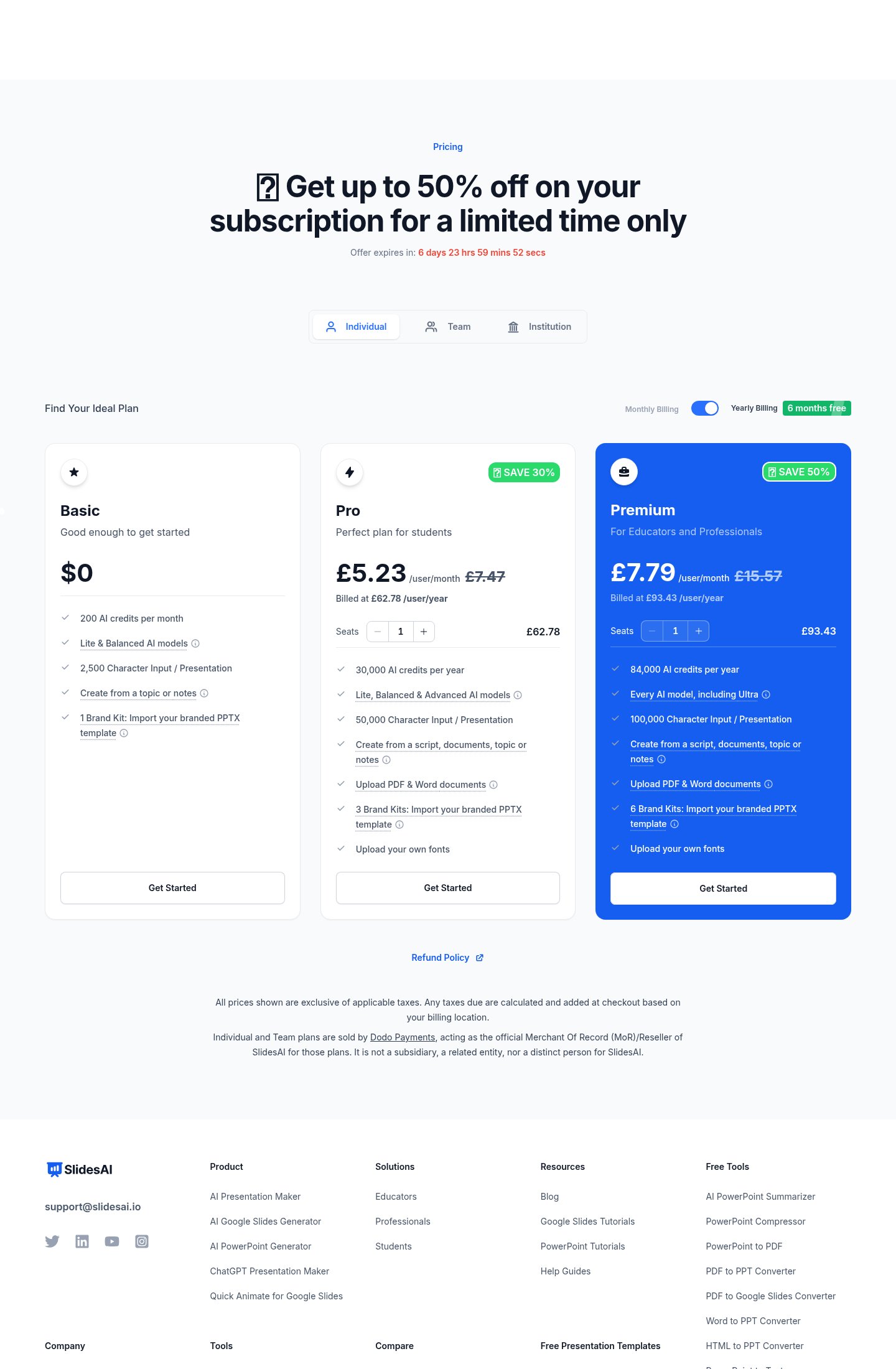
Pro is $10 per user per month billed yearly ($120 a year), as of October 2026. It adds 30,000 AI credits a year, the Advanced models, 50,000 characters of input, document uploads, 3 Brand Kits and custom fonts. For a student or solo professional who builds decks from documents, that's the plan to buy, and it's cheap against most AI presentation tools. The yearly billing is the risk, given the cancellation complaints above.
Premium is $20.83 per user per month billed yearly ($250 a year). It brings 84,000 AI credits, every model including Ultra, 100,000 characters and 6 Brand Kits. The jump is hard to justify unless you hit the Pro credit ceiling or need the Ultra model. Pro's 30,000 credits a year is 2,500 a month, so heavy daily users are the ones who'd run out.
For teams, the per-seat maths adds up as follows: five people on Pro pay $50 a month, and on Premium $104.15. Twenty people pay $200 and $416.60. Prices exclude taxes, which are added at checkout based on billing location. The Team and Institution tabs on the pricing page are separate from the individual plans, so confirm their terms before budgeting for a department.
Pick SlidesAI if you work in Google Slides or PowerPoint, build decks from notes, documents or ChatGPT drafts, and want to control the structure before any design happens. Teachers, students and internal presenters get the most from Pro. Anyone with a corporate PPTX template should try the Brand Kit first, since reusing your own layouts is the strongest reason to choose it over a tool with its own editor.
Skip it if the deck has to look designed on delivery, such as an investor pitch or a client proposal. Gamma gives better visuals out of the box, and Plus AI keeps you in native files with a stronger reputation for template fidelity. Skip it as well if you don't want to commit to annual billing on a tool whose public ratings are this divided. Start on the free plan, push one real deck through it, and only then buy Pro.
Individual and Team plans are sold by Dodo Payments, which acts as merchant of record, so invoices and billing queries come from that name rather than SlidesAI. The vendor is Zesterv LLC, based in the United Arab Emirates. For data handling, SlidesAI says it keeps data as needed, deletes it on request, and removes presentations within 30 days of you deleting them. Check that against your own policy if you're uploading client documents.
Yes. The Basic plan is $0 and includes 200 AI credits per month, Lite and Balanced models, and 1 Brand Kit.
Pro is $10 per user per month when billed yearly, which is $120 per user per year.
It runs as a web app and also works in Google Slides, PowerPoint and ChatGPT.
Yes. Brand Kits import your branded PPTX template, so decks use your colors, fonts, logo and layouts.
PDF and Word uploads are available on the Pro and Premium plans.
No reviews yet. Used Slides AI? Be the first.
Sign in to rate this tool and share how you use it.
Best of
May 10, 2026 · 16 min read
Best of
May 10, 2026 · 16 min read
Slides AI
Free · from $10/mo
AI tool that creates presentations, documents and websites from a prompt
AI presentation software with auto-aligning slides and brand controls for teams
AI content platform for branded presentations, documents and infographics