
Fathom
AI notetaker that records, transcribes and summarizes Zoom, Meet and Teams calls
Own Fathom? Claim it, free to correct the facts and get the verified badge.
Pricing
Free · from $15/mo
Free trial
Yes
API
Yes
Platforms
Fathom's free plan, with unlimited recording and no per-call cap, is the strongest free offer among mainstream notetakers, and Team at $15 a seat is the best-value paid tier. Business suits small sales teams, but the three-user CRM sync cap and the beta-stage cross-meeting search mean larger teams end up on a sales call. Turn off AI training the day you sign up, since it's on by default.
Best for: Individuals and small sales teams on Zoom, Meet or Teams
Read the full reviewWhat is Fathom?
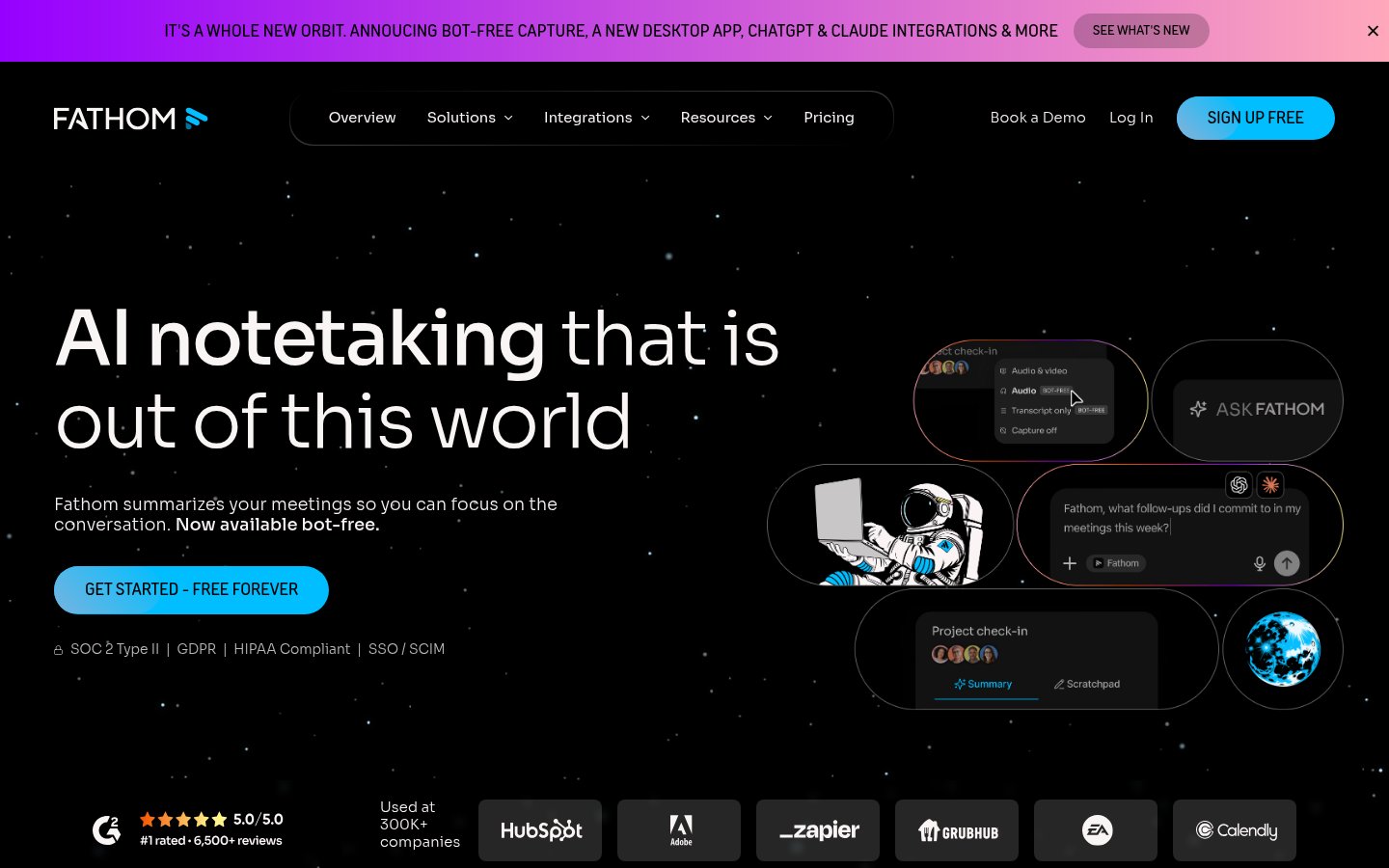
Fathom is an AI meeting notetaker that records, transcribes and summarizes calls on Zoom, Google Meet and Microsoft Teams. It can join as a bot or capture without one (bot-free capture is in beta on Mac). After each call it sends a summary and action items, and the transcript is searchable.
With "Ask Fathom" you can ask questions about one call or, as a beta feature, across all your calls. Trackers flag topics such as competitor mentions or objections and send them to Slack or email. Integrations include Slack, Salesforce, HubSpot, Notion, Asana, Zapier, Make, ChatGPT and Claude, and there is a public API and an MCP server.
The free plan for individuals covers unlimited recordings and transcription. Paid team plans add shared workspaces, CRM field sync, deal views and coaching scorecards. Fathom suits sales, customer success, HR and product teams. The site says Fathom is now part of Superhuman.
Key features
- Records and transcribes Zoom, Google Meet and Teams calls
- Bot-free capture option (beta on Mac)
- Instant AI summaries and action items
- Ask Fathom chat across past meetings
- Trackers that flag topics and route alerts to Slack
- CRM sync with Salesforce and HubSpot
- AI scorecards and coaching metrics
- Public API, MCP and ChatGPT/Claude integrations
Use cases
Who it's for
Sales call follow-up
Fathom summarizes deals and writes meeting insights into CRM fields, so reps don't have to update records by hand.
Customer success reviews
The Customer view brings together a client's meetings and highlights, and trackers surface risks across calls.
Interview evaluation
HR teams can use Ask Fathom to review interviews and compare candidates.
Personal meeting notes
Individuals can record unlimited calls for free and get a summary afterward.
Fathom pricing
From the vendor's site, checked Oct 26, 2026; we re-check prices monthly. Prices change — confirm on their pricing page.
| Plan | Free | Premium | Team | Business | Enterprise |
|---|---|---|---|---|---|
| Paid monthly | Free | $20/moper user | $19/moper user, 2 user minimum | $34/moper user, 2 user minimum | Custom quote |
| Paid yearly | Free | $16/mo−20% | $15/mo−21% | $25/mo−26% | — |
| Minimum users | — | — | 2 | 2 | — |
| Call summaries | Instant AI | Advanced | — | Custom | — |
| Cross-call search | Yes | — | Global search | — | — |
| Also |
|
|
|
|
|
What the free plan gets you
- Unlimited recordings + transcriptions
- Bot-free capture is in beta (Mac)
| Cost for a team, per month | 1 person | 5 people | 20 people |
|---|---|---|---|
| Premiumper seat, up to 1 | $16 | — | — |
| Teamper seat | $30 | $75 | $300 |
| Businessper seat | $50 | $125 | $500 |
Billed yearly where the plan offers it. — means the plan doesn't allow that many people.
Which plan do you need?
- TactiqPro$8/mo
- Otter.aiPro$8.33/mo
- Fireflies.aiPro$10/mo
- GranolaBusiness$14/mo
- FathomPremium$16/mo
The cheapest paid plan with a published price that fits. Custom and sales-quoted plans aren't included.
Get an email when Fathom changes its prices
One mail per change, a stop link in each. Nothing else.
How Fathom compares
- At $15/mo, Fathom has the highest entry price of the 5 tools here with published prices (median $10).
- Fathom has a free plan, like all 4 alternatives below.
| Tool | Starts at | Free plan | Free trial | API | Open source | |
|---|---|---|---|---|---|---|
| FFathom | $15/mo | — | ||||
F Fireflies.ai | $10/mo | — | — | Fathom vs Fireflies.ai | ||
O Otter.ai | $8.33/mo | — | Fathom vs Otter.ai | |||
G Granola | $14/mo | — | — | Fathom vs Granola | ||
T Tactiq | $8/mo | — | — | — | Fathom vs Tactiq |
Compare 8 capabilities
| Capability | Fathom | Fireflies.ai | Otter.ai | Granola | Tactiq |
|---|---|---|---|---|---|
| Bot-free recording | |||||
| In-person mobile recording | — | — | |||
| Speaker labels | |||||
| Chat across meetings | |||||
| CRM sync | |||||
| MCP server | |||||
| Custom note templates | — | ||||
| Call analytics | — | — |
Capabilities as stated on each vendor's own site; — means the site doesn't say. The closest alternatives in our directory by category. “Starts at” is the cheapest paid plan per month, as each vendor lists it.
Fathom data and privacy
Trains AI on your content
Yes, unless you opt out
“we may use and create de-identified data generated from Meeting Content Information to improve our Service by training, improving, and customizing our in-house artificial intelligence models. You can opt out from this use of your data in your account settings.”
Data retention
Kept until account deletion; deletion efforts within 30 days of request
“we will use commercially reasonable efforts to delete your recordings and personal information within 30 days of your account deletion request”
Where data is stored
Not stated
Security and compliance
How Fathom compares on data training. From Fathom's own privacy and security pages , checked Oct 28, 2026. We only show what the vendor states in writing; “not stated” means the pages don't say.
Who's behind Fathom
- Company
- Fathom Video Inc.
- Based in
- San Francisco, United States
- Founders
- Richard White
“Founder Richard White noticed that meetings were full of valuable ideas and decisions”
From Fathom's own about, terms and privacy pages, checked Oct 28, 2026.
Pros and cons
Strengths
- Free plan includes unlimited recordings and transcription
- SOC 2 Type II, GDPR and HIPAA compliance listed
- Public API and MCP for custom integrations
- 90-day guarantee on all plans
Limitations
- Team and Business plans require at least 2 users
- Bot-free capture is a beta feature for Mac only
- CRM sync is capped at 3 users per domain below Enterprise
- Account-wide Ask Fathom is in beta and limited on lower tiers
Fathom review
 Stanislav VovchykUpdated Nov 12, 20268 min read
Fathom, the AI meeting notetaker (if you came for the board game, this is the wrong page), gives away the part most rivals charge for. Its pricing page lists unlimited recordings and transcriptions on the free plan. You pay for what happens after the call: action items, team-wide search, CRM updates and coaching scorecards. A homepage banner now says Fathom is part of Superhuman. This review draws on Fathom's homepage and pricing page, captured in November 2026, and on dated third-party reviews, several of them written by competing notetakers.
What the free plan includes, and what it holds back
The free plan has no recording or transcription cap on the pricing page, and every call you record gets an instant AI summary. You can also pick bot or bot-free capture, cut clips and playlists, search your own calls, and connect to LLM tools such as ChatGPT and Claude. A Reddit user in r/ArtificialNtelligence summed up their week with it as "free tier is unlimited with no cap. I stopped taking meeting notes entirely."
The pricing page keeps four things for Premium: advanced call summaries, AI-generated action items, the conversational meeting assistant and a custom meeting bot. On the free plan you get the summary, but you won't get a generated to-do list or the chat assistant that answers questions about your calls. If you plan to use free summaries for client work, ask Fathom whether they come with a monthly allowance before you rely on them.
For a solo consultant, paying $16 a month gets you the action items and the assistant. If you just want a searchable record of every call, I wouldn't pay at all.
Bot or bot-free: what the other people on the call see
Fathom works with Zoom, Google Meet and Microsoft Teams, and the homepage also lists Slack, Gmail and Asana. You can capture a meeting in two ways.
With the bot. A Fathom bot joins the call as a participant. Vibe's comparison of notetakers points out that it shows up in the participant list, so everyone on the call can see something is recording. If you'd rather the bot carried your own branding, Premium lists a "custom meeting bot".
Bot-free. Nothing joins the meeting, and Fathom records from your side. The pricing page calls this a beta feature for Mac. If your team runs on Windows, plan on the bot for now, and ask Fathom when bot-free will reach your platform.
Bot-free changes who is responsible for consent. With the bot, the other people on the call can at least see a recorder in the room. Without it they see nothing. In places where everyone on a call has to agree to a recording, you have to tell them. If you take client calls, get into the habit of saying it at the start before you switch to bot-free.
Ask Fathom, Trackers and the connectors
Ask Fathom is a search-and-chat box over your meetings. The homepage pitches it as one place to search everything, with summaries you can tailor to your team's priorities. You get the conversational assistant on Premium, but asking across colleagues' calls needs Team. Talentsurge's 2026 review says Fathom wins on time-to-value, free-tier generosity and CRM sync, "not on cross-meeting search or enterprise controls". If your main question is "what did every customer say about onboarding this quarter", test that on a Team trial before you commit.
Trackers watch for topics you set, such as a competitor's name or a pricing objection, and flag the calls where they come up. They start on Team.
Integrations. The homepage says notes, insights and action items sync to Slack, Salesforce, HubSpot, Notion and Asana. Updating CRM fields in Salesforce or HubSpot automatically after a call is a Business feature. Lower tiers can still push summaries and notes into tools like Slack. The homepage also promotes meeting data "inside ChatGPT, Claude, and more", and LLM integrations are listed on the free plan. Before you give an assistant access to your meeting transcripts, read our explainer on how MCP connects ChatGPT and Claude to your apps, which covers the permission risks.
Team, Business or Enterprise: where the money goes
Team is cheaper per seat than Premium and includes everything Premium has. On annual billing it costs $15 per user against Premium's $16 ($19 against $20 monthly), with a two-user minimum. Two colleagues pay $30 a month on Team, versus $32 for two Premium seats, and they also get the shared workspace, Trackers and HIPAA coverage. I'd only buy Premium if you truly work alone.
At five seats, Team costs $75 a month and Business $125 on annual billing. The extra $50 pays for CRM field sync, Deal View (every call on a deal summarised in one place), coaching metrics, AI scorecards and organisation-wide custom summaries, which the pricing page says have a minimum requirement. For a sales or customer success team that lives in Salesforce or HubSpot records, I'd go to Business. For a team that mostly runs internal meetings, Team does the job, and Business features would sit unused.
Fathom is openly going after Gong's customers. Its pricing page offers Business free for the rest of your Gong contract, with data migration included. Spinach, another competing notetaker, argues in an October 2026 piece that organisations tend to outgrow Fathom's per-user pricing. That's worth modelling if you expect to add seats quickly. Enterprise, at $35 per user a month and billed annually only, is where SSO, SCIM, custom retention and a dedicated success manager come in.
Is Fathom safe for confidential meetings?
The certifications are solid. The homepage lists SOC 2 Type II, GDPR, HIPAA compliance and SSO/SCIM. The catch is that they're spread across the tiers:
- HIPAA with a standard BAA starts on Team. A clinician or health-adjacent consultant on Free or Premium doesn't get one.
- Team security controls start on Team.
- SSO, SCIM, custom data retention and a custom BAA are Enterprise only.
So the answer for confidential calls depends on your plan. On Team or above, with a BAA in place, Fathom meets the bar most compliance teams set. Before you record board meetings, legal calls or patient conversations, get written answers from Fathom on three points: whether your meeting content is used to train AI models and how to opt out, how long recordings are kept on your plan, and how fast deleted data is purged. Ask again after the ownership change below.
What changes under Superhuman
What's public so far is the banner: "Fathom is now part of Superhuman", with a link to learn more. As of November 2026 the pricing page still lists the same five plans, the free tier is still billed as "free forever", and the 90-day guarantee is still there. Nothing on the homepage or pricing page announces changes to pricing, product direction or data handling.
If you're about to sign an annual contract, ask your Fathom contact whether the plans, the data processing terms or the product roadmap will move under Superhuman. Then read the privacy terms again at renewal.
What reviewers and users say
The praise in public reviews keeps coming back to speed and simplicity. A G2 reviewer wrote that Fathom "is incredibly easy to use, even on the first try" and that the training videos were short. tl;dv, a direct competitor, calls it reliable, fast and unobtrusive, but only "if you keep your meetings tidy". FileTranscribe's 2026 review calls it very good for live meeting notes, especially for individuals and small sales teams.
The criticism is consistent too. FileTranscribe says it isn't the best tool for uploaded recordings. Talentsurge points to cross-meeting search and enterprise controls as weak spots. Spinach points to per-user costs as teams grow. Read together, these reviews describe a tool built for live calls on the big three platforms. Piles of recorded interviews or messy, crosstalk-heavy workshops suit it less well.
Fathom vs Otter, tl;dv and Granola
Otter. The deciding factor is the free tier. Fathom's pricing page puts no limit on recording count or call length. Before you pick Otter's free plan, look at its monthly minute allowance and its per-call length limit, and work out how many of your calls they would cover. If you regularly run calls over half an hour, I'd start with Fathom. If you mostly transcribe uploaded audio files, Otter or a dedicated transcription tool is the better place to look, given FileTranscribe's point above.
tl;dv. Its own review of Fathom is the best-ranked one, and it concedes that Fathom is fast and stays out of the way. If you're torn between the two, run the same week of calls through both free plans and compare the summaries.
Granola. Vibe and Convo, both competing notetakers, name Granola as the closest no-bot option because it captures system audio rather than sending a bot into the meeting. That matters most for Windows users while Fathom's bot-free mode remains a Mac beta.
When Fathom is the wrong fit. If your calls aren't in English, test a real one on the free plan before buying seats. Look elsewhere if your work is mostly uploaded files, if you need deep analysis across hundreds of calls right now, or if you need bot-free capture on Windows today. Teams that want the audio to stay on their own hardware should look at open-source Otter alternatives that run locally.
Fathom FAQ
Is Fathom free?
Yes. The individual Free plan is free forever and includes unlimited recordings, transcription and AI summaries.
How much do paid plans cost?
Billed annually, Premium is $16 per user per month, Team is $15 and Business is $25. Billed monthly, they cost $20, $19 and $34. Enterprise pricing is through sales.
Which meeting platforms does it support?
Zoom, Google Meet and Microsoft Teams.
Does Fathom have an API?
Yes. There is a public API and an MCP server, documented at developers.fathom.ai.
Can it record without a bot joining?
Yes. Bot-free capture is available as a beta feature for Mac.
Used Fathom? Rate it
Sign in to rate this tool and share how you use it.
Fathom in our articles
Best of
Top 9 AI Meeting & Productivity Tools in 2026: Ranked by How Much Time They Actually Save
May 4, 2026 · 16 min read
Guide
What Is MCP? How ChatGPT and Claude Connect to Your Apps, and What Can Go Wrong
Nov 3, 2026 · 10 min read
Fathom
Free · from $15/mo